

Collect Wedding Photos with a QR Code: Gather Guest Photos Without an App
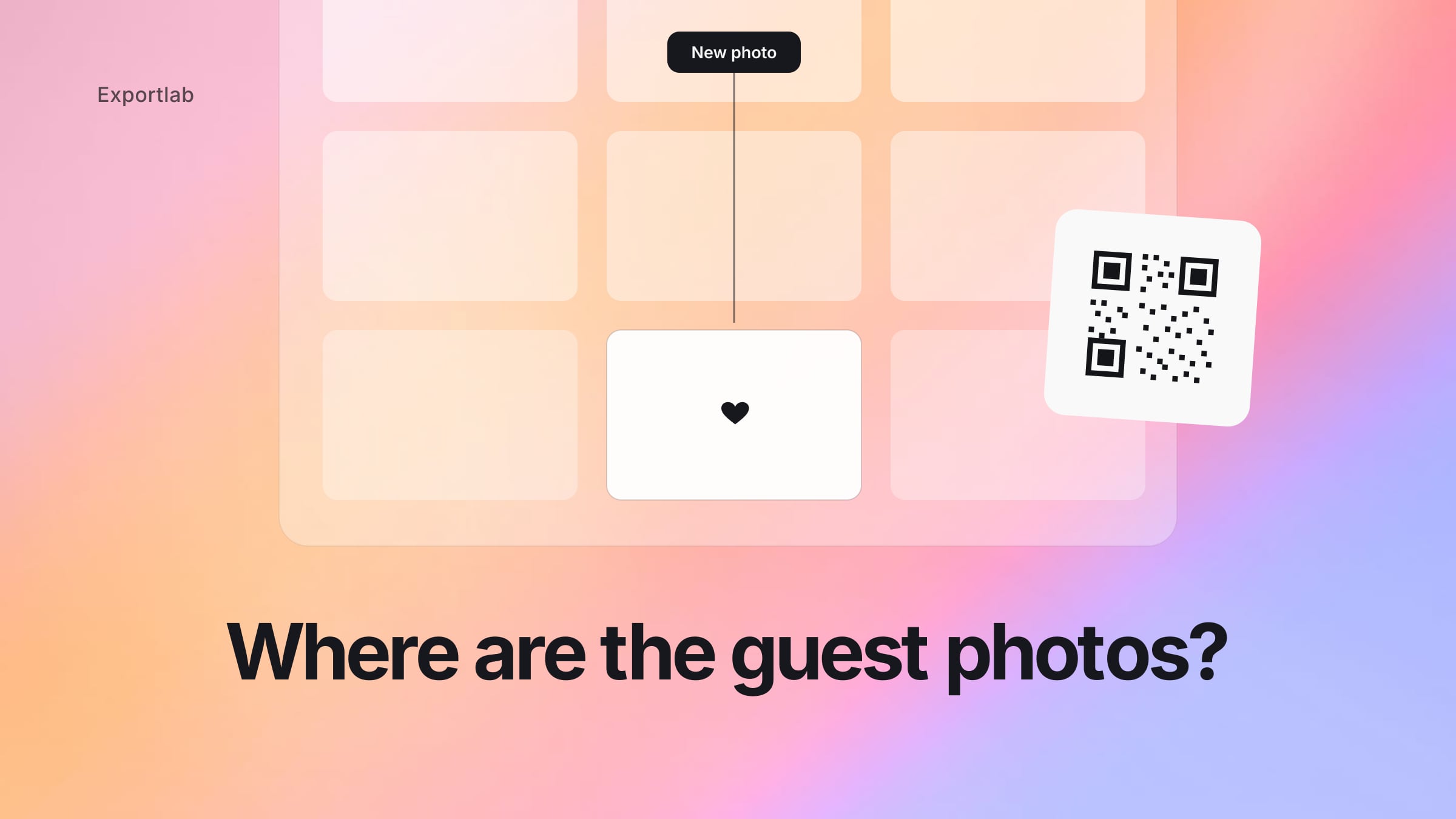
After a wedding, the best moments live on 80 different phones. The first-dance shot from Aunt Petra, the honest laugh during the toast, the two-a.m. moment on the dance floor – all scattered, compressed inside WhatsApp groups, or never sent to you at all. When you collect wedding photos with a QR code, that flips around: guests scan, upload, and every picture lands in one place.
This post covers how it works in practice, what to watch for so the gallery stays clean, and why a real platform beats a throwaway one-day tool in the long run.
Collect wedding photos with a QR code: how it works
The idea is deliberately simple, so even the least tech-savvy guests join in:
- You create an upload gallery for your wedding and get a link and a QR code with it.
- The QR code goes on a table stand, the menu card, or gets shared over WhatsApp.
- Guests scan the code with their phone's normal camera app – this opens an upload page straight in the browser.
- They pick their photos and upload them. No app download, no login, no account.
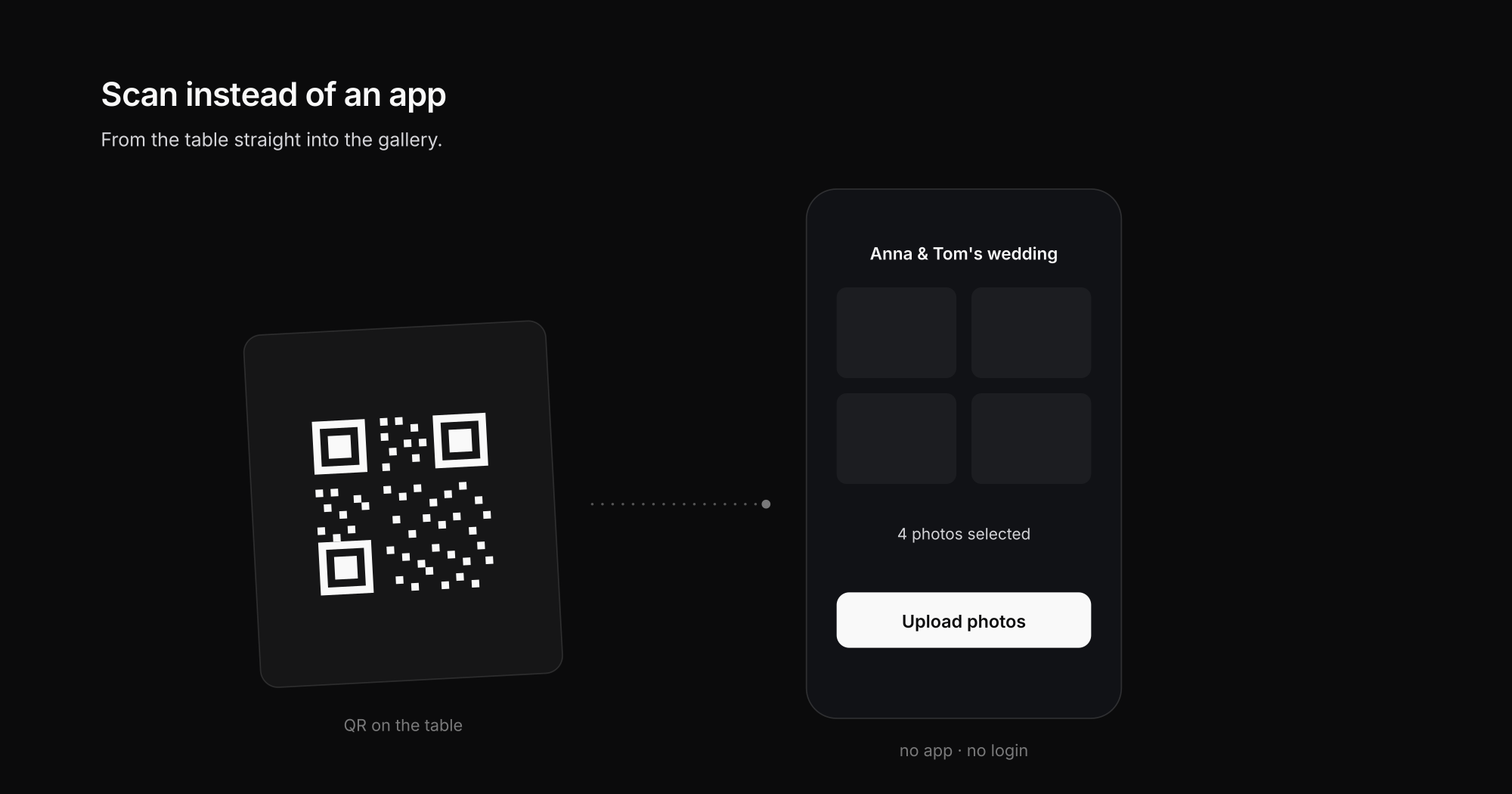
That last point decides whether guests actually take part. Every extra hurdle – installing an app, registering, remembering a password – costs you uploads. Research on mobile behavior has shown for years that nearly every added step in a mobile flow loses users (Think with Google on mobile load time and bounce). That's why "no app" isn't just a nice extra, it's the whole point.
QR code, WhatsApp, or AirDrop: what collects guest photos best?
The obvious solution is usually a WhatsApp group. It works – badly. A side-by-side comparison shows why a QR-code upload is the cleanest way to collect wedding photos:
| Method | Original quality | No app/account | Organized in one place | Works for all guests |
|---|---|---|---|---|
| QR-code upload (Guest Upload) | Yes | Yes | Yes | iPhone + Android |
| WhatsApp group | No, heavily compressed | App required | No, all mixed together | Only with WhatsApp |
| AirDrop | Yes | Yes | No, one by one | iPhone only, on-site only |
| Passing a USB stick / SD card | Yes | – | No | Barely practical |
The weaknesses of the alternatives in detail:
- Photos get compressed. WhatsApp shrinks images heavily, turning a razor-sharp moment into a pixelated memory.
- Videos get lost or cut off.
- Everything is mixed with voice notes, congratulations, and memes – you have to dig the actual photos out by hand.
- AirDrop only works between iPhones and only on-site, not for the half of your guest list on Android.
A QR-code upload instead collects the original quality directly into an organized gallery – without you having to chase "can you send me the pictures?" for weeks afterward.
Sharing wedding photos without an app: why forcing an app fails
Many wedding apps promise the same thing – and fail at the same point: they require every guest to install something. In practice that means:
- The app-store hurdle. "Just download the app real quick" loses half your guests instantly at a party – no signal at the countryside venue, no free storage, no appetite for yet another one-day app.
- The older guests. Grandma shoots on a smartphone now, but installing an app, creating an account, and entering an invite code is a different league.
- The account problem. Registering with an email address for a single upload? Many people drop out right there.
- The app dies afterward. After the wedding, a throwaway app is left behind on 80 phones.
Sharing wedding photos without an app therefore works consistently in the browser: scan the QR code, the upload page opens, pick photos, done. And the reverse direction – sharing the collected photos back with guests afterward – runs through the same gallery link, also without any install. Nobody needs an app in this model: not to upload, not to view.
Keeping the photo gallery clean: control instead of chaos
Collecting openly doesn't mean losing control. A good guest upload gives you the tools to end up with a beautiful gallery rather than a jumble:
- Upload limits per guest: Set how many pictures each device can upload – so the gallery stays high quality instead of flooded with 200 near-identical snapshots.
- PIN protection: Only people with the code or PIN can upload and view. Your wedding stays private.
- Moderation view: You see new contributions and keep an overview of what comes in – and can filter out anything that doesn't belong in the gallery.
- Notice text and consent: Guests see a short note before uploading, so it's clear what happens with the images. When identifiable people are involved, transparent consent is a good practice (overview of image rights and consent).
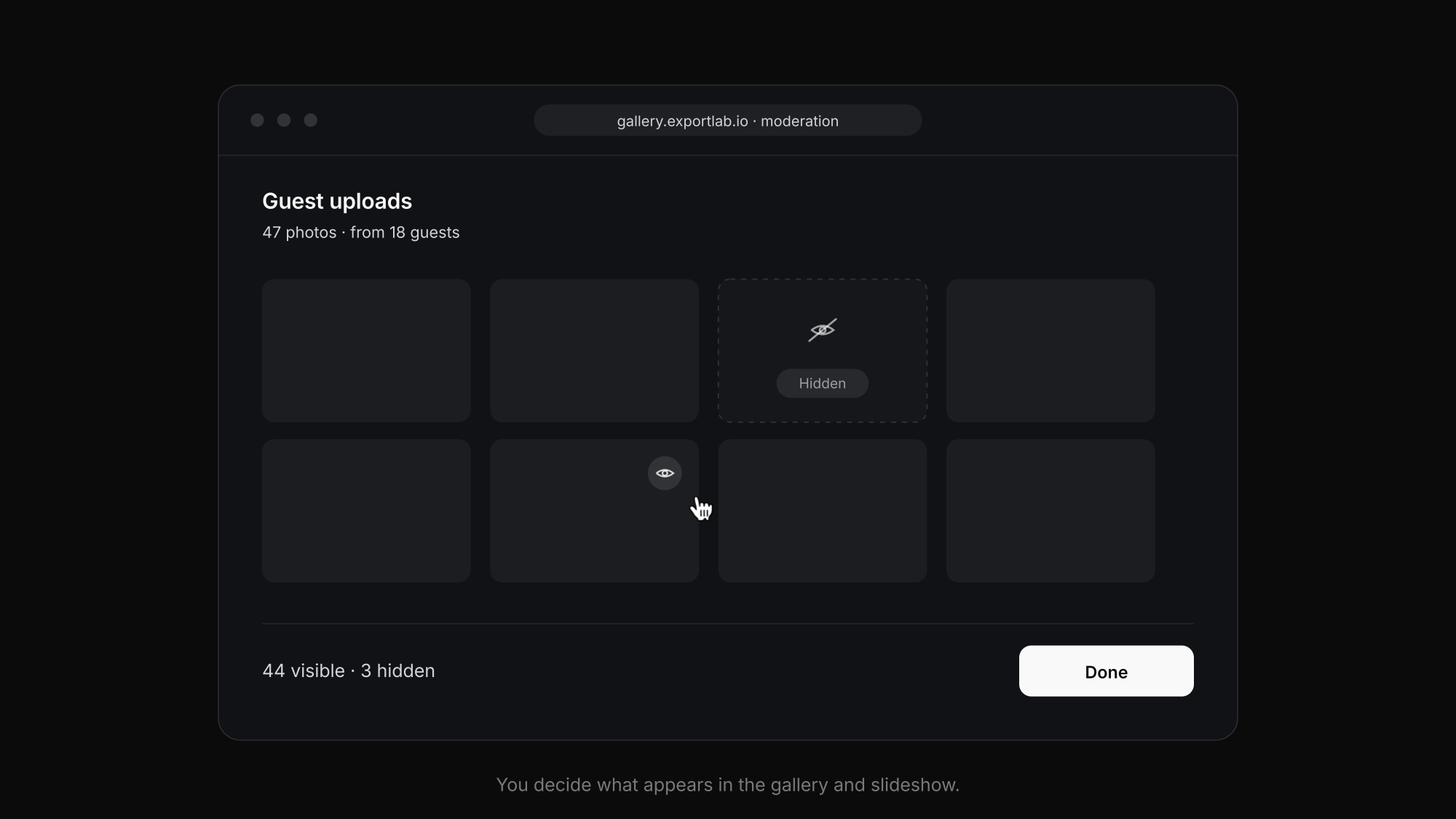
That's the difference between "some upload link" and a gallery you actually want to use afterward.
More than collecting: a live slideshow during the party
A QR-code upload doesn't have to become interesting only the next day. During the celebration you can make incoming pictures visible right away:
- A live slideshow shows fresh guest photos on a screen or projector – a lovely moment when guests suddenly see their own shots on the big screen.
- A live upload queue shows you (or your photographer) which contributions are arriving and how many have been collected.

That turns pure collecting into part of the celebration itself.
Creating a QR code for wedding photos and placing it right
You get the QR code automatically with the upload gallery – so "creating" it here mostly means making it visible. What works well:
- One stand per table, not just one at the entrance. Guests upload when they're seated and looking at their phone – not on the way in.
- Print it on the menu or place card. The code is then automatically where every guest looks at least once.
- Repeat it at the bar and photo corner. That's where most pictures are taken – and where the path from photo to upload is shortest.
- Add one line of context: "Scan the code and upload your photos from today" works better than a bare QR code nobody can place.
- Test it yourself first. Scan the code with two different phones, upload a test shot – then there are no surprises on the big day.
After the party: sharing the collected wedding photos with everyone
The second half of the idea is often forgotten: after the wedding, guests want to see the pictures too. Instead of another WhatsApp flood, you simply share the gallery itself:
- The same link (or a new view-only one) shows the curated gallery – you decide in moderation beforehand what stays in.
- Guests browse in the browser, download individual images if they want, and need an app or account for it just as little as they did for uploading.
- Your photographer's professional images can later be delivered to you in the same environment – guest photos and pro gallery then sit side by side instead of in two worlds.
That closes the loop: collect, curate, share back – all through one link.
For photographers: offering Guest Upload to your couples
If you already work with a professional gallery platform as a photographer, you have a real edge over wedding-only apps here: you can offer your couples Guest Upload as an add-on service, without booking yet another tool.
- You set up the upload gallery and simply hand the couple the QR code.
- The guest photos land in the same workspace as your own professional shots – you can assign them to a project or gallery, instead of managing them in a second world.
- For you it's an extra selling point in your offer that sets you apart from other photographers – and for the couple it's an all-in-one experience from a single source.
That's exactly what classic "wedding-only" tools can't do: for them, QR-code upload is the only feature, a throwaway product for one day. With Exportlab it's part of your normal gallery workflow.
Not just weddings: guest photos for events, parties, and company celebrations
The principle works anywhere lots of people take photos: milestone birthdays, corporate events, christenings, club festivals. The same rule applies everywhere – the best moments come from the guests' perspective, and without an easy place to collect them, they get lost. A QR code on the table is enough to get everyone involved.
Collect wedding photos with a QR code: how to get started
- Create a Guest Upload gallery and adjust the settings (upload limit, PIN, notice text).
- Download the QR code and put it on table stands, the menu card, or send the link to guests.
- After the party you have every contribution collected in one place – ready to view, sort, and share.
Guest Upload is included in every Exportlab plan and works just as well for a single wedding as for a weekend full of events.
FAQ: Collecting wedding photos with a QR code
Do guests need an app to upload photos?
No. Guests scan the QR code with their phone's normal camera app, and the upload page opens straight in the browser. No app download, no account, and no login are needed – it works the same on iPhone and Android.
Do the wedding photos stay private?
Yes. The gallery can be protected with a PIN, so only guests with the code can upload and view the pictures. The moderation view gives you additional control over what ends up in the gallery.
Do the images get compressed like on WhatsApp?
No. The photos are collected in original quality, not downscaled. That's one of the main advantages over WhatsApp groups, which heavily shrink images and videos.
Can I show the guest photos live during the party?
Yes. A live slideshow displays incoming pictures directly on a screen or projector, and a live queue shows you which contributions are being uploaded.
Does this work for events other than weddings?
Yes. The same QR-code upload works for birthdays, corporate events, christenings, club festivals, and any occasion where lots of guests take photos.
How can I share wedding photos without an app?
Through a browser gallery link, in both directions: guests upload their photos via the QR-code page, and after the party you share the same (curated) gallery back as a view link. Neither uploading nor viewing nor downloading requires an app or an account.
How do guests upload their wedding photos?
Scan the QR code with the camera app, the upload page opens in the browser, pick photos from the phone's gallery, and send – done. It takes under a minute and works identically on iPhone and Android, even for guests with no technical experience.
How do I create a QR code for wedding photos?
You create a guest-upload gallery and get the QR code automatically with it – ready to download and print for stands, menu or place cards. A separate QR-code generator isn't needed, and the code stays permanently linked to your gallery.
Conclusion
Collecting wedding photos with a QR code is the easiest way to bring your guests' moments together in one place – without an app, without a login, and without chasing anyone for pictures afterward. With upload limits, PIN protection, moderation, and an optional live slideshow, open collecting turns into a clean, private gallery you'll actually use. And because Guest Upload is part of a real platform, you – or your photographer – have the images right in the correct workspace, instead of in a throwaway tool for one day.