


Invoices that close the job
Write the invoice, issue it, send it by email, and record what comes in. Issuing freezes the content and generates the documents — a clean PDF, or a real e-invoice in ZUGFeRD or XRechnung format.
Invoice RE-2026-0184
Draft€ 4,250.00
Due in 30 days
From draft to paid, in one place
The invoice lives where the work already is — beside the client, the project and the delivery.
- 1
Write the invoice
Add line items, quantities and rates. While it is a draft, everything stays editable — including deleting it entirely.
- 2
Issue it
Issuing is the point of no return. The invoice gets its final number and its content is frozen as an immutable snapshot.
- 3
Send it by email
The documents are generated from that snapshot and go out to your client — no export, no second tool.
- 4
Record the payments
Payments are separate events, so partial payments and over-payments are ordinary states instead of errors.
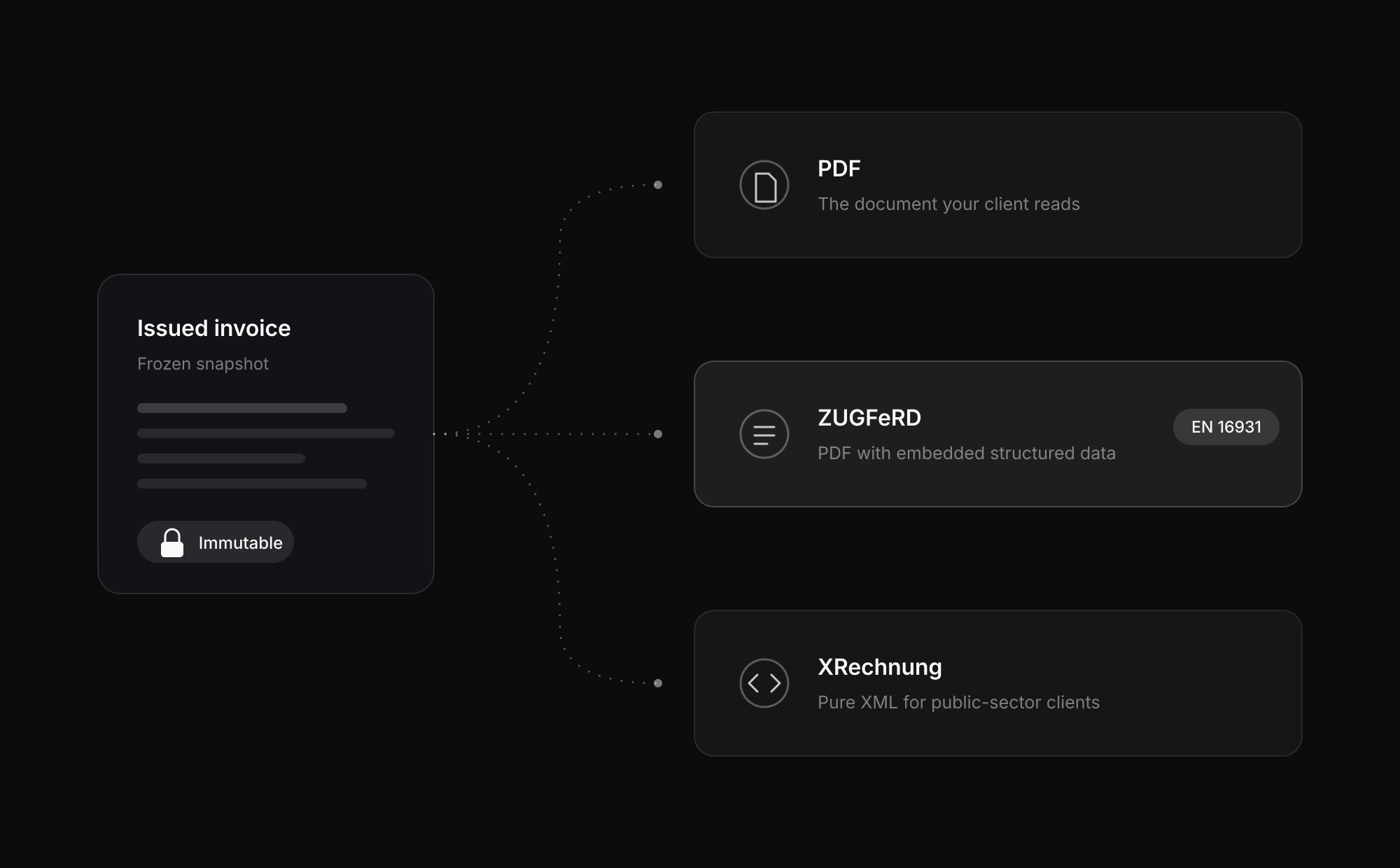
Real e-invoices, not a PDF with a barcode
Every document is generated from the frozen snapshot, so the PDF your client reads and the structured file their accounting system parses always say the same thing.
- The document your client actually reads, in German or English.
- ZUGFeRD
- A PDF with the structured invoice data embedded, following EN 16931.
- XRechnung
- Pure XML, the format public-sector clients ask for.
Know what is still open
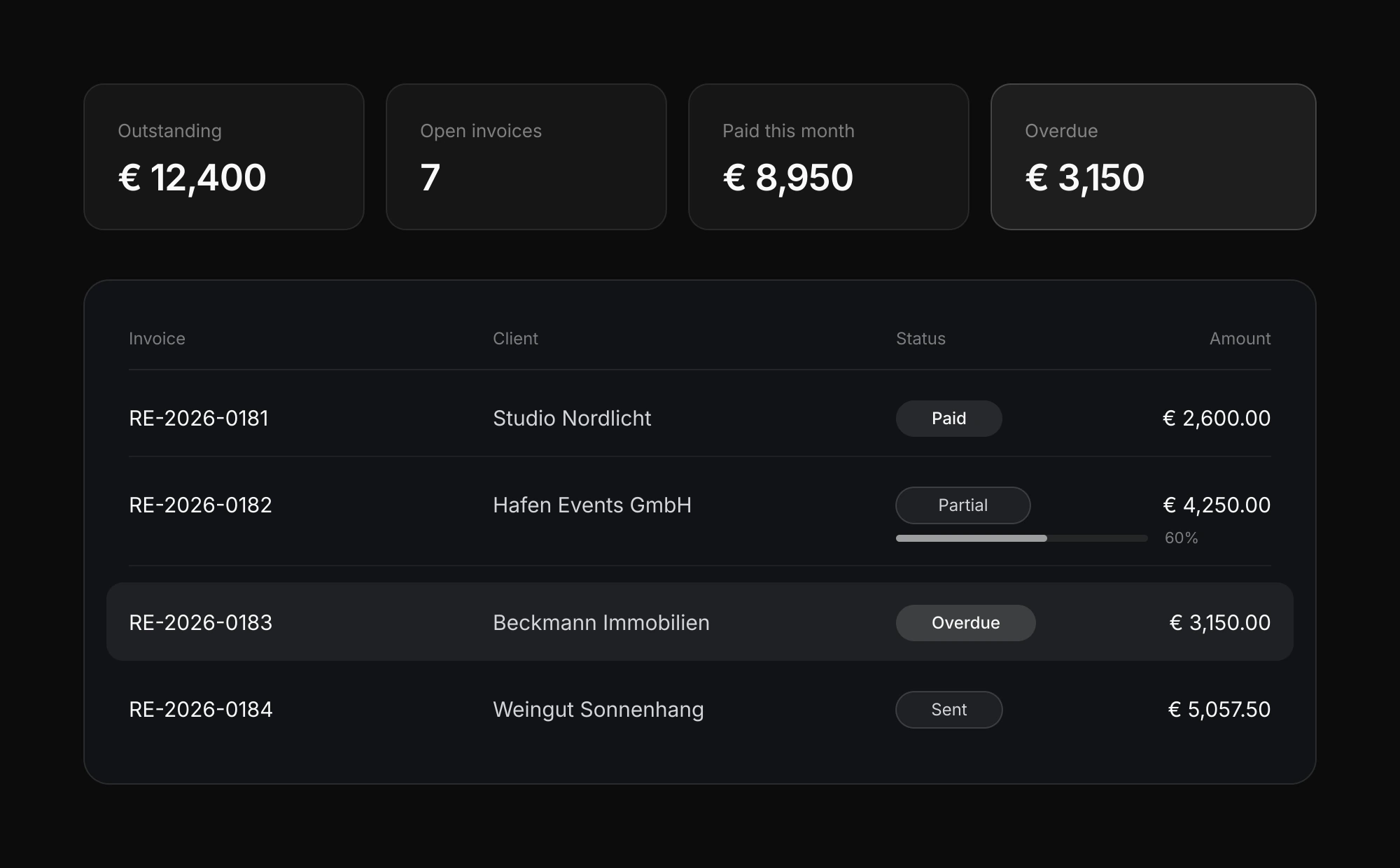
Issued, sent, partially paid, overdue — the state of every invoice is the state of your cash flow, not a spreadsheet you maintain on the side.
- Payments as events
- Record each payment as it arrives. Partial and over-payments are handled as normal states, not edge cases.
- Status at a glance
- See what is still outstanding and what is overdue without opening each invoice.
- One currency per invoice
- Each invoice carries a single currency, so the amounts on the document are the amounts you track.
Corrected, never overwritten
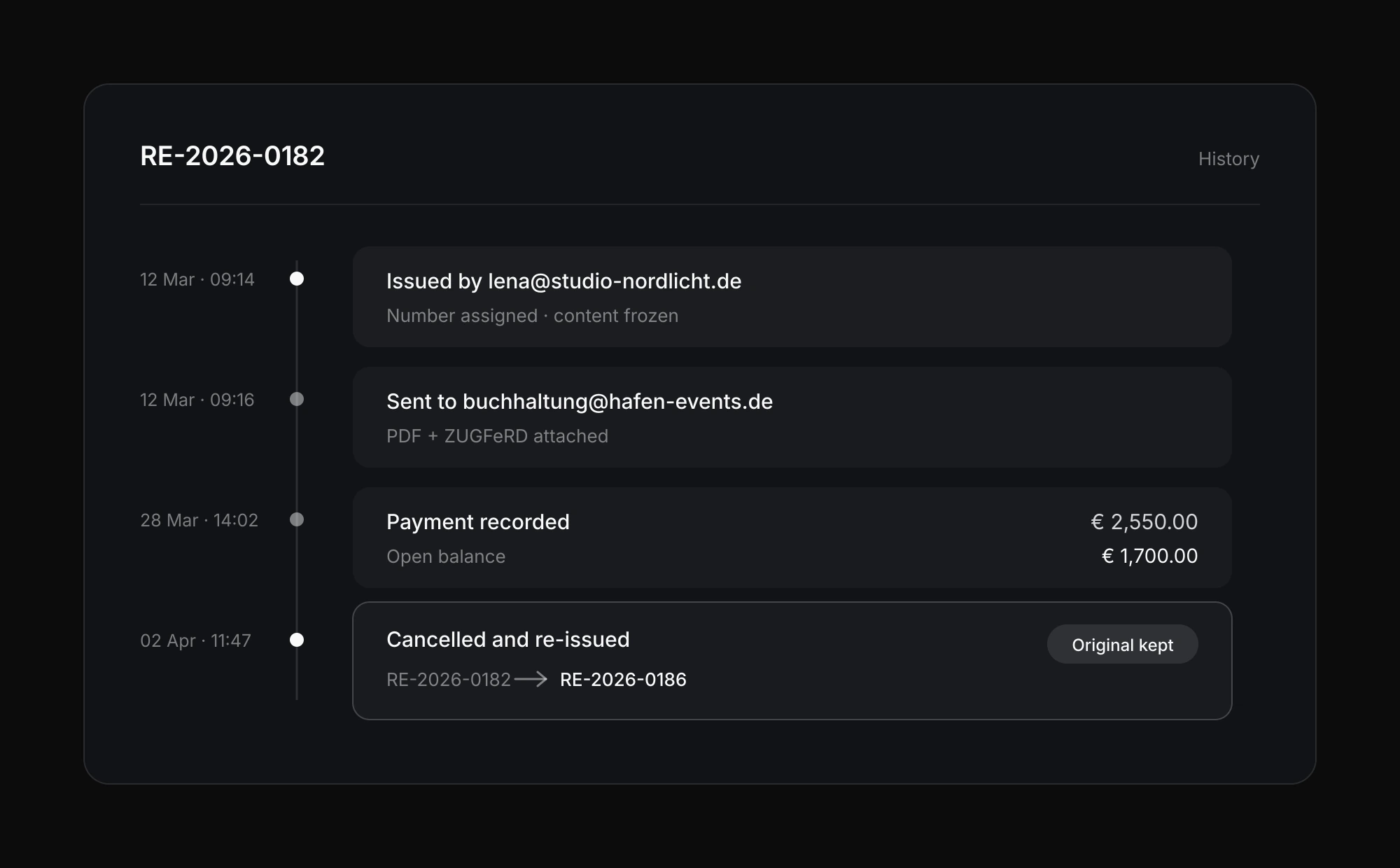
An issued invoice cannot be edited or deleted — it is cancelled and re-issued, and the original stays visible. That is what makes the history hold up when someone asks about it later.
- Immutable once issued
- The content is frozen at issue time, so the document you sent is the document that stays on file.
- Final numbering
- The invoice number is assigned at issue and never reused.
- A history you can follow
- Issue, send, payment and cancellation are recorded as their own events, in order.
Run the whole job in one place
Galleries, projects, contracts and clients already live in Exportlab. Invoicing closes the loop.
Good morning, Max 👋
Photos
12,840
248 new
Videos
18
6 in review
Storage
128 GB
64% of plan
Recent galleries
Latest workspace activity
Projects
Studio Campaign
248 photos
Launch Film
02:14 review
Brand Assets
36 files