
Asset Collections: Collect Brand Assets, Briefs and Approvals From Clients
Every commercial project begins with the same ritual: before you can even start, you need material from the client. The logo in a decent resolution, the brand fonts, a moodboard, the points of contact, a few notes on the visual style. In practice, it rarely arrives all at once – and almost never in the same place.
This is exactly where Asset Collections come in: a structured way to collect brand assets and the context you need from clients before the project gets stalled by missing pieces. In this article you'll learn what Asset Collections are, why collecting material eats so much time, how Asset Collections change the workflow, and where they pay off most.
You can prepare existing website material with Brand Kit by Exportlab. The free tool gathers copy, images, colours and fonts from a website you own or are authorised to have read. Collect missing original assets and the additional client brief separately in an Asset Collection. The Brand Kit ZIP download requires a confirmed newsletter subscription; ZIP archives themselves are not a supported Asset Collection upload format.
What are Asset Collections?
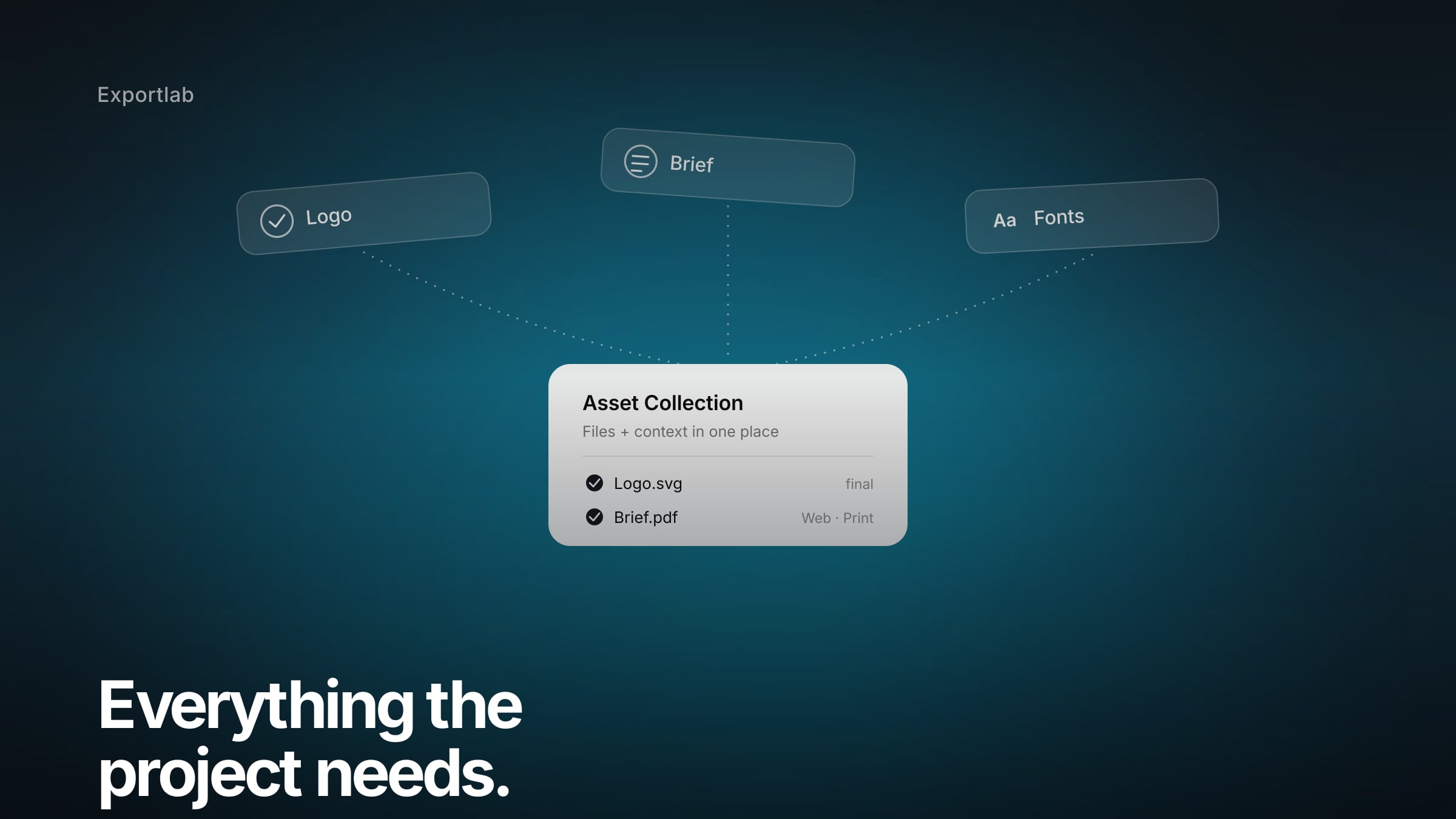
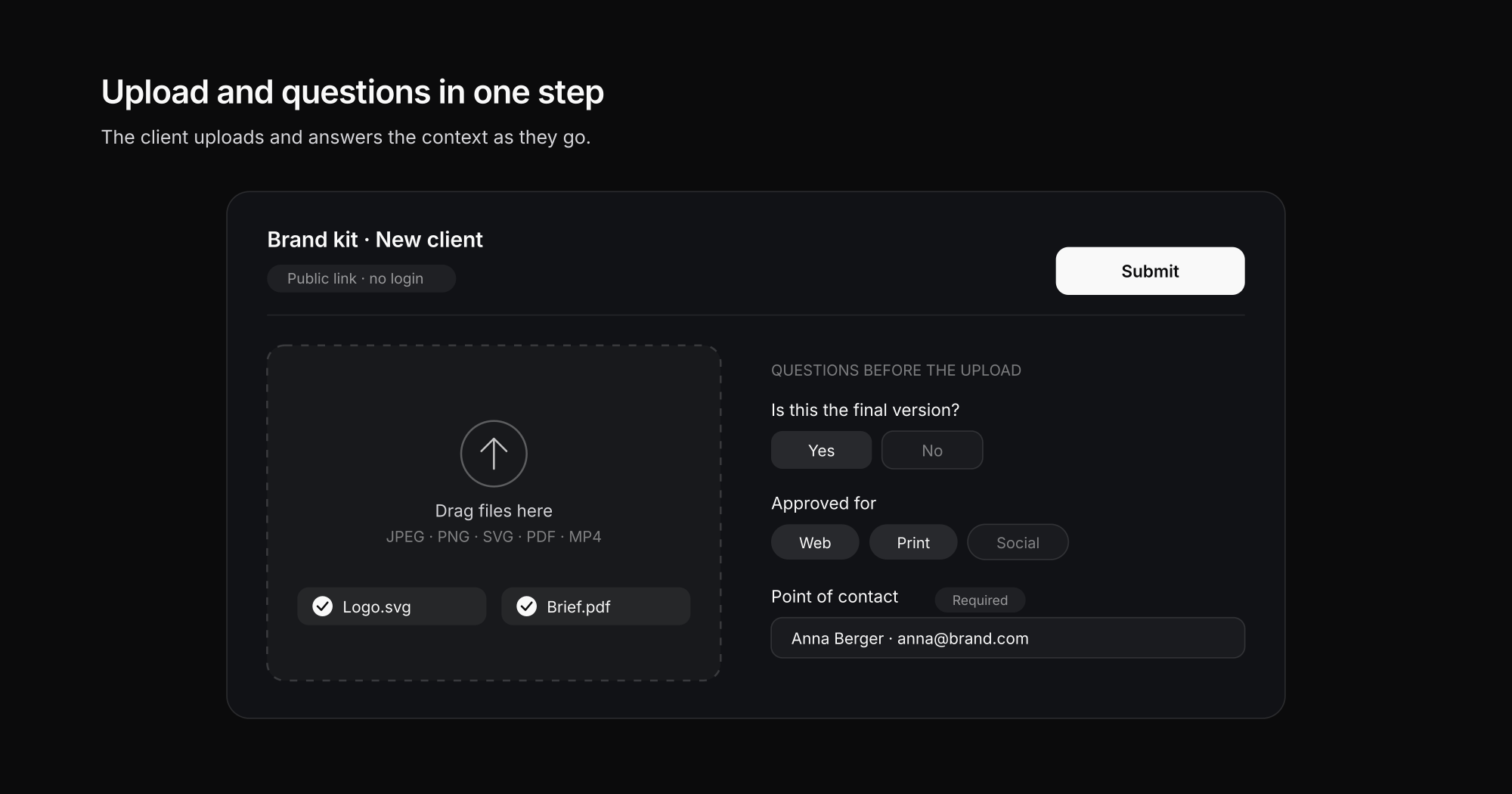
Asset Collections are structured collections where clients upload files and answer predefined questions as they submit them. They tie the upload to the context that belongs with the material – approvals, the current version, the point of contact – and store both in the same place, instead of scattering it across email and chat.
Unlike a plain upload link, Asset Collections are a small intake process: you define which files and which details you need, share the collection via a link, and the client submits material and answers in one step – without an account of their own. In Exportlab, Asset Collections are a lightweight store alongside galleries, videos and transfers, built precisely for the material that isn't a photo job but the client's own contribution.
Why collecting material takes so much time
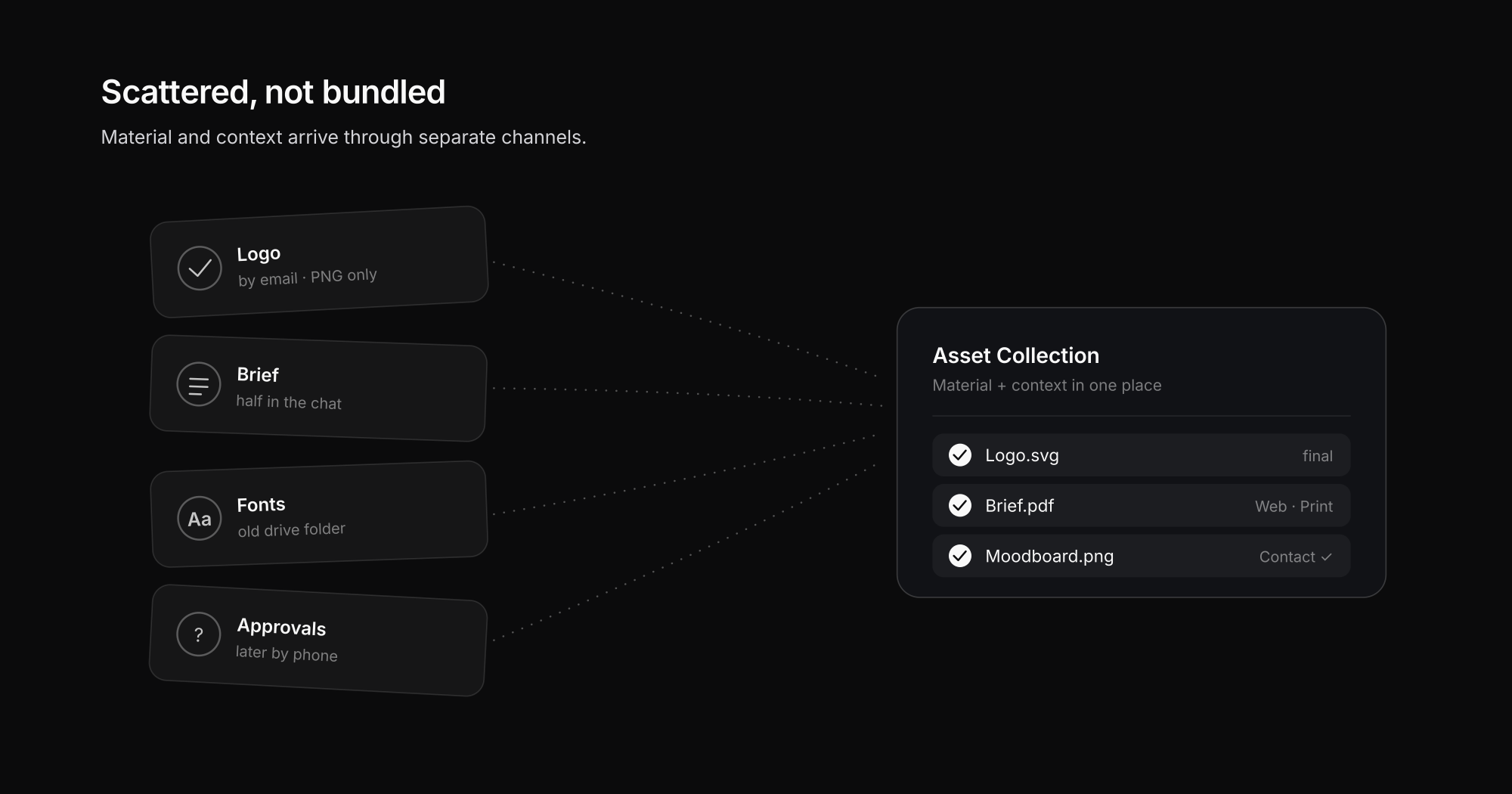
The problem is rarely the individual file. The problem is that material and meaning arrive separately:
- The logo comes by email – but only the screen-resolution PNG; the vector logo is missing.
- The brief is half in the chat, half in a voice message.
- The fonts sit in an old folder nobody has access to anymore.
- The approvals – what may the material be used for? – get clarified later by phone.
Many small breaks in the media chain add up to a slow start. And the more projects run in parallel, the more often each one begins with a little hunt for where exactly things are. For agencies and commercial productions in particular, this prep work costs more time than it looks.
What Asset Collections do differently
Asset Collections aren't just another upload link. They combine the upload with the questions that belong to the material – so file and context land in the same place.
In concrete terms, you set up a collection and share it via a link. The client uploads files – with no account of their own – and answers the questions you defined beforehand. Instead of "just send me the logo," it becomes a small intake process that leaves you with usable information at the end.
The key part: you don't just ask for files, but for what you need to make sense of them. Which version is current? What is the material approved for? Who is the contact? Those answers then sit right next to the matching files – not in a separate email thread.
Questions before the upload: capture context right away
The difference between an open folder and Asset Collections is the questions. On submission, the client answers exactly the points that would otherwise have to be chased down later.
You can combine different question types for that – from free text to single and multi-select. A few typical examples:
- "Is this the final version of the logo?" (yes/no as a select)
- "What is the material approved for?" (multi-select: web, print, social, internal)
- "Who is the contact for questions?" (text)
- "Are there guidelines for the visual style?" (text)
Important details can be marked as required, so a submission without the crucial information won't go through in the first place. That way you don't just get files, but files with context.
Asset Collections vs. email and open cloud folders
For a single item, an email is perfectly fine. For recurring material requests it's too loose – and an open cloud folder collects files, but rarely the meaning behind them. Asset Collections close exactly that gap.
| Criterion | Open cloud folder | Asset Collections | |
|---|---|---|---|
| Upload without an account | Yes | Partly | Yes |
| Context right next to the file | No | No | Yes |
| Required fields enforceable | No | No | Yes |
| Reusable per client/project | No | Partly | Yes |
| Download as a package (ZIP) | No | Partly | Yes |
The gain isn't that the file arrives – email and folders manage that too. It's that answers and files arrive together and don't have to be interpreted separately from one another.
Where Asset Collections pay off in practice
Asset Collections make sense anywhere you have to collect material cleanly before or alongside the actual work:
- Before the shoot: collect logos, look-and-feel, contacts and campaign goals instead of piecing them together across seven separate messages.
- Client onboarding: a recurring flow that lets new clients provide their brand kit themselves.
- Marketing and press packages: request material with the required details in a structured way.
- References and moodboards: collect templates and examples with clear context.
Because a collection stays usable later as a structured archive, it's not just a collection tool but also a reference for the project. If you work with the same clients anyway, you can tie the collection to the right client via the client portal for photographers.
A short scenario
A production team is preparing an employer-branding shoot. What's needed: the logo in vector form, the brand fonts, existing templates, the campaign goals and the on-site contact. Instead of writing seven messages and forgetting three of them, an Asset Collection is shared.
The client side opens the link, uploads the material and answers the key questions in the same flow. In the end everything sits bundled in one place – files and context together. The project doesn't start with a search, but with the work.
For how this structured collecting fits into a continuous flow from job to delivery, see our article on how best to deliver photos to clients.
FAQ: Asset Collections
What are Asset Collections?
Asset Collections are structured collections where clients upload files and answer predefined questions as they submit them. That way material and context – such as approvals or the current version – land in the same place instead of being scattered across email and chat.
Can clients upload files without an account?
Yes. The client simply opens the shared link and uploads their material without registering. They answer the questions attached to the upload in the same step.
Which file types can I collect?
Asset Collections support common image, document and video formats: JPEG, PNG, WebP, SVG, TIFF, PDF, MP4 and MOV. Formats like PSD, AI/EPS or Office documents aren't supported – but for the classic logo and brief request, the available formats cover everyday use.
How do I make sure important details aren't missing?
Through required questions. You mark the crucial questions as mandatory, so a submission without those details won't go through. That way you get not just files, but the information you need to place them.
Can I download the collected material all at once?
Yes. You can download individual assets or the entire collection as a ZIP package – handy when you want to hand the complete brand kit to an editor or into the project.
How are Asset Collections different from a shared cloud folder?
An open folder collects files, but no context. With Asset Collections, questions and answers are part of the submission, important details can be enforced, and the collection is reusable per client or project.
Conclusion
The real effort in collecting brand assets rarely lies in the file itself, but in the missing context around it: which version, which approval, which contact? Asset Collections solve exactly that by bringing upload and questions together. Instead of fishing logos out of emails and reconstructing briefs from the chat, you start with usable material in one place – and the project begins with work instead of a search.