
Delivering Photos to Clients: The Best Ways Compared (Without Quality Loss)
The shoot is done, the images are edited – and then comes the moment that shapes the professional impression: delivering photos to clients. This is exactly where many photographers give away the good impression they earned during the shoot. A download link that expires after seven days. Images shrunk to half resolution as an email attachment. A folder where the client hunts helplessly for the right shot.
This post compares the common ways to send photos to clients – from email to WeTransfer, cloud storage, and a real client gallery. The point isn't that one way is always "right," but which one fits your standards without losing quality and without generating follow-up questions.
Delivering photos to clients: what actually matters
Before comparing methods, it's worth looking at the criteria. A good photo delivery does more than "the file arrives":
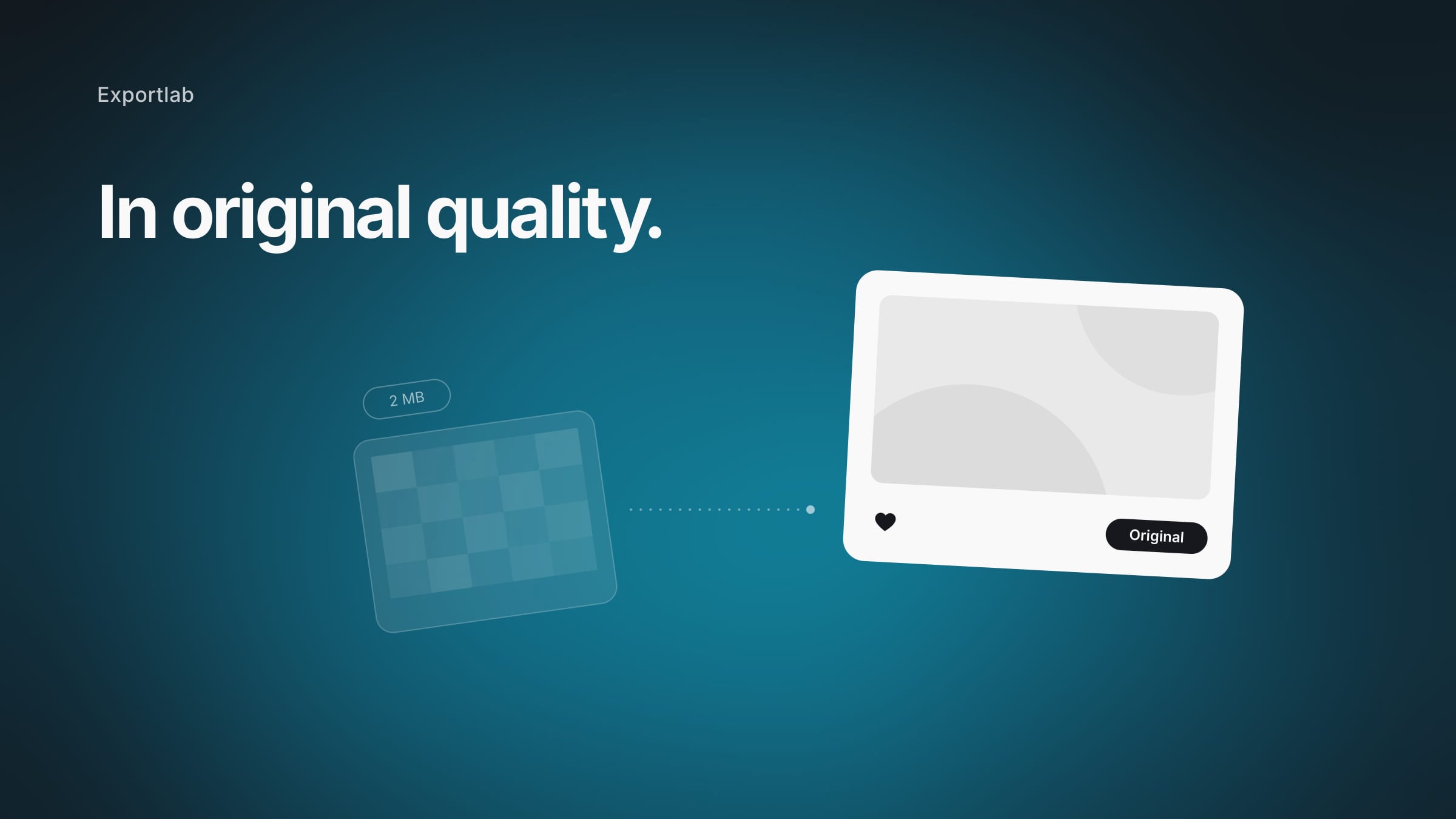
- Original quality. The client gets the images at full resolution – not compressed, not downscaled.
- No expiry date. A link that dies after seven days guarantees one thing: another "can you send me that again?" email.
- A professional presence. The handover carries your name, your logo, your signature – not a third-party tool's branding.
- Easy for the client. No login, no account, no guesswork. The client clicks and downloads.
- Data protection. Especially with photos of people, it matters where the data lives and who has access.
These five points decide whether a method merely "works" or actually looks professional.
Email, WeTransfer, cloud, or gallery: the direct comparison
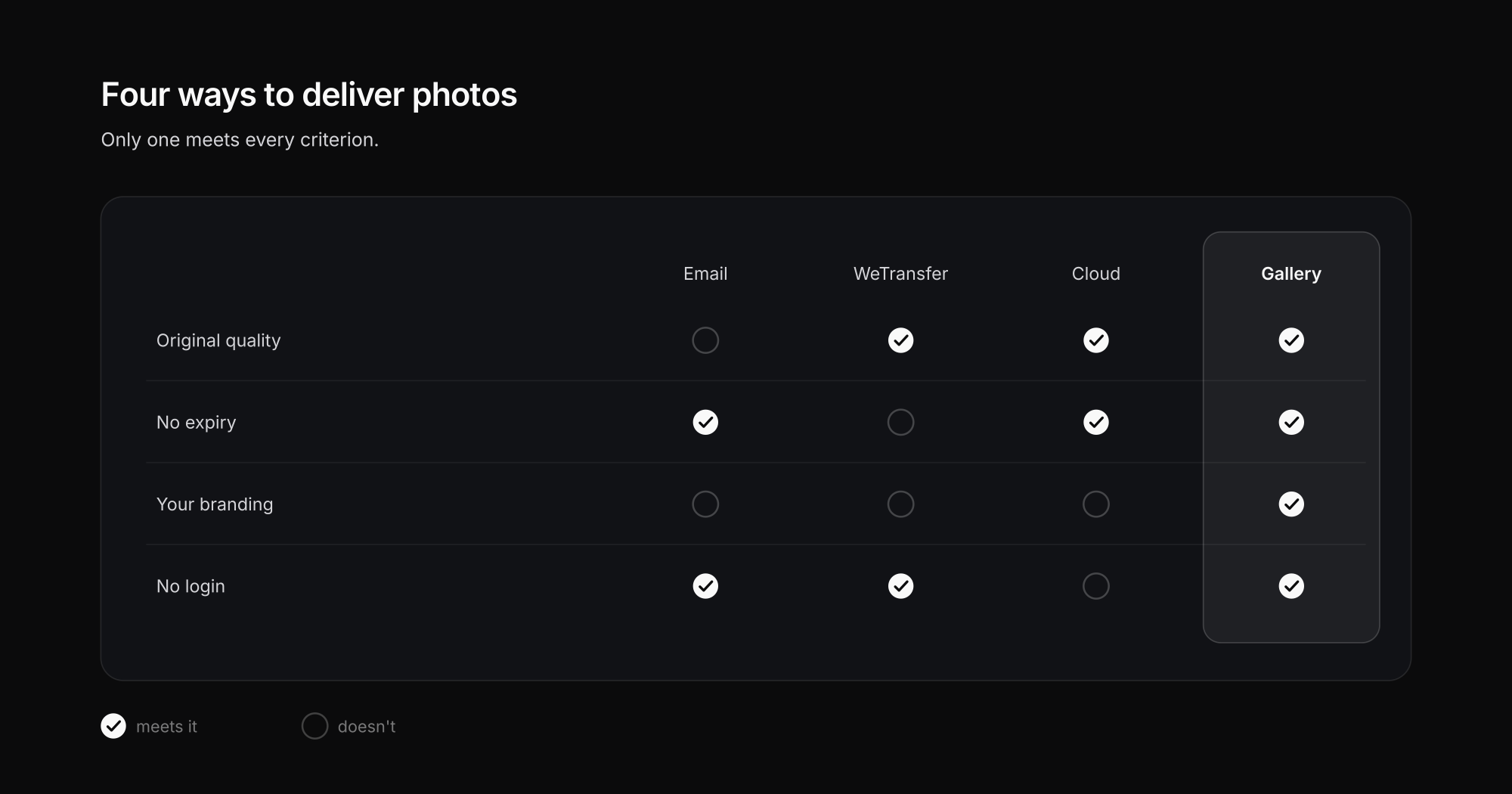
The four most common ways to send photos to clients, side by side:
| Method | Original quality | No expiry | Your branding | No login for clients |
|---|---|---|---|---|
| Email attachment | No, often compressed & size limit | Yes | No | Yes |
| WeTransfer | Yes | No, link expires | No (Free) | Yes |
| Cloud (Drive/Dropbox) | Yes | Yes | No | Often needs an account |
| Client gallery | Yes | Yes | Yes | Yes |
The weaknesses in detail:
- Email is the most obvious and the least suitable: attachments get compressed, size limits of 20–25 MB make whole shoots impossible, and the client's inbox overflows.
- WeTransfer solves the size problem, but the free link expires after a short time – if the client doesn't download in time, you start over. On top of that, after the controversial 2025 terms change that would have opened uploads to AI training, many users' trust is permanently shaken (more on that in our post on the WeTransfer alternative).
- Cloud storage like Google Drive or Dropbox keeps images available long-term but never feels like your work – the client lands in a foreign interface, often has to create an account, and sees a folder instead of a beautiful presentation.
- A client gallery meets every criterion: original quality, permanently reachable, under your branding, no login for the client.
Why a real client gallery wins in the long run
A dedicated gallery is more than a download spot. It turns the handover from a technical necessity into part of your service:
- Presentation instead of a file list. The client sees the images large and beautifully laid out, not as thumbnails in a folder. That noticeably raises the perceived value of your work – an effect client-gallery providers in the photography market emphasize too.
- Selection and feedback. The client can mark favorites and comment instead of writing you "image_2847.jpg please." Our post on the PicDrop alternative shows why photographers often need more than a plain download link.
- Download in the right size. Web and print resolution separated, in one click – no manual conversion.
- Everything in one place. Instead of scattering images across email, WeTransfer, and chat, the client has a single link that stays.
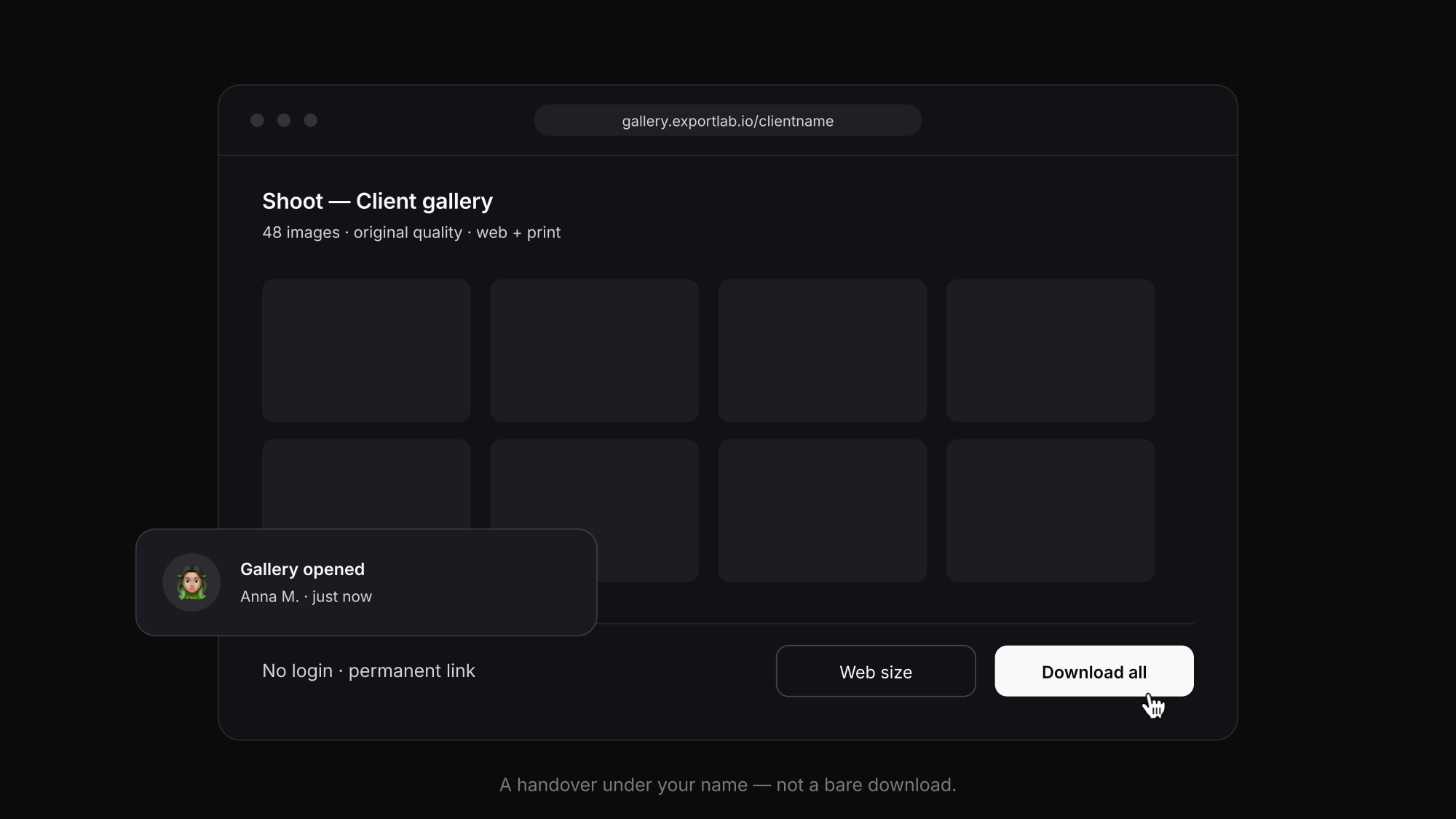
The difference is between "here are your files" and "here is your gallery." The latter sticks – and earns referrals.
How to show photos to clients before you deliver
Delivery is only half the job. Before it comes the moment you show photos to the client: the pre-selection, the favorites round, the "which ones go into editing?". Many photographers handle this phase with a contact-sheet PDF or a thumbnail folder – and then receive the decisions via WhatsApp, with file numbers typed out by hand.
It works better when showing and delivering happen in the same place:
- A selection gallery. You upload the pre-selection and the client marks favorites right on the image – no filename lists. Our guide on client photo selection walks through that flow in detail.
- Show without handing over. You can present images at full quality with downloads disabled: the client sees the result, you keep control until the final delivery.
- From proofing to delivery without switching tools. Once the selection is done, the same gallery becomes the handover: same images, same link, zero friction.
That way, "showing photos to the client" stops being an improvised phase between shoot and delivery and becomes part of the same professional flow.
Sharing photos with clients: not the same as delivering
"Sharing photos with clients" sounds like delivering – in practice they're two different moments:
- Delivering is the final handover: the client receives the finished files in original quality and downloads them.
- Sharing is ongoing access: the client (or their team) comes back to the gallery weeks later, forwards the link to the print shop, the agency, or their family – and finds everything where they left it.
For the second case, one-shot methods fail by design: an expired WeTransfer link can't be forwarded, and an email attachment sinks into the inbox. If your client is a company, sharing usually also means several people with access: marketing downloads the web version, management reviews the result, the print shop needs the TIFF. That's exactly what a client portal solves: one place per client, with all galleries, versions, and downloads.
Speed without compromise: secure yet simple
A common misconception is that "professional and secure" means "complicated for the client." The opposite is true. A good delivery is simpler for the client than a WeTransfer email, and still safer:
- PIN protection ensures only the right recipient sees the images – without needing an account.
- EU server location keeps data where GDPR applies. More on why that matters for photos of people in our post on secure photo handover and data protection.
- A permanent link replaces the expiry date – you can close the gallery later, but you don't have to.
That gets you both: the fast, effortless route for the client and the control that professional work demands.
How to send professional photos without losing quality
Whatever the method: if the file is exported wrong, the delivery was compressed from the start. To send professional photos that survive any use:
- Export per use case. JPEG at quality 90–100 in sRGB for screens; TIFF or maximum-quality JPEG at 300 dpi for print. Delivering both separately prevents the client from sending the web version to print.
- Don't let the tool recompress. WhatsApp and most messengers downscale images aggressively; many email clients do too. Your delivery platform must transfer the file exactly as you exported it.
- Name files for the client, not for yourself. "Garcia-wedding-ceremony-012.jpg" says more than "IMG_8472-edit-final2.jpg" – and avoids the "which one was photo 12?" question.
- Offer ZIP and per-image downloads. Whole shoots at once, single images when the client only needs one.
With that, "could you send those again in good quality?" disappears from your inbox.
What a photo delivery platform needs to offer
If the comparison lands you on a gallery, this is the checklist for choosing a platform to deliver photos to clients:
- Guaranteed original quality – no recompression on upload or download.
- Links without expiry – you decide when a gallery closes, not a 7-day countdown.
- Your branding – your logo, colors, and domain; the client sees your studio, not a tool.
- Favorites and comments – built-in proofing saves the email rounds.
- Access without a client account – one click and in, with an optional PIN.
- Controlled downloads – separate resolutions, full ZIP, downloads can be disabled.
- EU servers and GDPR – essential with identifiable people.
- One workflow, not an island – the gallery should connect to selection, guest upload, and the rest of your work instead of adding another standalone tool.
Delivering photos to clients: how to do it
- Edit and export the images – in the resolution the client should receive (often web + print separately).
- Create a gallery and upload the images, with your logo and optional PIN protection.
- Share the link – by email, message, or QR code. The client clicks, sees the gallery, selects, and downloads without signing in.
- Chase nothing – the link stays, there's no expiry, and no follow-up emails.
That's exactly the flow Exportlab for photographers provides: a gallery under your name, in original quality, no login for the client – from selection to download.
FAQ: Delivering photos to clients
How do I deliver photos to clients without quality loss?
Most reliably through a client gallery or a cloud service that keeps images at original quality. Email attachments are often compressed and size-limited, while WhatsApp and many messengers heavily downscale images. A gallery delivers files at full resolution – separated into web and print sizes.
Is WeTransfer suitable for delivering photos to clients?
For a quick one-off send, yes; long-term, not really: in the free version the download link expires after a short time, there's no custom branding, and no selection or feedback feature. For a professional, repeatable delivery, a client gallery is the better choice.
Does the client need to create an account to download the photos?
With a good client gallery, no. The client opens the link, sees the gallery, and downloads the images – optionally protected by a PIN, but without registration. Cloud services like Google Drive, by contrast, often require an account.
How do I deliver large batches of photos at once?
Through a gallery or a transfer service built for it, rather than by email. Email fails at size limits of usually 20–25 MB. A gallery holds whole shoots and offers download as a ZIP or per image.
How do I share photos with clients securely?
Through a PIN-protected gallery link instead of open attachments or transfers. The client gets in without an account, you control who sees what and for how long, and the link can be passed around the client's team without losing protection. For repeated access or multiple people, a client portal is the tidiest option.
How do I show photos to a client before delivering them?
With a selection gallery: upload the pre-selection, let the client mark favorites and comment right on the image, then deliver only the chosen, edited shots. You can present at full quality with downloads disabled – the client sees the result without getting the files early.
Which platform should I use to deliver photos to clients?
One that meets the checklist above: original quality, permanent links, your branding, favorites selection, account-free access, and EU servers. Generic tools (Drive, Dropbox, WeTransfer) cover only part of it – a client gallery built for photographers covers the whole flow, from selection to download.
How do I deliver photos in a GDPR-compliant way?
Look for a server location in the EU, PIN protection for sensitive shots, and a provider that doesn't use content for outside purposes like AI training. Especially with identifiable people, the data should live where GDPR applies.
Conclusion
Delivering photos to clients is more than a technical step – it's the last impression your client keeps of your work. Email compresses, WeTransfer expires, cloud folders feel foreign. A real client gallery, by contrast, delivers in original quality, permanently reachable, under your branding, and without a login for the client – turning the handover into part of your service instead of a source of errors. If you deliver photos to clients regularly and professionally, the gallery is the route that combines quality with ease of use.