
Client Portal for Photographers: The Professional Home for Everything Around a Job
A job rarely lives in a single channel. The scheduling went by email, the preview images over WeTransfer, the selection came via WhatsApp, the invoice as a PDF attachment, and the "when's it ready?" landed somewhere in between. For you that's routine — for the client it feels like talking to five different service providers. A client portal flips that around: one place where everything about the job lives.
This post explains what a client portal for photographers is, what belongs in it, and why it's less about technology than about the impression you leave.
The problem isn't the individual channel, it's the fragmentation
Each channel works on its own. The problem arises when a job is spread across five of them:
- The client searches. "Which email had the gallery link again?" Every search is a small point of friction — and in sum, the impression that things are disorganized.
- You repeat yourself. The same information goes out multiple times because no one remembers where it was.
- Nothing has a status. Whether the selection is in, whether the invoice is open, whether editing is underway — all of that lives in heads and inboxes, not in a visible place.
A portal doesn't solve any single one of these problems but the shared cause: the fragmentation. Once everything is in one place, the friction points disappear on their own.
What belongs in a client portal for photographers
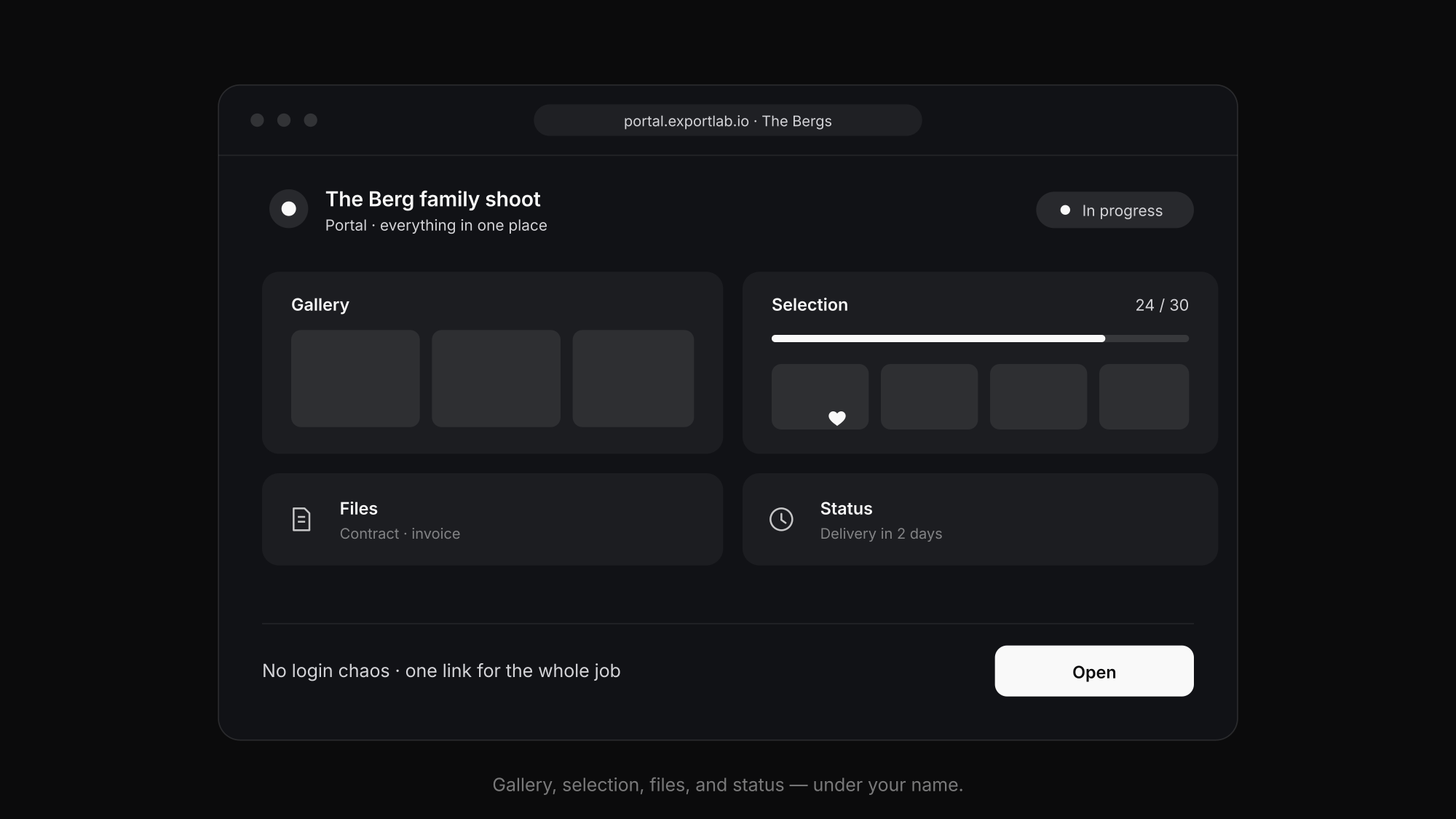
A good portal isn't a file-storage folder with a pretty interface but a picture of the job. These building blocks carry it:
- The gallery. The heart and the most common reason the client opens the portal — the finished images, beautifully presented and downloadable in the right size.
- The selection. The client marks favorites and comments right on the image instead of sending filenames. How this step works cleanly is shown in the post client photo selection.
- Files and documents. Contract, model release, invoice, usage notes — in one place instead of scattered email attachments.
- The project status. A visible indicator of how far the job has come heads off the "how far are you?" questions before they arise.
- Your branding. Logo, colors, your name — the portal is your stage, not that of an external tool.
Not every job needs every block. But the more of them live in one place, the less the client has to search — and the more professional the whole process feels.
One job with and without a portal
The difference gets concrete when you play the same job through twice.
Without a portal: After the shoot you send an email with a WeTransfer link to the pre-selection. The client replies with a list of filenames — partly by email, partly via WhatsApp. You transfer the selection by hand, edit, upload again, send another link. In between, the question "has the invoice actually gone out?" and "when's it ready?". Four channels, several rounds, no shared status.
With a portal: You share a gallery, the client marks their favorites there and comments on the image. The selection sits ready with you, you edit and deliver through the same gallery. Invoice and contract live in the same portal, the status shows "in progress" and later "done." One place, one link, no searching — and for the client, the feeling that everything here runs in an orderly way.
It's the same job, the same work on the images. What changes is the frame — and that's exactly what decides the impression.
Fewer questions, more perceived value
The practical gain of a portal is twofold. On your side the effort drops: fewer emails, fewer "send me that again," less searching. On the client side the perceived value rises — and in photography that's decisive for the sale.
Because clients don't just compare images but the whole experience. A tidy portal with your name says "someone here takes their profession seriously" before the client has seen the first photo at full size. That very impression drives referrals — and justifies your price.
Anyone who thinks the presentation through consistently adds a public profile to the portal: a page that bundles your work and services under one link. For the first impression before the job, that's the front of the same coin.
Frequently asked questions about the client portal for photographers
What's the difference between a gallery and a client portal?
The gallery shows the images of a job. The portal is the frame around it: it additionally bundles selection, files, status, and your branding in one place. The gallery is a building block of the portal, not the whole thing.
Does the client need an account?
Not for access to a single gallery — a link with an optional PIN is enough. A recurring client area can sensibly work with access so the client finds all their jobs in one place.
Is a portal worth it for solo photographers too?
Especially then. As a solo person you don't have a big brand behind you — the portal is what makes you look professional without a team having to stand behind it.
Does a portal replace my website?
No, it complements it. The website is for prospects before the job, the portal for clients during and after it. A public profile can close the gap between the two.
Conclusion: one place instead of five channels
A client portal doesn't solve a single technical problem but tidies up the whole job: gallery, selection, files, and status in one branded place. For you that means fewer questions, for the client a process that feels professional and stays memorable. How Exportlab implements this is shown on the client portal page — as part of the complete workflow for photographers.