
RAW vs JPEG: When Should a Professional Photographer Use Each?
RAW vs JPEG is usually framed as a maturity test: beginners shoot JPEG, professionals shoot RAW. That framing is wrong often enough to be expensive. Sports desks, wire photographers and live event teams shoot JPEG on purpose, and wedding photographers who shoot RAW for everything sometimes spend their evenings converting files nobody needed.
The useful question is not which format is better, but which one the job needs. This guide compares both on what actually differs — what the file contains, how big it is, what it does to your buffer and your transfer — and then sorts real assignments into RAW, JPEG or both.
What RAW and JPEG actually are
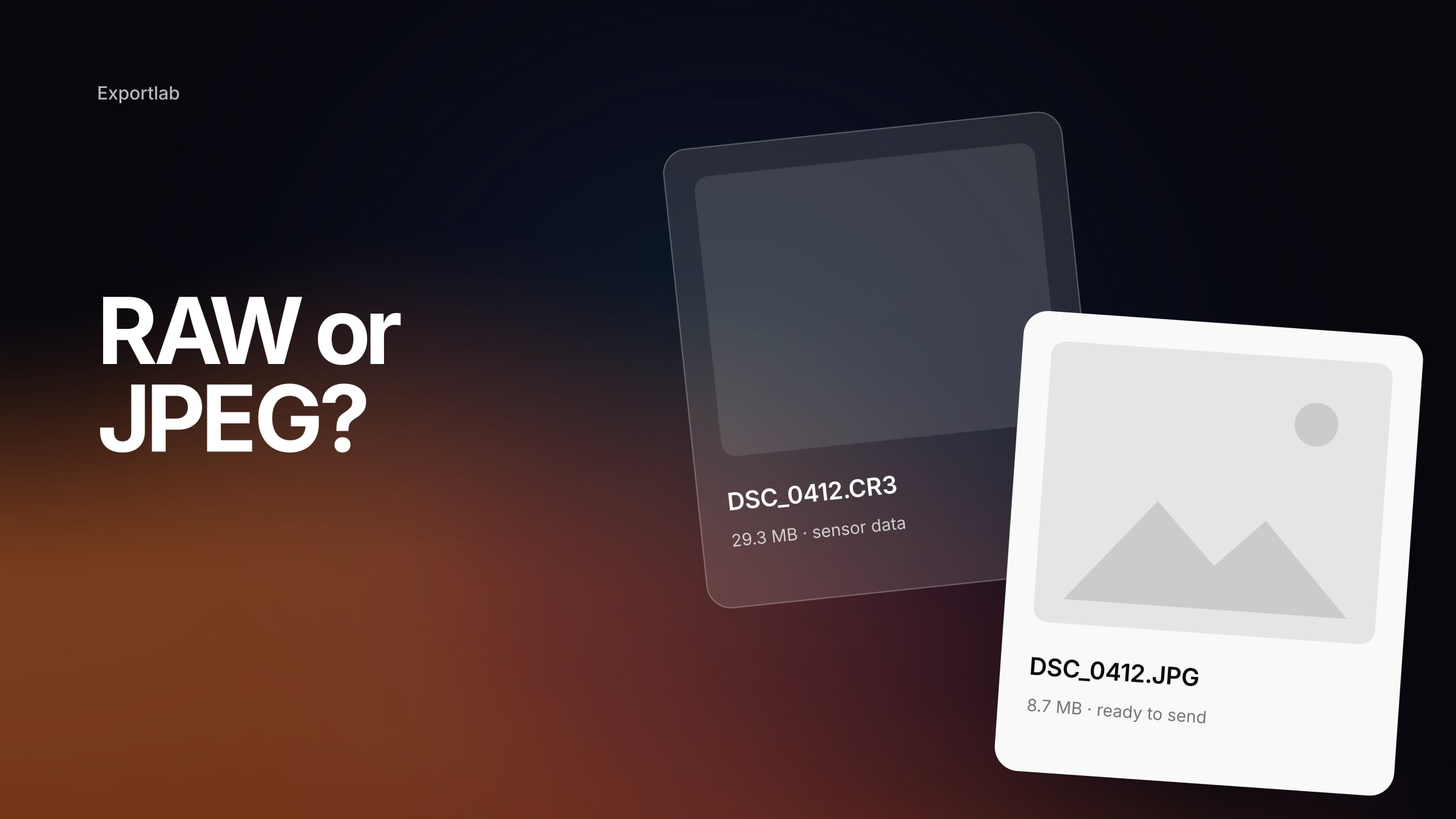
A RAW file holds the largely unprocessed data from the image sensor. White balance, contrast, sharpening and colour rendering are not baked in; they are instructions applied later in a converter such as Lightroom or Capture One. From one RAW you can develop as many different finished files as you like without ever changing the original. Wikipedia's overview of the raw image format covers the background.
A JPEG sits at the other end of that chain. The camera has already developed the image — applied its picture style, white balance and sharpening — and then saved the result with lossy compression. Adobe's Lightroom Classic export documentation describes JPEG plainly as lossy: the higher the compression, the more image data is discarded to make the file smaller.
That one difference explains almost everything else:
| RAW | JPEG | |
|---|---|---|
| Starting point | sensor data, not yet rendered | a finished, rendered image |
| Editing latitude | maximum — the rendering is still open | limited to what survived the in-camera development |
| Compression | manufacturer-specific, lossless or lightly compressed | lossy |
| File size | large | small |
| Usable immediately | no, needs developing first | yes |
| Transfer | more data per frame | fast and light |
| Archive value | high — your digital negative | a finished derivative, not a replacement |
File size and buffer: where the format becomes an operational decision
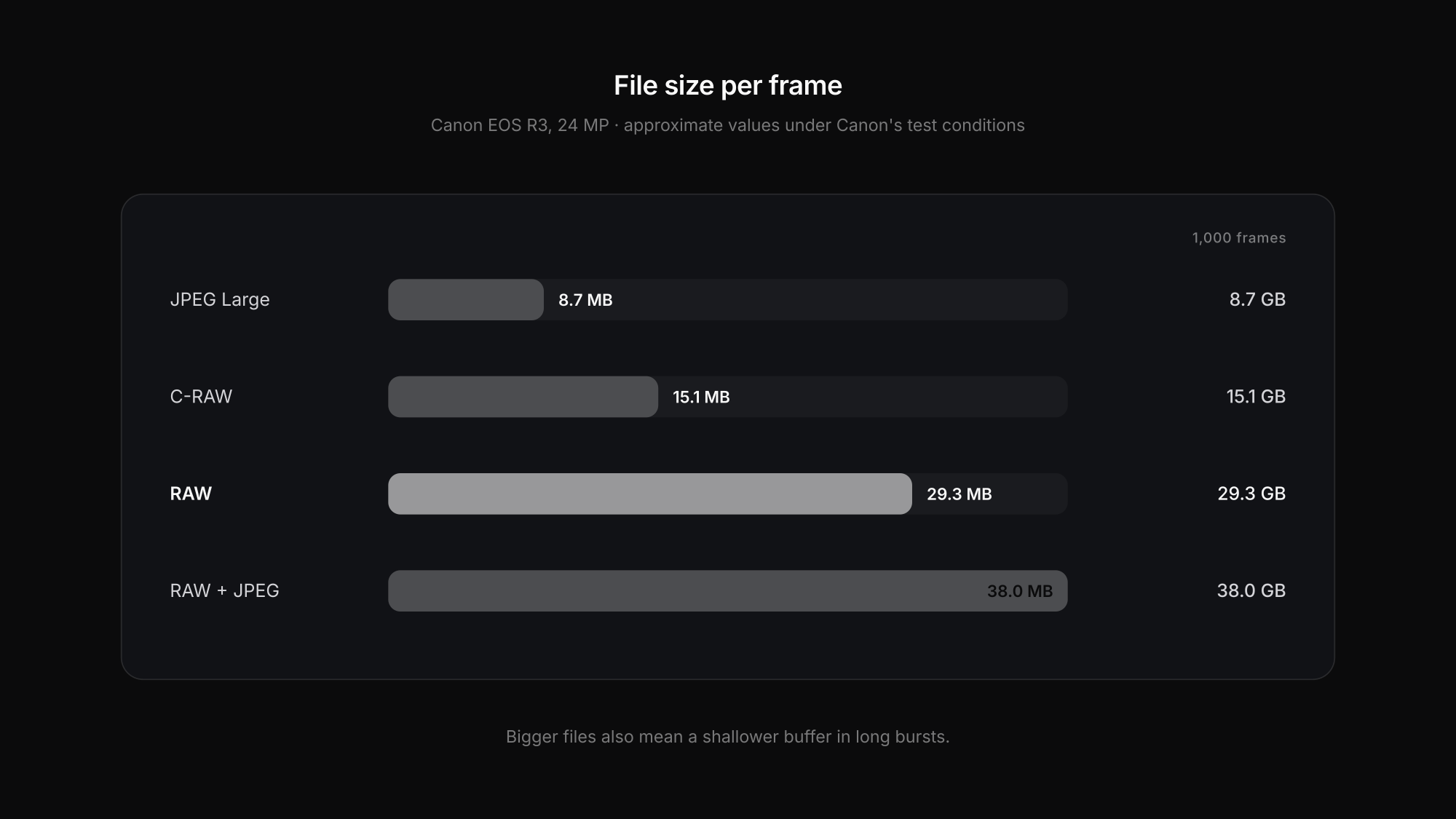
Numbers make the trade-off concrete. Canon publishes approximate file sizes for the 24-megapixel EOS R3 under its own test conditions:
| EOS R3 (24 MP) | approx. per file | approx. for 1,000 frames |
|---|---|---|
| JPEG Large | 8.7 MB | 8.7 GB |
| C-RAW (compressed RAW) | 15.1 MB | 15.1 GB |
| RAW | 29.3 MB | 29.3 GB |
| RAW + JPEG | 38.0 MB | 38.0 GB |
Real sizes vary with subject, ISO, picture style and quality setting, so treat this as one worked example rather than a rule for every camera. But the ratio is typical: a RAW is roughly three times the size of a high-quality JPEG.
The bigger effect is on the buffer. The same manual lists several times as many consecutive JPEGs as RAWs before the camera slows down, with compressed RAW in between. For a portrait session that is irrelevant. For a goal-line sequence or a finish line, it decides whether you have the frame.
When JPEG is the professional choice
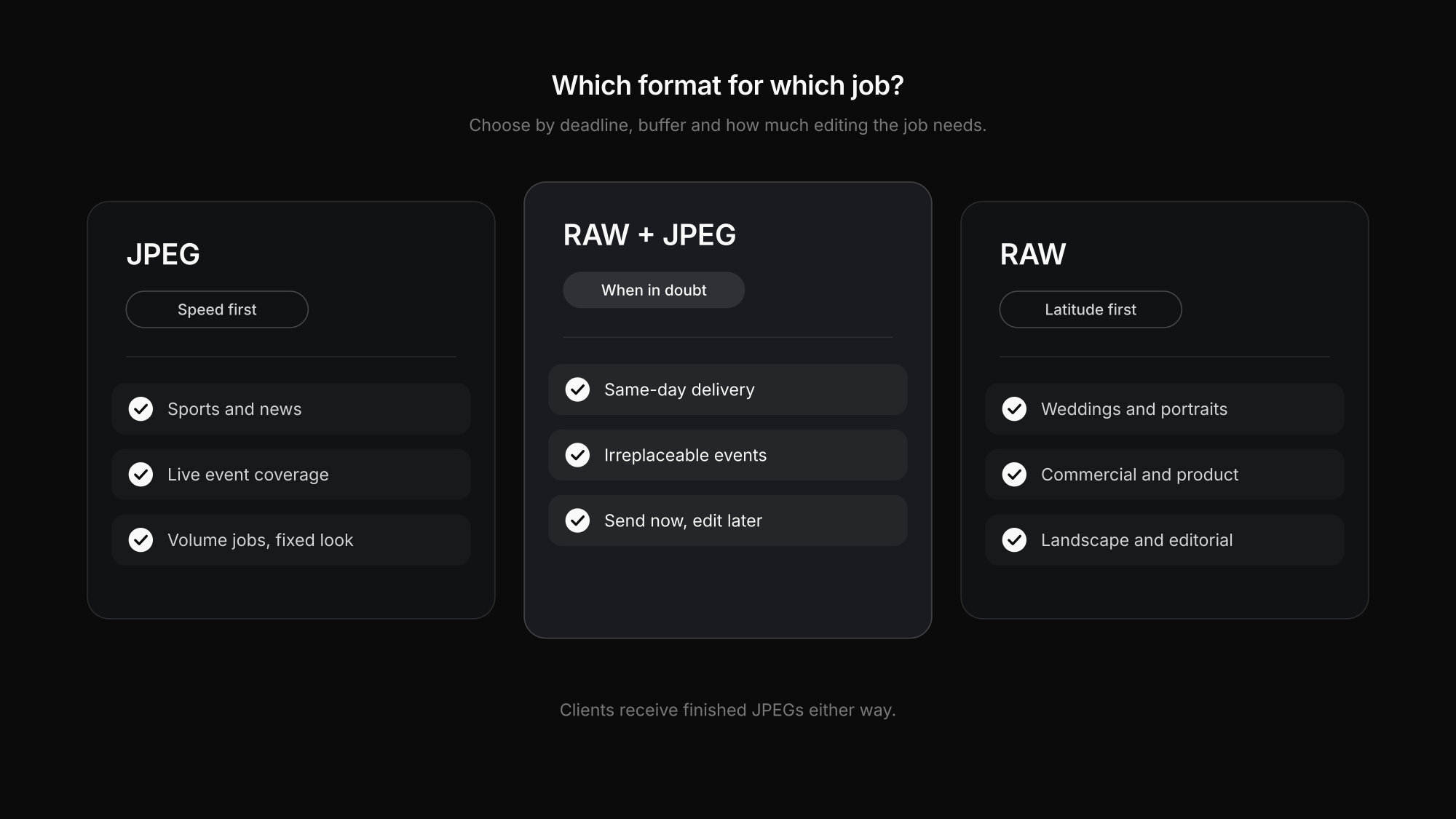
JPEG makes sense when the bottleneck is time, not editing latitude:
- Sports, news and wire work. Pictures need to reach an editor minutes after they are taken. Smaller files write faster, burst longer and transfer faster over a mobile connection.
- Live event coverage. Corporate events, conferences and red carpets where images go out during the event, not a week later.
- High-volume jobs with a fixed look. School days, sports clubs and similar shoots where the light is controlled and the look is set in camera — and nobody will ever ask for a different edit.
The condition in every case is the same: exposure and white balance have to be right in camera, because there is far less room to fix them afterwards. That is a skill, not a shortcut. It is also not a claim that every sports or press photographer shoots JPEG — many shoot RAW + JPEG and send the JPEG.
When RAW is clearly the better call
RAW wins when later flexibility and archive value matter more than speed:
- Weddings and portraits, where skin tones, mixed light and once-only moments need room for correction.
- Commercial, product and architecture work, where colour accuracy and retouching are part of the brief.
- Landscape and editorial, where you may want to reinterpret an image years later.
- Anything that cannot be repeated. If a frame is irreplaceable, keep the most complete version of it.
For the archive, keep the RAW — or a deliberately chosen RAW archive format such as Adobe's DNG — as your original. A finished JPEG is a good delivery copy, but it is not a substitute for the negative. Our guide to cloud storage for photographers covers why archive, backup and delivery are three different jobs.
RAW + JPEG and compressed RAW: the middle ground
Two options get overlooked:
RAW + JPEG saves both files with the same frame number. You can send the JPEG immediately and keep the RAW for anything that needs proper editing later. The cost is storage and buffer: on most bodies RAW + JPEG fills the buffer about as fast as RAW alone.
Compressed RAW (Canon C-RAW, Sony compressed, Nikon High Efficiency and similar) roughly halves the RAW file size in the example above and extends the burst considerably. Whether that compression is acceptable for your work is a model-specific question — test it on your own files in deep shadows and fine textures before deciding, rather than trusting a forum verdict either way.
What the client actually receives
Whatever you shoot, clients almost never receive RAW files. They receive developed, finished images — usually JPEGs in sRGB. The format debate therefore happens entirely on your side of the handover. What reaches the client is decided by your export settings and your delivery method, which is where quality is often lost: email attachments get compressed and messengers downscale images.
A client gallery solves the last step: with Exportlab for photographers you deliver finished images in original quality and decide per gallery which resolution clients may download. If a client or agency explicitly needs RAW files, send them as a transfer rather than through a gallery. More on the handover in our guide to delivering photos to clients.
FAQ: RAW vs JPEG
Do professional photographers shoot RAW or JPEG?
Both. Most portrait, wedding and commercial photographers shoot RAW because they need editing latitude. Many sports, news and live event photographers shoot JPEG or RAW + JPEG, because speed, buffer depth and transfer time matter more than latitude on those jobs.
Is RAW better quality than JPEG?
RAW contains more information, so it allows more correction before quality breaks down. A well-exposed JPEG at high quality can look identical on screen. The difference shows when you need to rescue exposure, white balance or highlights.
Should I shoot RAW + JPEG?
It is worth it when you need images immediately and also want an editable original — for example at events with same-day delivery. If you always edit everything anyway, the extra JPEG mostly costs storage and buffer.
Is compressed RAW good enough for professional work?
Often yes, but it depends on the camera. Compressed RAW keeps most of the editing latitude at around half the size. Test it on your own files in demanding light before switching for paid work.
Conclusion
RAW vs JPEG is not a ranking of professionalism. RAW maximises what you can do later; JPEG maximises what you can do right now. Choose by deadline, buffer, transfer speed and how much editing the job really needs — and when in doubt on an irreplaceable job, shoot RAW + JPEG and keep your options.
Ready to hand over the finished images properly? Start with Exportlab and deliver in original quality.