

Cloud Storage for Photographers: Archive, Backup and Delivery Are Three Jobs
Searching for cloud storage for photographers usually produces a list of services ranked by price per terabyte. That framing is the problem: it assumes storage is one job. For a working photo or video business it is three, with different requirements and different failure modes.
Confusing them is expensive in both directions. People pay archive prices to deliver a wedding, or hand a client a link to the folder that also holds their entire back catalogue. This article separates the three jobs and covers what each one actually needs.
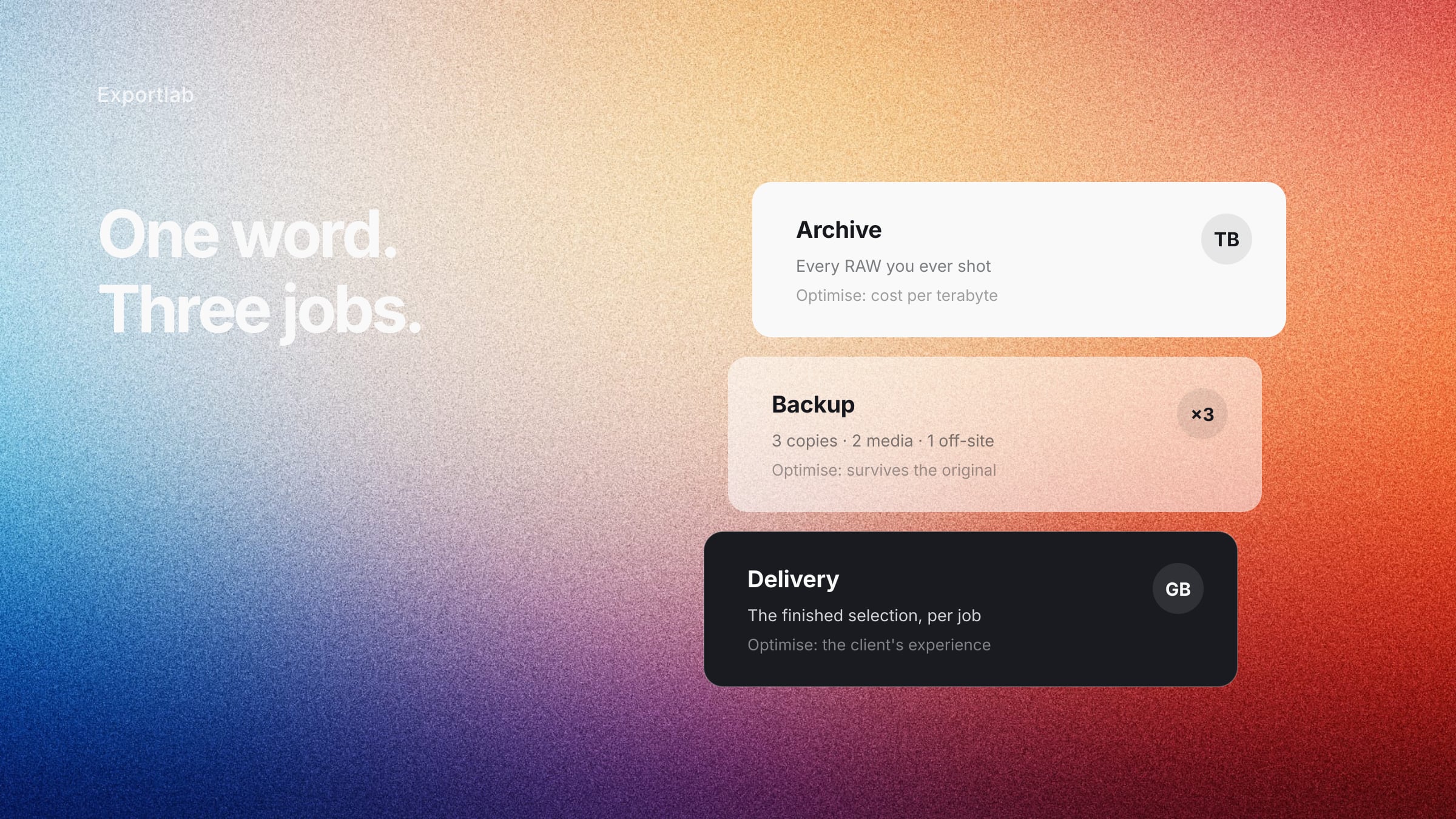
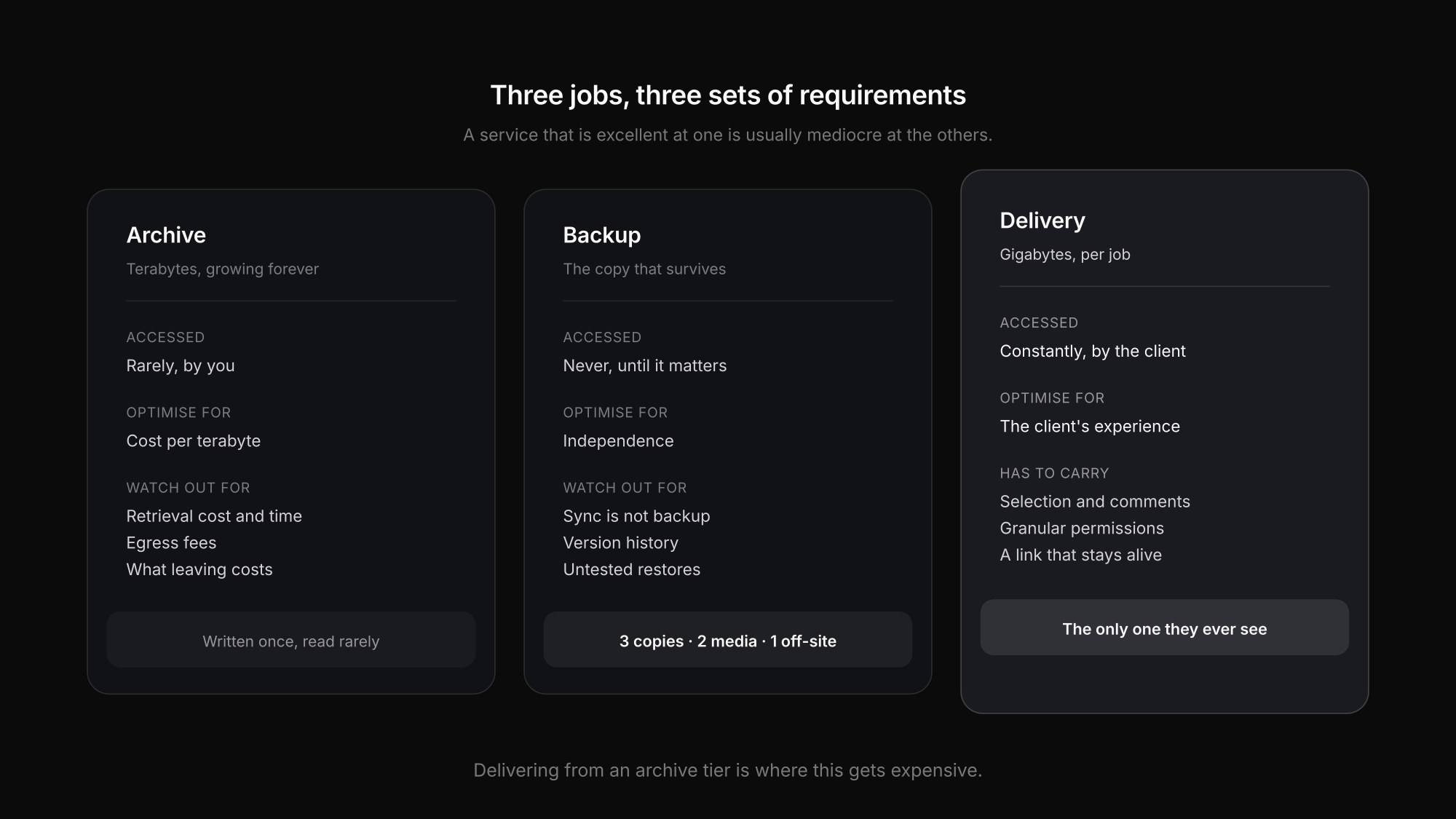
The three jobs
| Archive | Backup | Delivery | |
|---|---|---|---|
| Holds | every RAW you have ever shot | a second and third copy of it | the finished selection for one client |
| Size | terabytes, growing forever | same as the archive, times two | gigabytes, per job |
| Accessed | rarely, by you | never, until something breaks | constantly, by the client |
| Speed matters | when you need an old job | only during a restore | every time the link is opened |
| Optimise for | cost per terabyte | independence from the original | the client's experience |
A service that is excellent at one of these is usually mediocre at the others, which is why most working setups use two or three tools rather than one.
Archive: cost per terabyte, and getting it back out
The archive is every job you have shot. It only grows, and most of it is never opened again — until a client asks for a reshoot reference or a licence renewal three years later.
What matters here:
- Cost per terabyte at rest, because the volume only increases
- Retrieval cost and time, which is the line people skip. Cold and archive storage tiers are cheap to hold and can be slow or billed per gigabyte to retrieve. That is fine for an archive and a nasty surprise if you try to deliver from it.
- Egress fees — some providers charge to take your data out. Worth knowing before you have ten terabytes sitting there.
- A catalogue, so you can find the job without downloading it. The archive you cannot search is functionally empty.
The exit question
Before committing years of work to a provider, find out what leaving costs — in money, time and format. A provider that stores files as files is easy to leave. One that stores them inside a proprietary library is not.
Backup: the copy that survives what kills the original
Backup is not archive in a different folder. It is the answer to "the drive died, the studio was burgled, the laptop was stolen, the ransomware ran".
The rule that has not changed is 3-2-1: three copies of the data, on two different types of media, with one copy off-site. Cloud covers the off-site part naturally. What it does not cover by itself is the other two.
Three things people get wrong:
- Sync is not backup. A synced folder faithfully replicates a deletion or an encryption. If the only copy is a sync, you have one copy in two places.
- Versioning matters. The corrupted file needs to be recoverable from before it was corrupted, which means version history, not just presence.
- A restore you have never tested is a hope. Pull one job back from cold storage once, end to end. Find out then rather than in the week it matters.
For a working photographer that usually means: the working drive, a local backup disk or NAS, and a cloud copy off-site — three copies, two media types, one elsewhere.
Delivery: the only one the client ever sees
Delivery is a different problem entirely. It is gigabytes, not terabytes; accessed constantly for a few weeks and then rarely; and the person opening it is the client, not you.
Which changes what matters:
- How it opens. The client should see photographs, not a file listing. Anything requiring a signup loses people, particularly when the link gets forwarded inside a company.
- What happens next. Selection, comments, approval. A folder delivers files and then stops, which is where the email thread with filenames in it begins.
- Permission granularity. Web-sized files now, originals after the invoice is paid. A single download switch cannot express that.
- Link lifetime. Transfer services expire. Re-send requests cluster in months three to twelve, and always arrive while you are shooting.
- Who it looks like. The gallery is often the last thing a client sees from you, and the thing they forward.
Trying to serve delivery from an archive tier is where this gets expensive — archive storage is priced to be written once and read rarely, which is the opposite of a gallery being opened forty times in a fortnight.
Do not pay twice for the same terabytes
Delivering from the archive
Retrieval and egress fees on a tier priced for cold storage. Deliver from a copy, not from the archive.
Archiving the delivery copy
Exports and web-sized files do not need archive retention. Keep the RAWs; the derivatives can be regenerated.
Buying one plan for all three jobs
The tier that makes archive affordable makes delivery slow, and vice versa. Two tools is usually cheaper than one compromise.
Sync mistaken for backup
A synced deletion is a deletion everywhere. Sync is convenience; backup needs version history.
Keeping every frame forever
Culling before archiving is the cheapest storage decision available. Three hundred rejected frames per job compounds fast.
Never testing a restore
An untested backup is an assumption. Restore one old job end to end and find out what it actually takes.
Where Exportlab fits — and where it does not
Worth being precise about this, because the categories get blurred in marketing constantly.
Exportlab covers the delivery job. Galleries, video, selection, comments, download control and the client-facing side of a shoot live there, with storage allocated per plan — 10 GB on Rookie through 1 TB on Team, plus separate video storage. Files sit on EU infrastructure, which for German and European clients is regularly a procurement requirement rather than a preference.
What Exportlab is not is your archive or your backup. It is not sized to hold every RAW you have ever shot, and it is not a replacement for the 3-2-1 copies of your originals. Those remain a separate job, and anyone telling you one service solves all three is selling something.
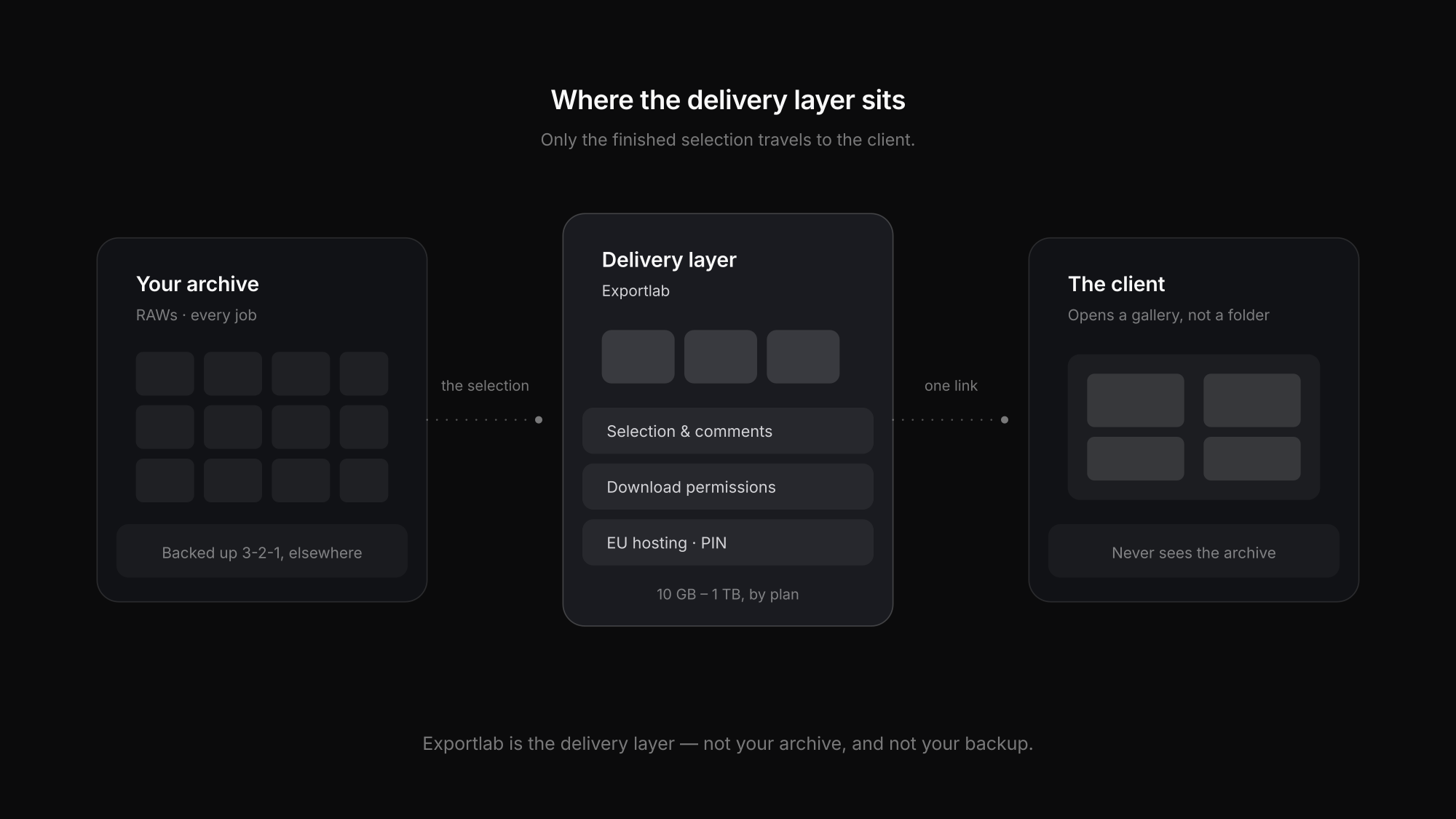
The practical split most photographers land on: RAWs on a working drive, backed up locally and off-site; the finished selection delivered through a client gallery that carries selection and approval; and the archive kept wherever cost per terabyte is lowest. For the delivery half of that, delivering photos to clients compares the options, and WeTransfer alternatives for photographers covers why transfer services fall short at that step.
FAQ: Cloud storage for photographers
How much cloud storage does a photographer need?
For delivery, gigabytes per job rather than terabytes — you are storing a finished selection, not everything you shot. For archive and backup the answer is however much you have shot, times the number of copies you keep, which is why those are usually priced and chosen separately.
Is cloud storage enough on its own for backup?
Not by itself. The 3-2-1 approach means three copies on two media types with one off-site. Cloud covers off-site well; a local copy covers the case where you need a fast restore and the case where the provider itself is the problem.
Is sync the same as backup?
No, and the difference matters. Sync replicates whatever happens to the original, including deletion and encryption. Backup keeps versions you can go back to. A folder that syncs is one copy living in two places.
Can I deliver photos straight from my cloud storage?
You can send a link, but the client gets a file listing rather than a viewing experience, and nothing carries the selection or approval step. Archive and cold tiers also charge for retrieval, which makes a frequently opened link an ongoing cost.
Where should the data be hosted for EU clients?
For clients in the EU, EU-based hosting plus a data processing agreement is regularly a requirement rather than a preference, particularly for corporate work. Confirm both before a procurement team asks.
Conclusion
Choosing cloud storage for photographers gets much simpler once the three jobs are separated. The archive is optimised for cost per terabyte and the ability to get data back out. The backup is optimised for independence from whatever destroyed the original, which still means 3-2-1 and a restore you have actually tested. Delivery is optimised for the client, and that is the only one they ever see.
Trying to do all three with one service means overpaying for two of them. For the delivery layer specifically — the part where selection, approval and the client's experience live — the client gallery post covers what that step needs.