
The Best Lightroom Plugins 2026: A Practical Guide for Every Workflow Stage
Adobe Lightroom Classic is a complete photo workflow on its own – but no single application is best at everything. Search slows down in large catalogs, noise reduction and upscaling have moved far beyond Lightroom's built-in tools, and specialist jobs like timelapse or perspective correction are only half-solved. That's where plugins come in: each one takes over a stage Lightroom handles adequately at best and does it noticeably better.
This guide isn't a race to crown a single winner. The "best" Lightroom plugin depends entirely on where you actually lose time – so we've grouped the strongest tools by the job they do, and for each one explained what it does, who it's for, its honest pros and cons, and roughly what it costs. Use it to match a plugin to your real bottleneck, not to a marketing headline.
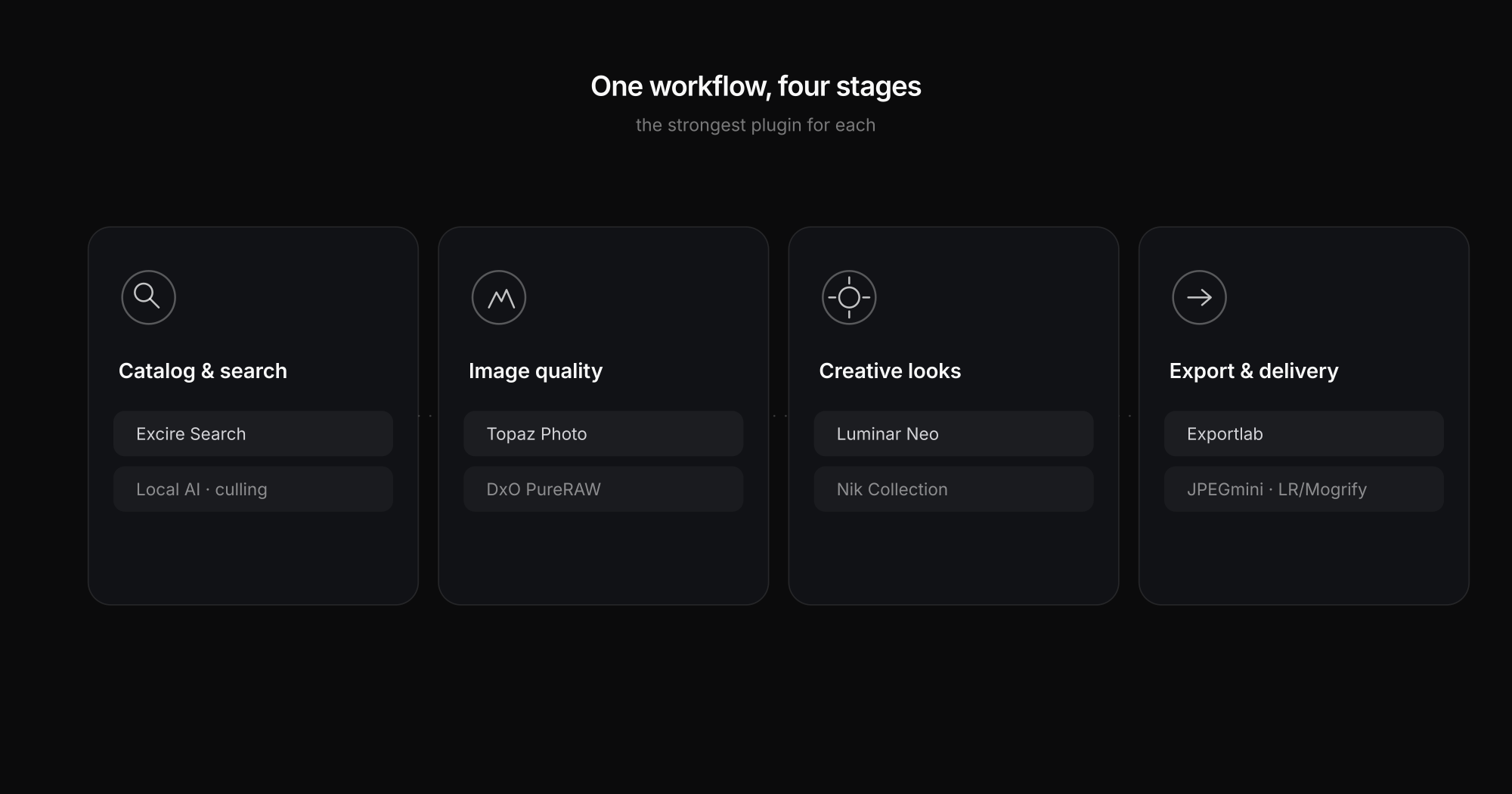
A quick map of the stages and the plugins that own them:
| Workflow stage | Strong picks | What it solves |
|---|---|---|
| Catalog & search | Excire Search, Peakto | Finding and culling images fast in big archives |
| RAW quality | DxO PureRAW, Topaz Photo | Noise, sharpness, optical corrections, upscaling |
| Creative looks | Luminar Neo, Nik Collection | Styles, portraits, color grading, film looks |
| Volume editing | Neurapix, Imagen | Consistent AI edits across thousands of images |
| Export & delivery | Exportlab, JPEGmini, LR/Mogrify | Getting the finished set to the client cleanly |
| Specialist | LRTimelapse | Timelapse sequencing |
Catalog and search: taming a big archive
The moment your catalog passes a few tens of thousands of images, Lightroom's own search starts to feel thin. Keyword-based search only finds what you manually tagged, and culling by hand eats hours.
Excire Search 2026 is the standout here. It brings genuine AI search into Lightroom Classic: search by prompt ("two people laughing outdoors"), find visually similar images, run people and face search, detect duplicates, and even AI-assisted culling that flags the sharp, well-exposed keepers. Crucially, all of this runs locally on your machine – nothing is uploaded – which Excire leans into as a privacy and GDPR advantage. It's sold as a one-time license rather than a subscription.
- Best for: photographers with large, under-tagged archives who want to *find* and *select* faster.
- Pros: powerful local AI search, culling built in, no cloud dependency, perpetual license.
- Cons: indexing a huge catalog takes time up front; it's a search tool, not an editor.
Peakto (by CYME) approaches the same problem from a DAM angle – it indexes not just Lightroom but Capture One, Apple Photos and folders too, giving you one AI-powered search across everything. Worth a look if your images are scattered across several apps rather than living in one Lightroom catalog.
RAW quality: the technical foundation
This is the stage where plugins most clearly beat Lightroom's built-in tools, because dedicated engines have pulled ahead on noise and detail.
DxO PureRAW 6 is the sensible first stop. It processes your RAW files *before* you edit them – DeepPRIME XD denoising, plus DxO's optical modules that correct your exact lens/body combination – then hands a clean, corrected DNG back to Lightroom. It isn't flashy; it's a quality pre-stage that makes every later edit start from a better file. Sold as a one-time license.
- Best for: anyone shooting high-ISO, available light, or with lenses that need correction.
- Pros: class-leading noise reduction, excellent optical corrections, clean DNG round-trip.
- Cons: it's a pre-processing step, so it adds a stage; no creative tooling.
Topaz Photo attacks the harder cases – images that need rescuing rather than refining. Its AI models denoise, sharpen, recover faces and upscale, often pulling a usable shot out of one you'd otherwise discard. It runs as a Lightroom plugin or standalone.
- Best for: wildlife, sport, event and archive work where individual files need saving or enlarging.
- Pros: best-in-class upscaling and recovery, works on JPEGs too, flexible as plugin or standalone.
- Cons: subscription pricing, results can look over-processed if pushed, heavier on the GPU.
The short version: DxO for a clean starting point across the whole shoot, Topaz for rescuing the difficult individual frames. Many photographers own both.
Creative looks: style and finishing
Luminar Neo is the most creative plugin in common use. Sky replacement, relight, portrait and skin tools, bokeh, and a deep preset library make it a fast way to a distinctive look – especially for portrait, social and landscape work. Note that a few generative features are standalone-only and don't appear in the Lightroom plugin variant, so check before you rely on one.
- Best for: photographers who want strong looks and portrait retouching without deep manual work.
- Pros: genuinely creative AI tools, fast results, large preset ecosystem.
- Cons: feature parity differs between plugin and standalone; can feel "automatic" for purists.
Nik Collection 9 is the classic alternative, and still excellent. Its seven modules – Silver Efex for black-and-white, Color Efex for grading, Analog Efex for film character – give you hands-on, U-Point-controlled finishing rather than one-click AI. It's a one-time purchase.
- Best for: photographers who value craft and film aesthetics over automation.
- Pros: superb black-and-white and color modules, precise local control, perpetual license.
- Cons: less "smart" than modern AI tools; the suite can feel sprawling.
Volume editing: consistency at scale
For wedding and event photographers, the bottleneck isn't one image – it's a thousand.
Neurapix learns your editing style from your past Lightroom edits and applies it across an entire shoot as SmartPresets, plus AI masks and culling, all inside Lightroom Classic. Pricing is flexible – monthly or per image – which suits variable studio volume.
- Best for: high-volume shooters who want *their own* consistent look applied automatically.
- Pros: matches your personal style, huge time savings on large sets, pay-per-image option.
- Cons: overkill for low volumes; needs a body of past edits to learn from.
Imagen plays in the same space with AI profiles trained on your catalog, and is another strong option worth trialing side by side with Neurapix if you edit thousands of images a month.
Export and delivery: the step most guides skip
Editing is only finished when the client has the images. This stage is usually left out of plugin roundups, yet it's where a lot of everyday friction lives – exporting to a folder, uploading it somewhere, building a gallery, chasing feedback.
JPEGmini Pro is the quiet workhorse: it compresses JPEGs by up to 80% with no visible quality loss, straight from a Lightroom export. Smaller files mean faster galleries and delivery, which matters for web, real-estate and high-volume work. One-time license.
LR/Mogrify 2 is the veteran export-finisher – watermarks, borders, text and color-space tweaks applied on the way out. It's donationware and still genuinely useful for branding an export.
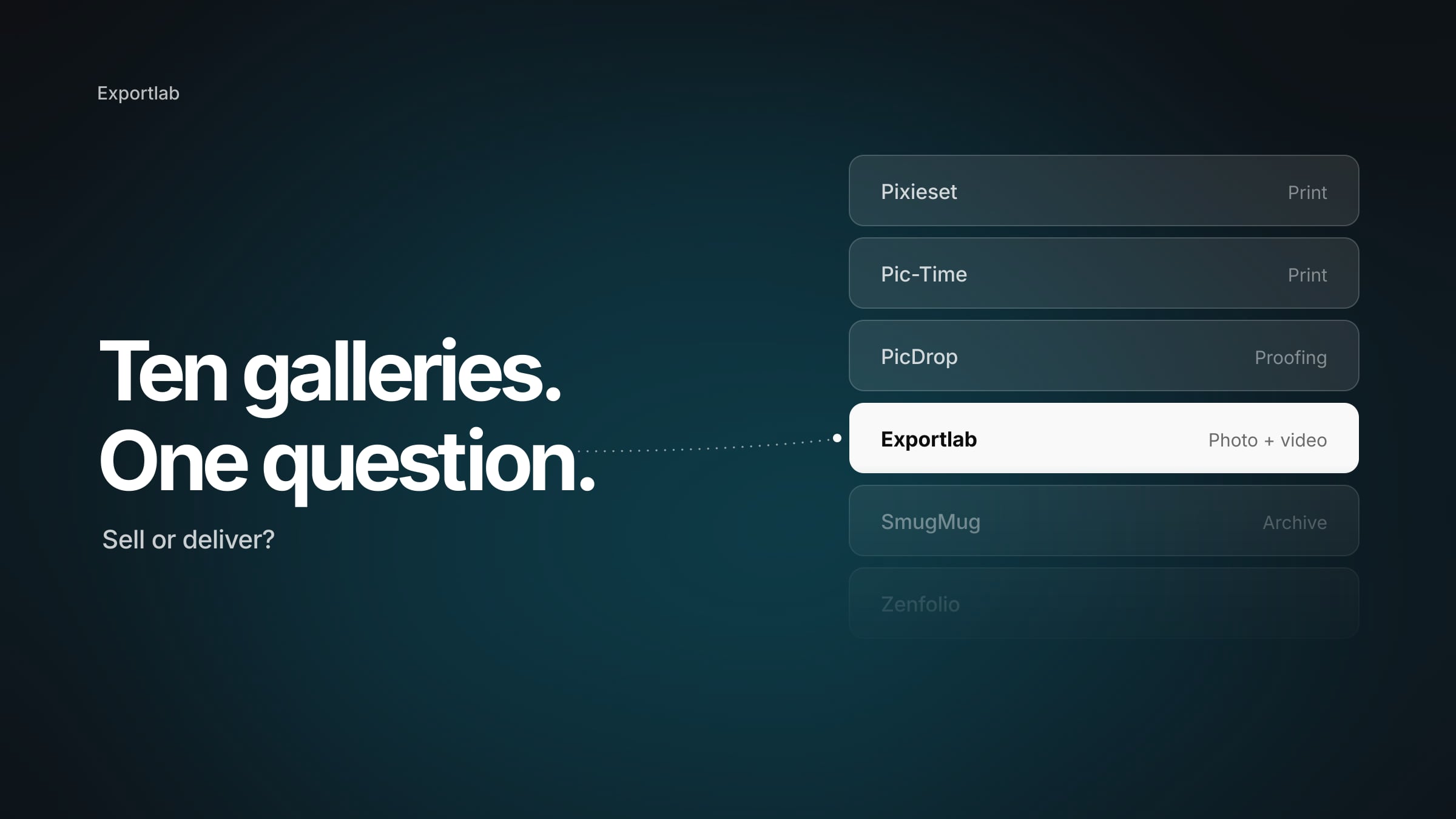
Exportlab sits here too, and it's the one to reach for when your bottleneck is client collaboration, not file size. Its Lightroom Classic plugin adds Exportlab as an export destination: you select your delivery set, pick an existing client gallery (or create one in the dialog), and export – the images go straight from Lightroom into the gallery, with no export folder and no separate upload. Where it goes further than a pure export tool is what happens *after* the images land: the client marks favorites and comments in the gallery, approvals are tracked, and files, contracts and the client portal live in one place. If you deliver client work every week and juggle a gallery tool, a transfer tool and a feedback thread, folding all of that into the export itself is a real time-saver.
- Best for: photographers delivering client galleries who want selection, feedback and handover in one flow.
- Pros: export straight from Lightroom into a gallery, built-in client selection and comments, delivery + portal in one platform, low entry price.
- Cons: it's a delivery and collaboration platform, not an image editor – it won't touch pixel quality.
Specialist: timelapse
LRTimelapse 7 is the undisputed standard for timelapse and hyperlapse. Keyframing, the Holy Grail wizard for day-to-night transitions, deflickering and rendering up to 8K make it far more capable than Lightroom's own sequencing. It's highly specialized – irrelevant if you don't shoot timelapse, essential if you do. Perpetual license.
Which plugin should you actually buy?
Don't buy the loudest tool – buy the one that fixes *your* slowest stage:
- Search and culling slow you down? → Excire Search (or Peakto if your images span several apps).
- Files need technical rescue or a clean base? → DxO PureRAW for the whole shoot, Topaz Photo for difficult individual frames.
- You want a signature look fast? → Luminar Neo; Nik Collection if you prefer hands-on craft.
- You edit thousands of images in one style? → Neurapix or Imagen.
- The pain is delivering to clients? → Exportlab for gallery, selection and feedback in one flow; JPEGmini to slim files; LR/Mogrify to brand the export.
- You shoot timelapse? → LRTimelapse, no contest.
FAQ: the best Lightroom plugins
Do these plugins work with Lightroom Classic or Lightroom (Cloud)?
Most plugins in this guide target Lightroom Classic, which still has by far the deepest plugin architecture. Some vendors also support Lightroom desktop, but if a specific plugin matters to you, confirm it says "Classic" before buying.
Are there free Lightroom plugins?
A few: LR/Mogrify 2 is donationware, and most paid plugins (DxO, Topaz, Excire, Luminar) offer 7–30 day trials so you can test on your own files first. Trialing two competitors side by side on the same shoot is the fastest way to decide.
One-time purchase or subscription?
It varies and it matters. Excire, DxO PureRAW, Nik Collection, JPEGmini and LRTimelapse are perpetual licenses; Topaz, Luminar and Neurapix lean toward subscriptions or per-image pricing. For occasional use, a perpetual license is easier to justify; for constant high-volume work, subscriptions with ongoing model updates can pay off.
Which plugin helps most with client delivery?
Exportlab is built for that stage: images go from Lightroom Classic straight into a gallery, and selection, feedback, approval and delivery then live in one place – rather than an export folder, a separate upload and scattered handover tools. It doesn't edit images, so pair it with an editing plugin, not against one.
How many plugins do I actually need?
Most photographers settle on two or three that cover their real bottlenecks – often one for quality (DxO or Topaz), one for looks or search, and one for delivery. Stacking more than that usually adds cost and complexity without saving time.
Conclusion
The best Lightroom plugins in 2026 aren't a single ranking – they're a toolkit you assemble around your own workflow. Excire makes big catalogs searchable, DxO and Topaz push image quality past Lightroom's ceiling, Luminar and Nik handle looks, Neurapix scales consistent editing, and LRTimelapse owns timelapse. And when the friction is on the last stretch – getting the finished work to the client – Exportlab folds gallery, selection, feedback and delivery into the export itself. Start with the stage that costs you the most time today, trial two options on a real shoot, and build from there.