
The 3-2-1 Backup Rule for Photographers: A Photo Backup Workflow From Card to Restore
Every photographer knows the moment: a card that will not mount, a drive that clicks, a laptop bag left on a train. For hobby shots it hurts. For a wedding, it is a disaster nobody can reshoot. The 3-2-1 backup rule is the most widely cited answer — and also one of the most loosely applied. Plenty of photographers believe they follow it while keeping everything in one building, on one system, protected by a sync that faithfully copies every deletion.
This guide explains what 3-2-1 actually requires, why the extended 3-2-1-1-0 version is the better standard today, and how to turn both into a concrete workflow — from the memory card to a restore you have actually tested.
What the 3-2-1 rule means
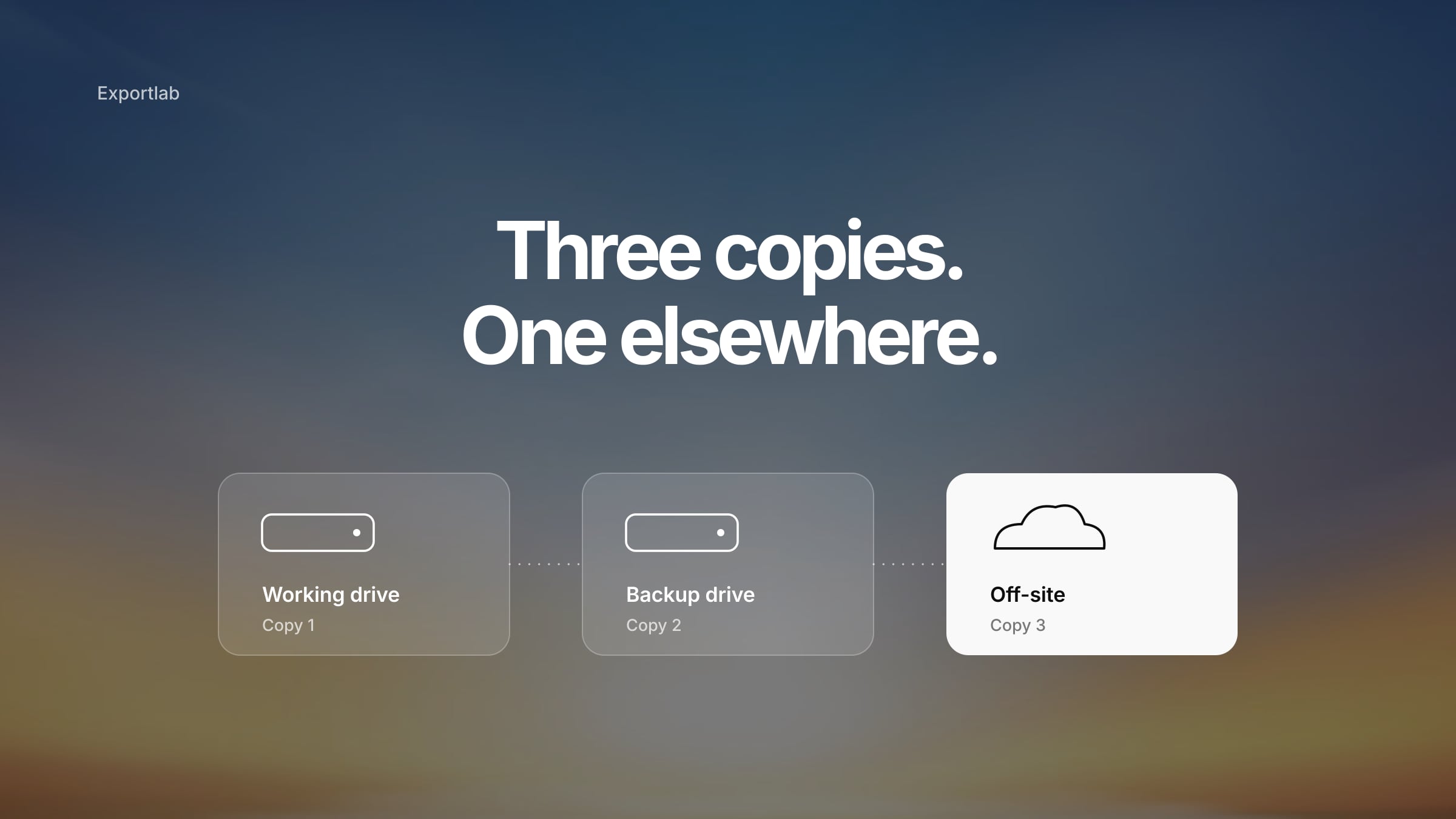
The classic rule, as summarised by backup vendor Veeam, has three parts:
- 3 copies of your data — the original plus at least two backups
- 2 different types of storage media — so one failure mode cannot take out everything
- 1 copy off-site — so a fire, flood or burglary at one location is survivable
The off-site part is the one most often skipped. Two drives on the same desk protect you against a dead drive, not against a stolen bag or a flooded studio. A cloud copy is the easiest way to cover it, but a drive kept at another address works too.
Why 3-2-1-1-0 is the better standard today
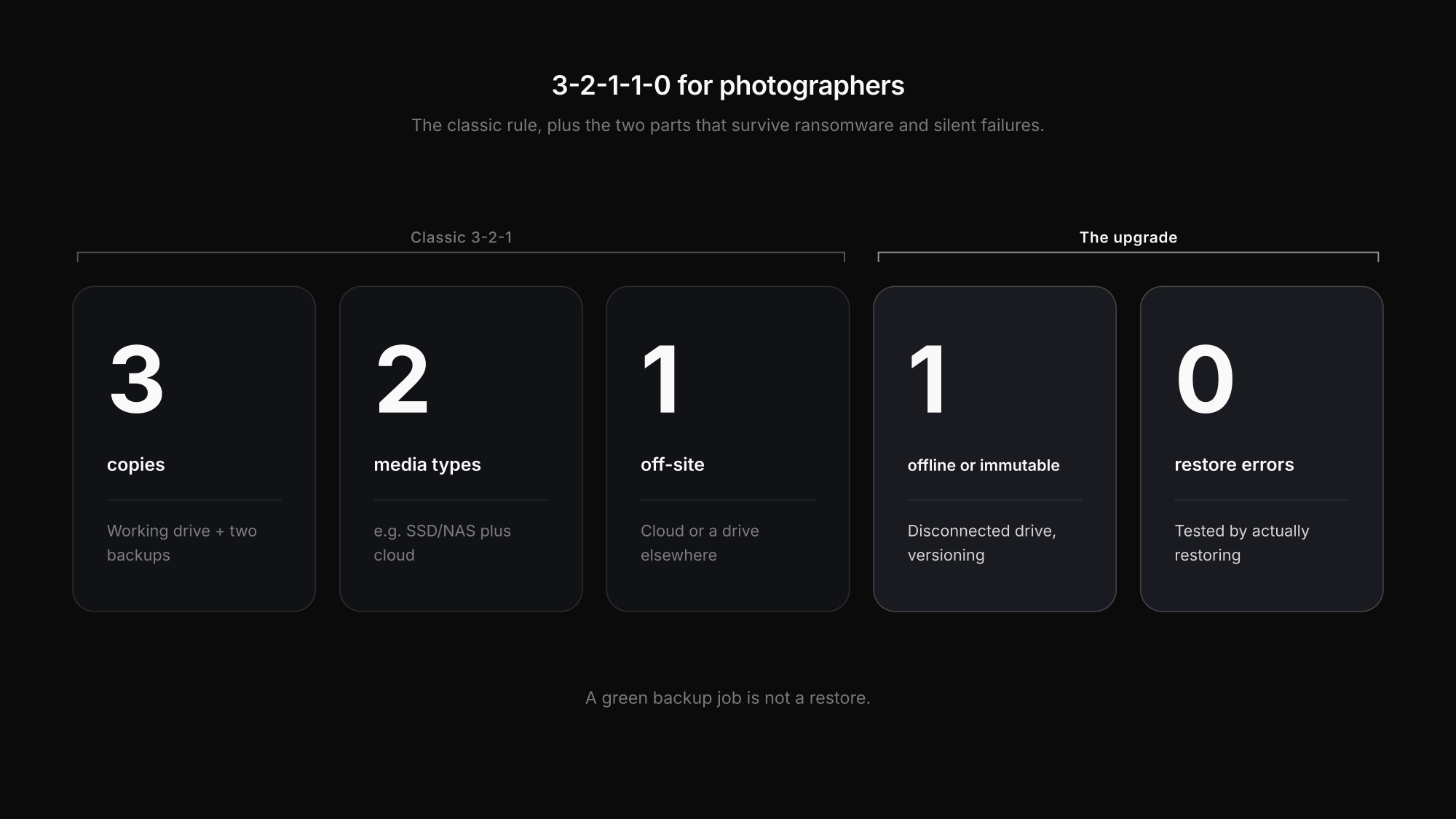
Ransomware and accidental deletions have exposed a gap in the classic rule: if every copy is connected and writable, one mistake or one attack can reach all of them. Veeam's 3-2-1-1-0 extension adds two requirements:
| Number | Meaning | For a photographer |
|---|---|---|
| 3 | three copies of the data | working drive + two backups |
| 2 | two different media types | e.g. SSD/NAS plus cloud |
| 1 | one copy off-site | cloud or a drive at another address |
| 1 | one copy offline, air-gapped or immutable | a disconnected drive, or cloud storage with versioning/object lock |
| 0 | zero errors when restoring | backups verified by actually restoring files |
The extra 1 protects against the threats that reach everything connected — malware, a compromised account, a sync that deletes. The 0 is the most neglected part of any backup plan: a backup job that reports "success" is not the same as files you can open. Public guidance such as CISA's ransomware guide makes the same point — offline, tested backups are what make recovery possible.
The workflow: from memory card to tested restore
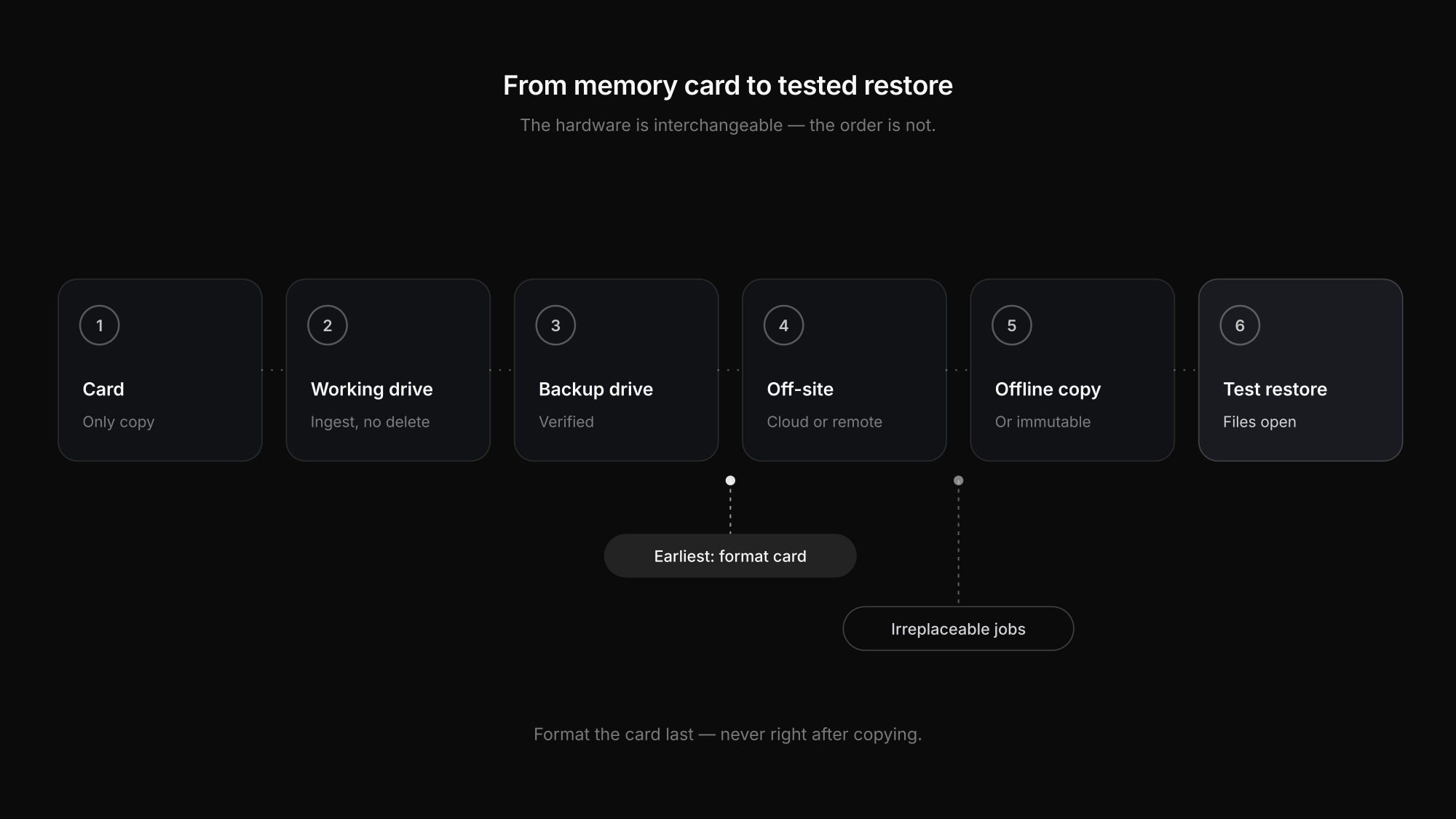
Here is how the rule maps onto a real shoot. The hardware is interchangeable; the order is what matters.
| Stage | Where your images are | Status |
|---|---|---|
| Right after the shoot | memory card(s) | only copy — do not format |
| After ingest | working drive + card | two copies, one location |
| After local backup | working drive + backup drive + card | three copies, one location |
| After off-site backup | working drive + backup drive + cloud/remote | 3-2-1 reached |
| Plus | an offline or immutable copy, and a test restore | 3-2-1-1-0 reached |
1. Ingest without deleting
Copy the card to your working drive. Lightroom Classic's *Copy* or *Copy as DNG* import does this; if your import tool offers a second copy to another drive during ingest, use it. Never *Move*, and never delete from the card at this point.
2. Make an independent second copy
Back up the working files to a separate physical drive or NAS. Separate means separate: a second partition on the same disk is not a second copy.
3. Verify the files
Open a sample of RAW files from the working drive and from the backup, especially from the end of the card. Corruption tends to show up as grey or truncated images, and it is much easier to fix while the card still holds the originals.
4. Get a copy off-site
Upload to cloud backup, or rotate a drive to another address. Our guide to cloud storage for photographers explains how backup storage differs from archive and delivery storage and what to look for.
5. Add the offline or immutable copy
A drive that is disconnected after each backup, or cloud storage with version history or object lock, gives you the copy that malware and accidental deletions cannot reach.
6. Test a restore
Regularly pull a past job back from your backup and open the files. That is the only way to know your backup works.
When is it safe to format the memory card?
The lowest-risk rule: not right after copying. Format the card only once the files have been verified on your working drive and at least one independent second copy exists. For weddings, commercial jobs and anything that cannot be repeated, wait until the off-site copy is complete too.
Then format the card in the camera you will use it in, following the manufacturer's instructions. And carry enough cards that "I need the space back" never decides your backup strategy.
Four things that are not a complete backup
Two cards in the camera. Dual-slot recording protects against a single card failing during the shoot. It does not protect against losing the camera bag. It is redundancy while shooting, not an archive strategy.
RAID or a mirrored NAS. A mirror keeps your system running when one disk fails. If both disks sit in the same box at the same address, it does not replace an independent backup or an off-site copy. RAID improves availability; it is not a backup.
Cloud sync. A synced folder replicates every change — including deletions and encrypted files. A sync with version history can be part of a backup; a plain mirror is one copy in two places.
A green backup job. Software reporting "completed" does not prove that files can be restored. Only a test restore does.
What belongs in a photographer's backup
The most valuable data is not the folder of final JPEGs. If you want to be able to re-edit or re-export later, the RAW or DNG originals must be in the protected set — our guide to RAW vs JPEG explains why the RAW is your digital negative. Add:
- your Lightroom catalog and any XMP sidecar files — note that Lightroom Classic's built-in backup saves the catalog, not your photos
- project files, layered PSDs or TIFFs that cannot be recreated quickly
- contracts and model releases for the job
Final client exports are worth keeping too, but they should never be the only copy of a job.
A restore test should confirm that files copy back, RAWs open completely, the folder structure and file names are intact, and — if you use versioning — that an older version can be recovered.
Where client delivery fits
Delivery is a separate job from backup. Clients need a fast, reliable way to view and download their finished images; your backup needs to be independent, offline-capable and tested. With Exportlab for photographers you deliver the finished selection in a client gallery — but Exportlab is not your archive or your backup, and it does not replace the copies described above. Keep the two jobs separate and both get easier.
FAQ: the 3-2-1 backup rule for photographers
What is the 3-2-1 backup rule?
Keep three copies of your data, on two different types of storage media, with one copy off-site. For photographers that usually means a working drive, a local backup drive or NAS, and a cloud backup or a drive stored at another address.
What is the 3-2-1-1-0 rule?
An extension of 3-2-1 that adds one offline, air-gapped or immutable copy and zero errors on restore verification. It protects against ransomware and accidental deletion, and requires you to actually test that backups can be restored.
When can I format my SD card after a shoot?
Only after the files have been verified on your working drive and at least one independent second copy exists. For irreplaceable jobs, wait until the off-site copy is complete as well.
Is RAID a backup?
No. RAID or a mirrored NAS protects against a single disk failing, but all copies sit in the same system and location. You still need an independent backup and an off-site copy.
Conclusion
The 3-2-1 backup rule is still the right foundation: three copies, two media, one off-site. Add an offline or immutable copy and regular test restores, and you reach 3-2-1-1-0 — the standard that also survives malware, deleted syncs and silent backup failures. Ingest without deleting, back up before you edit, verify, get a copy off-site, and format the card last.
When the backups are in place and the edit is done, deliver with Exportlab — in a client gallery, in original quality.