
Photo collaboration platforms for photographers: gallery, proofing or all-in-one?
The choice of collaboration platforms for photographers has grown enormously: client galleries, proofing tools, print stores, client portals – and every product page promises the perfect workflow. The actual decision is simpler than the market looks, though, because the products sort themselves into three clearly distinguishable camps.
This comparison puts the most relevant platforms in order – honestly, with strengths and limits – and shows which camp fits which studio.
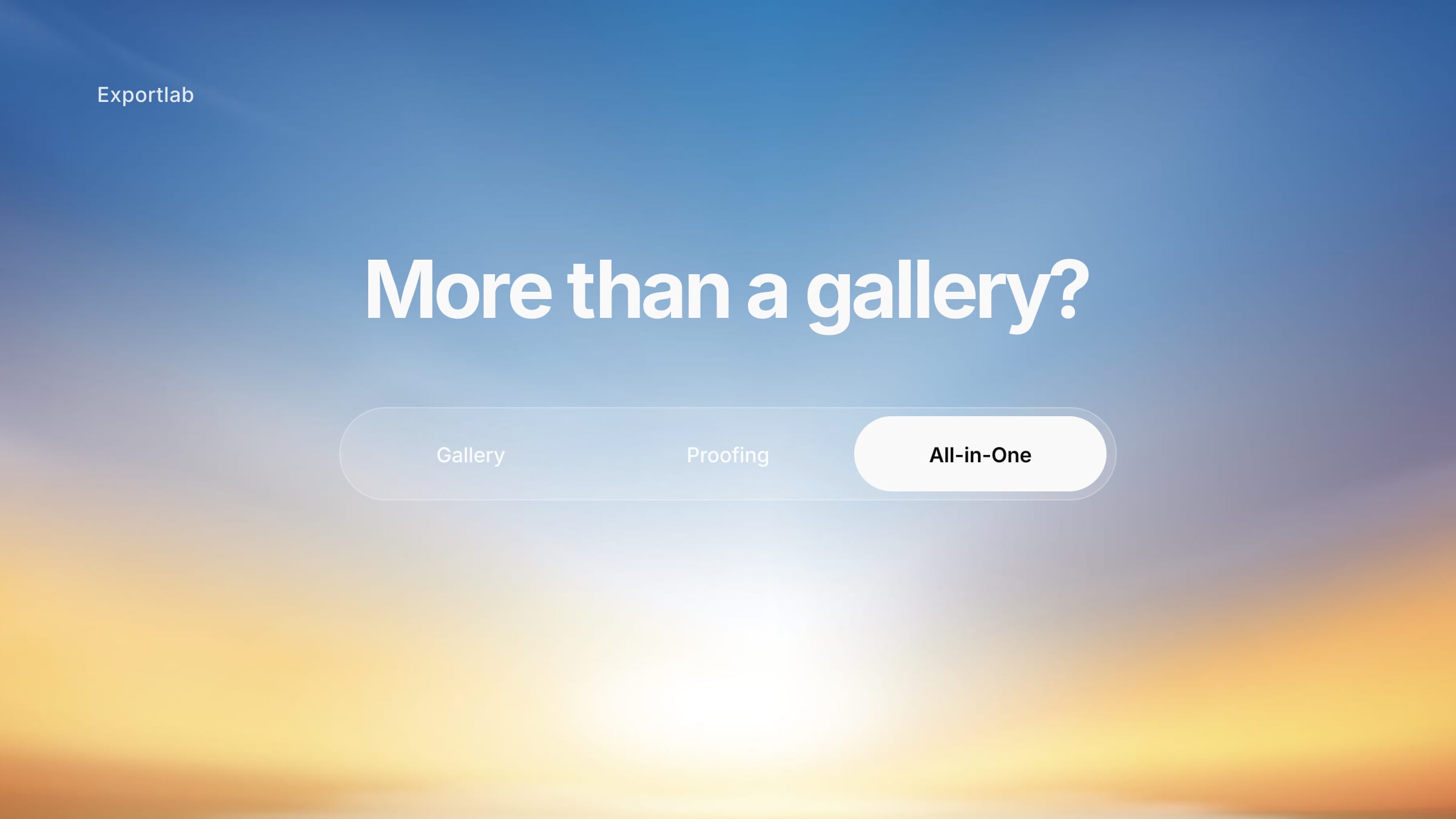
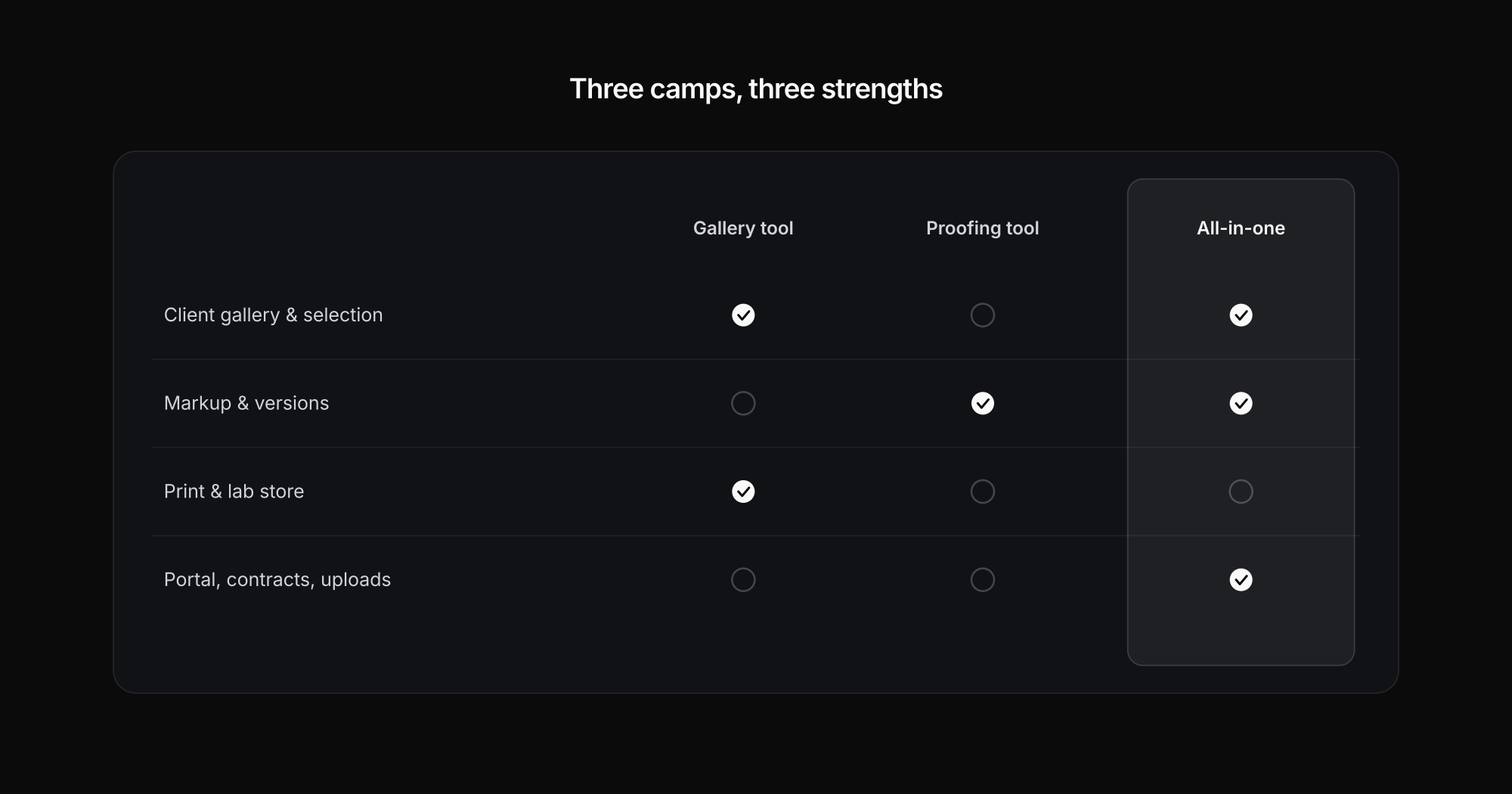
Three camps: gallery-first, proofing-first, all-in-one
Gallery-first platforms like Pixieset, Pic-Time and PicDrop start from the client experience: beautiful galleries, favorite lists, downloads, sometimes a print store. They are strong when photography mostly means "gallery, selection, delivery".
Proofing-first tools like Picflow, ReviewStudio and Filestage start from feedback: annotations right on the image, versions, approval status, team workflows. They win as soon as retouching loops and multiple stakeholders enter the picture.
All-in-one suites like Exportlab and – with a stronger DAM angle – PhotoDeck connect the gallery to the rest of the client process: portal, client uploads, contracts, status, analytics, API.
How to actually compare platforms for photographers
Five questions separate the products in practice far more sharply than any feature list:
- How deep is the proofing? Everyone does favorites and comments – markers, scribbles, versions and approval status far fewer.
- How strong is delivery? Download sizes, watermarks, usage rights, print/lab connection, store.
- How low is the barrier for clients? Open link, PIN, password, client login – every hurdle costs response rate.
- How well does it fit daily production? Lightroom, Capture One, Photoshop, automation via Zapier/Make, API.
- How solid are privacy and roles? Server location, GDPR, access rights – decisive for corporate and event work at the latest.
One special case remains color management: genuine browser-based ICC soft proofing is documented by practically none of these platforms. Color-critical work stays in Lightroom, Photoshop or Capture One – the platform handles selection, feedback and delivery.
The platforms at a glance
| Platform | Strengths | Limits | Pricing |
|---|---|---|---|
| Pixieset | Very accessible: gallery, store, website and mobile app in one; Lightroom plug-in | Proofing is favorites & notes rather than real markup | Free, then $8–40/mo |
| Pic-Time | Print/lab network (30+ partners), album proofing, AI search, strong sales experience | More complex than Pixieset; no team approval system | Free, then $7–42/mo |
| PicDrop | Fast, photo-centric client alignment: color markers, scribbles, client upload, German hosting, export to Lightroom/Capture One | Much narrower on store, portal and workflow | Free, Pro from €14.99 |
| PhotoDeck | DAM/licensing focus, zero commission, open API, granular rights, EU hosting | More setup-heavy, UX less "smooth" | from €10, with store €21 |
| Picflow | Modern markup + beautiful gallery: annotations, versions, approval status, unlimited reviewers | Print/lab fulfillment is not the focus | Free, then from ~$12/mo |
| ReviewStudio | Precise annotation, version compare, Photoshop plug-in, approval governance | No store, no gallery feel; per-user pricing | from ~$15 per user/mo |
| Filestage | Reviewer groups, approval stages, due dates, EU data residency | Too expensive and process-heavy for solo photographers | from ~€199/mo |
| Exportlab | Gallery + portal + guest upload + contracts/releases + status + analytics + API in one workspace; photo and video; EU hosting (Frankfurt) | No print/lab marketplace focus; no Capture One/Photoshop integration documented | Free plan, then tiered plans |
The pattern behind it: Pixieset, Pic-Time and PicDrop are strongest when you think in gallery + selection + delivery. Picflow, ReviewStudio and Filestage win on markup, versions and approval discipline. Exportlab and PhotoDeck fall outside the grid because they think through the process around the gallery – client area, intake, documents, interfaces.
Which platform for which use case
Solo photographers and small studios
The best choice is rarely the one with the most features, but the one with the least friction. If you want to deliver fast, collect favorites and sell prints, Pixieset or Pic-Time are safe picks; in the German-speaking market PicDrop is popular for quick, photo-centric alignment – our PicDrop comparison shows where its limits are. Once a client portal, upload collection and contracts come into play, Exportlab is worth a look.
Weddings and events
Here, low-barrier guest access and a clean delivery flow count. Pic-Time has a strong sales story with its print network and guest features. Exportlab plays the event angle more through workflow: QR access for guests, guest uploads, face search and personalized access – what the handover looks like in the end is covered in delivering photos to clients.
Corporate, headshot days and school photography
With many people in front of the camera, pure gallery logic is too weak: you need access codes, per-person assignment, status and often an API handover to HR systems. That case is exactly the strength of all-in-one platforms – at Exportlab via group shoots, access codes and the client portal; PhotoDeck fits when the goal is a structured media portal with roles and metadata.
Agencies, e-commerce and retouching
As soon as clients need to show at pixel level *where* to retouch, Picflow, ReviewStudio and Filestage have the edge: real markup, version compare, documented approvals. Classic galleries deliver beautifully but don't play in the same class for continuous visual revision. Hybrid teams working with motion should also look at video review tools.
Switching platforms without chaos
A platform switch rarely fails on features – it fails on existing archives, habits and unclear responsibilities. The core decision: are you replacing just the client gallery, or the entire client process?
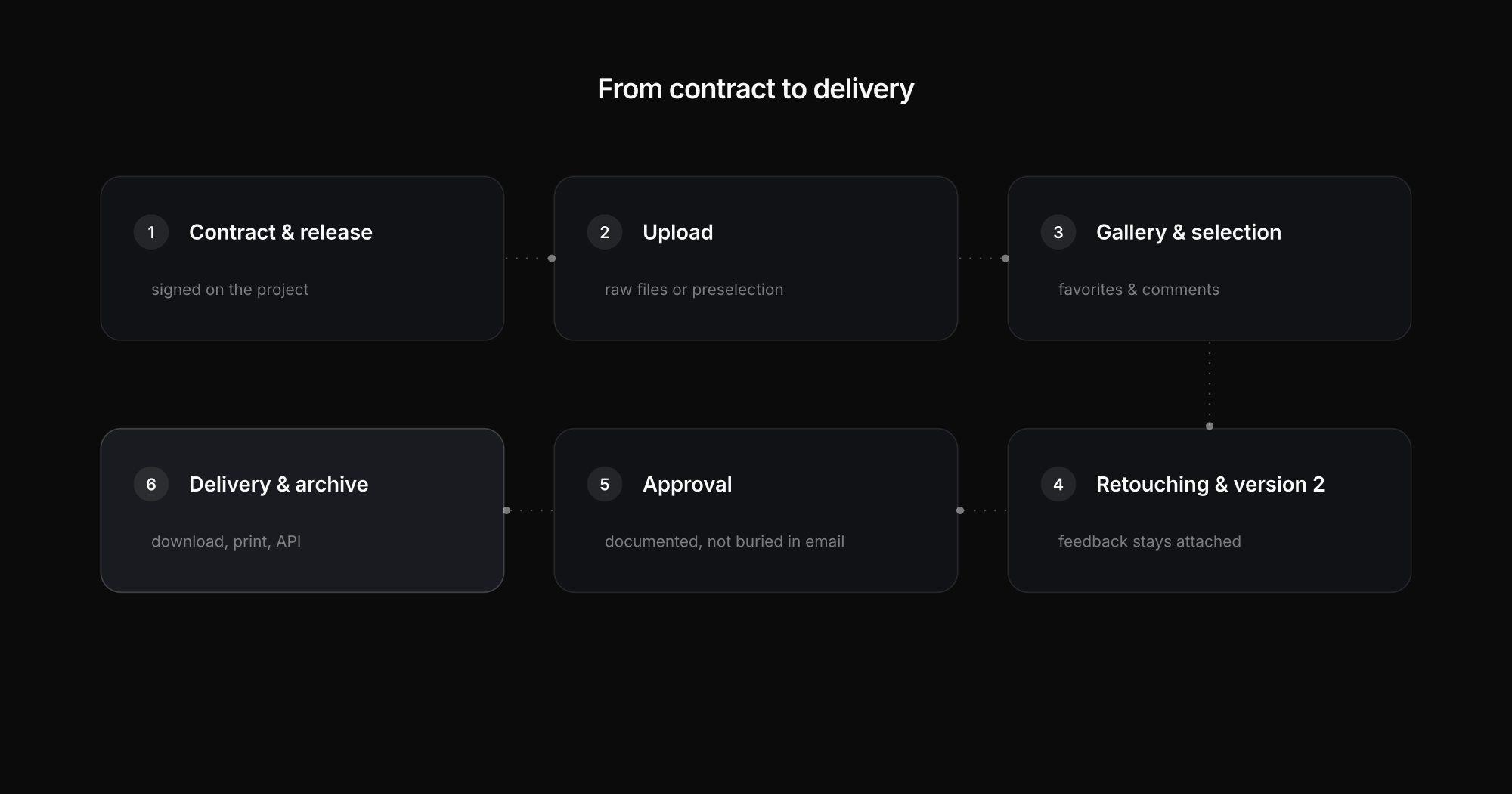
A migration plan that works in practice, in short:
- Classify your archives – active galleries, archive, portfolio and store galleries are different things.
- Define access models – open link, PIN, password or client login, per project type.
- Standardize proofing rules – what does favorite, comment, "approved with changes", final mean?
- Test integrations first – Lightroom/Capture One, automations, API, before clients move.
- Run a real pilot project – one complete job with a real client, not just internal testing.
- Phase out the old system in parallel – finish running projects in a controlled way instead of switching off abruptly.
FAQ: platforms for photographers
What is the difference between a client gallery and a proofing tool?
A client gallery is built for presentation, selection and download; a proofing tool for precise feedback with markers, versions and approvals. Many photographers only need the former – retouching and agency workflows usually need both.
Which platform suits photographers who sell prints?
Pic-Time has the strongest print story with its lab network and built-in store; Pixieset combines gallery and shop very accessibly. Workflow platforms like Exportlab focus on process and portal instead of a print marketplace.
Are there GDPR-compliant photo platforms with EU hosting?
Yes – PicDrop communicates German hosting, PhotoDeck and Exportlab EU hosting (Exportlab in Frankfurt, with roles, PIN access and audit logs). For features like face recognition, additionally check which sub-processors are involved and mirror that in your client contracts.
Can a platform replace Lightroom or Capture One?
No – and it shouldn't try. Color-critical work and soft proofing stay in the RAW converter; the platform handles selection, feedback, approval and delivery. What matters is how smoothly the two worlds connect (plug-ins, selection export, API).
How long does a platform switch take?
The technical move is usually done in days – changing habits is not. Realistic is a pilot with a real client, then two to three months of parallel operation while old projects finish and new ones start on the new platform.
Conclusion
For photographers, the best platform is not the one with the most features but the one with the clearest focus. If you prioritize prints and elegant sales galleries, Pic-Time or Pixieset serve you well; if you want maximum simplicity, PicDrop. If you need precise visual approvals, you'll land on Picflow, ReviewStudio or Filestage. And if you want to solve the process around the gallery at the same time – portal, uploads, contracts, status, API – Exportlab is the platform that occupies exactly that gap between the camps.