

Shooting Schedule: How to Build One That Survives the Shoot Day
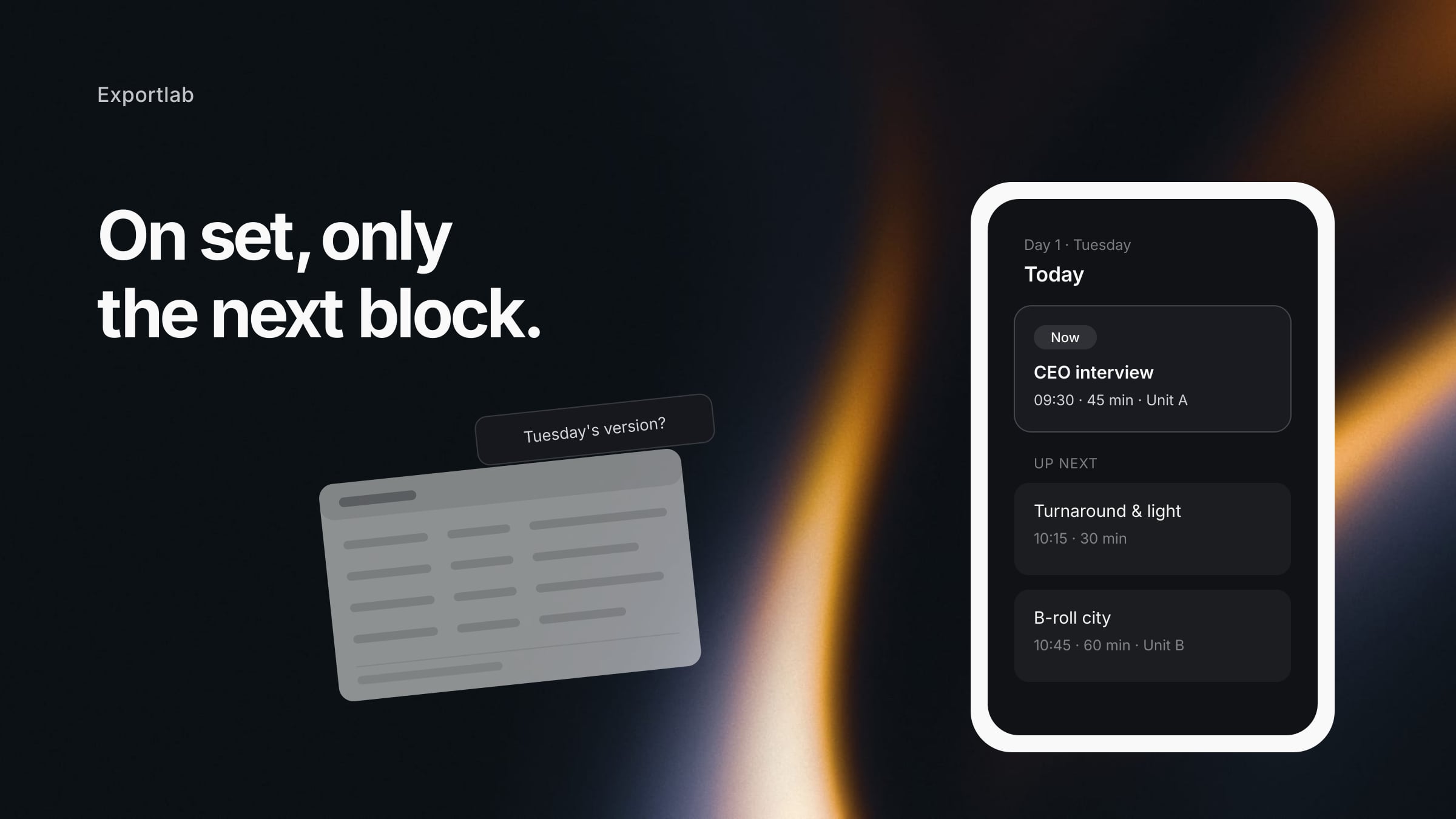
A shooting schedule rarely fails because someone planned too little. It fails because the plan lives in a spreadsheet nobody opens once the day starts — fifteen tabs deep, with Tuesday's version still circulating, and nothing legible on a phone.
This article covers how to structure a schedule that survives contact with reality: what each block has to carry, how to place buffers that do not evaporate by mid-morning, and where the line runs between the shooting schedule and the call sheet.
A shooting schedule and a call sheet are different documents
The terms get used interchangeably, but they answer different questions — and confusing them is the first reason plans become unreadable.
| Shooting schedule | Call sheet | |
|---|---|---|
| Span | the whole production | exactly one shoot day |
| Audience | production, director, client | the crew turning up tomorrow |
| Contents | all shoot days, locations, time frames | call times, addresses, running order, contacts |
| Question it answers | "when do we shoot what?" | "where am I, when, and what happens there?" |
The schedule is the overview. The call sheet is one day pulled out of it, plus everything the set actually needs: meeting point, parking, contacts, weather. On a one-person shoot they collapse into the same document. From two units upwards you want them separate, or the camera unit reads information meant for someone else.
The block is the right unit of planning
Most schedules are lists of clock times. That works exactly until something slips — and then not a single row is accurate any more.
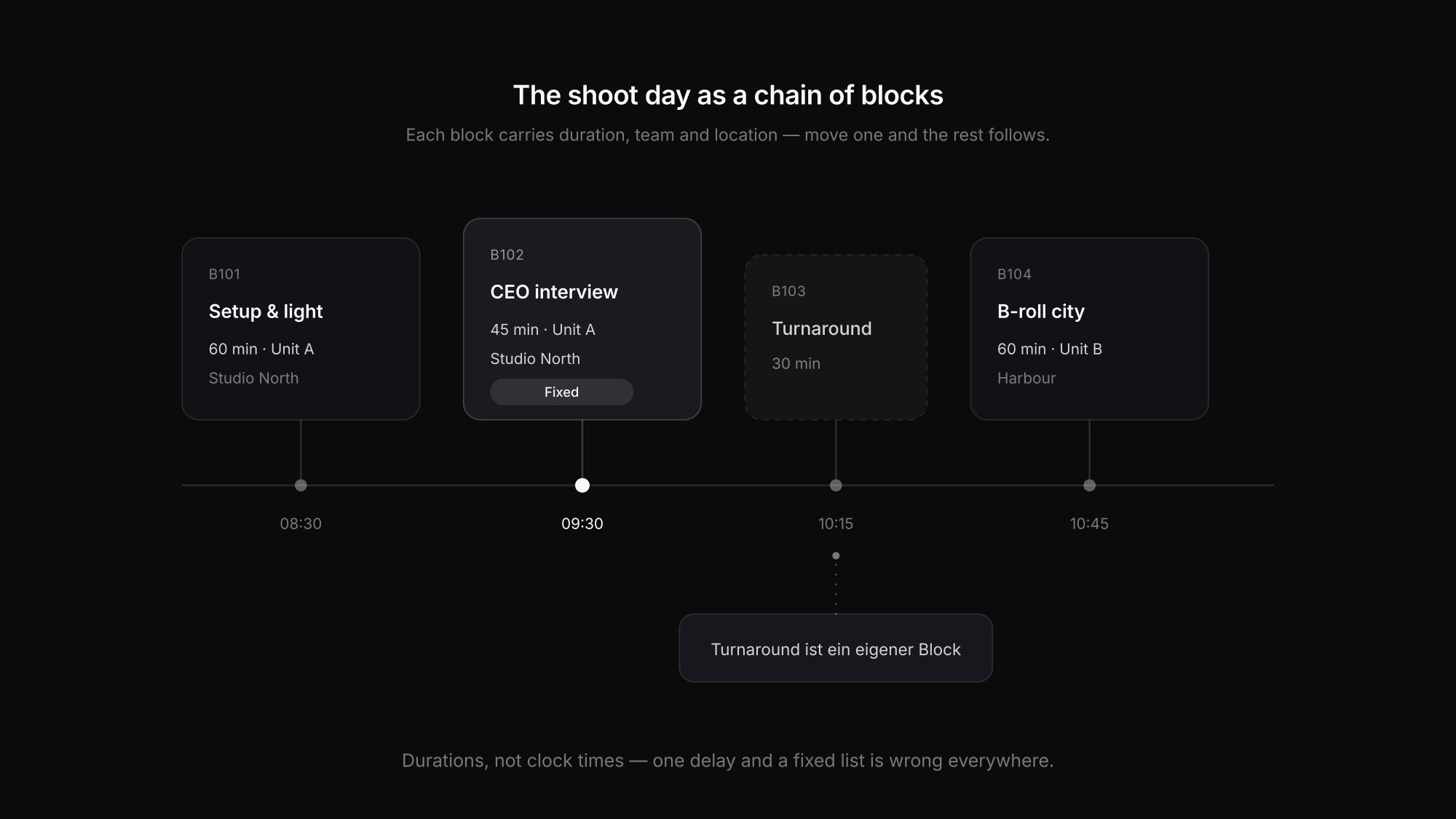
Planning in blocks is far more robust. A block is one self-contained unit with one setup: an interview, a B-roll run, a product detail. Each block carries the same five facts:
- What is being shot — the title, plus the shot-list reference if there is one
- How long it takes — the duration, not just the start time
- Who is on it — the team or unit, not every individual
- Where — the location, with travel and meeting point
- What with — the gear this particular block needs
The payoff shows up at the first delay: when blocks carry durations instead of fixed clock times, everything after them moves automatically. A list of clock times has to be retyped row by row in the same situation — usually while the crew stands around waiting.
Turnaround is its own block
The most common planning mistake: strike, relight and travel never appear in the schedule. They happen anyway — unplanned, and at the expense of the next block.
Lighting an interview rarely takes under 30 minutes. Moving locations inside a city costs the travel time plus load-out and load-in, so realistically double the drive itself. Entering those as blocks produces a schedule that shows less shooting time but actually holds.
Buffers that genuinely save the day
Buffer at the end of the block, not the end of the day
A pooled buffer at 6pm helps nobody at 11am. Ten minutes behind each critical block absorbs delay where it happens.
The first block is always the longest
Arrive, unload, light, test sound. Plan the first block tight and the entire day starts behind.
Critical content early
Whatever absolutely has to be in the can gets shot first. Optional material goes last, where it can be cut when things run tight.
Fixed availability first
The CEO has 40 minutes; the room is booked from 2pm. Those points are immovable, so everything else plans around them.
Golden hour is an appointment
Outdoors, the sun decides the block, not your running order. Planning backwards from it is easier than the reverse.
One block held in reserve
The shot that turns out to be missing is usually the one there was no time for. A reserve block costs less than a reshoot.
Why the spreadsheet stops working on set
For the planning phase, a spreadsheet is perfectly fine. On the shoot day it breaks for three reasons:
- Versions. The moment the plan is sent as a file, it exists in several states. "Is this the current version?" costs more time on set than the change itself did.
- Legibility on a phone. Nobody opens a laptop on set. A fifteen-column table on a six-inch screen is not a working document.
- Too much information per person. The camera unit needs its next two blocks, not the master plan with every team on it. Every row that is not theirs is a row their own can hide behind.
Then there is the client, who wants to know when things happen but has no business seeing every internal note and every turnaround gap. In a shared spreadsheet, those are the same document.
One plan, seen by crew and client at once
That is what production planning in Exportlab is built for: one plan, as many shoot days as you need, and everyone sees the slice that concerns them.
The planning side covers six areas that usually live in separate files:
- Schedule & timetable — blocks with time, duration, team and location. Move one and everything after it moves with it.
- Teams & crew — who is on which block. Crew join by invitation link, with no forced account.
- Content & scripts — every block knows what is being shot, with the shot list and script alongside it.
- Locations & map — all locations on one map, coloured by unit, with travel and parking.
- Equipment & checklist — what has to come along, tickable per block.
- Stakeholders & client — the client gets a link and sees only what has been released.
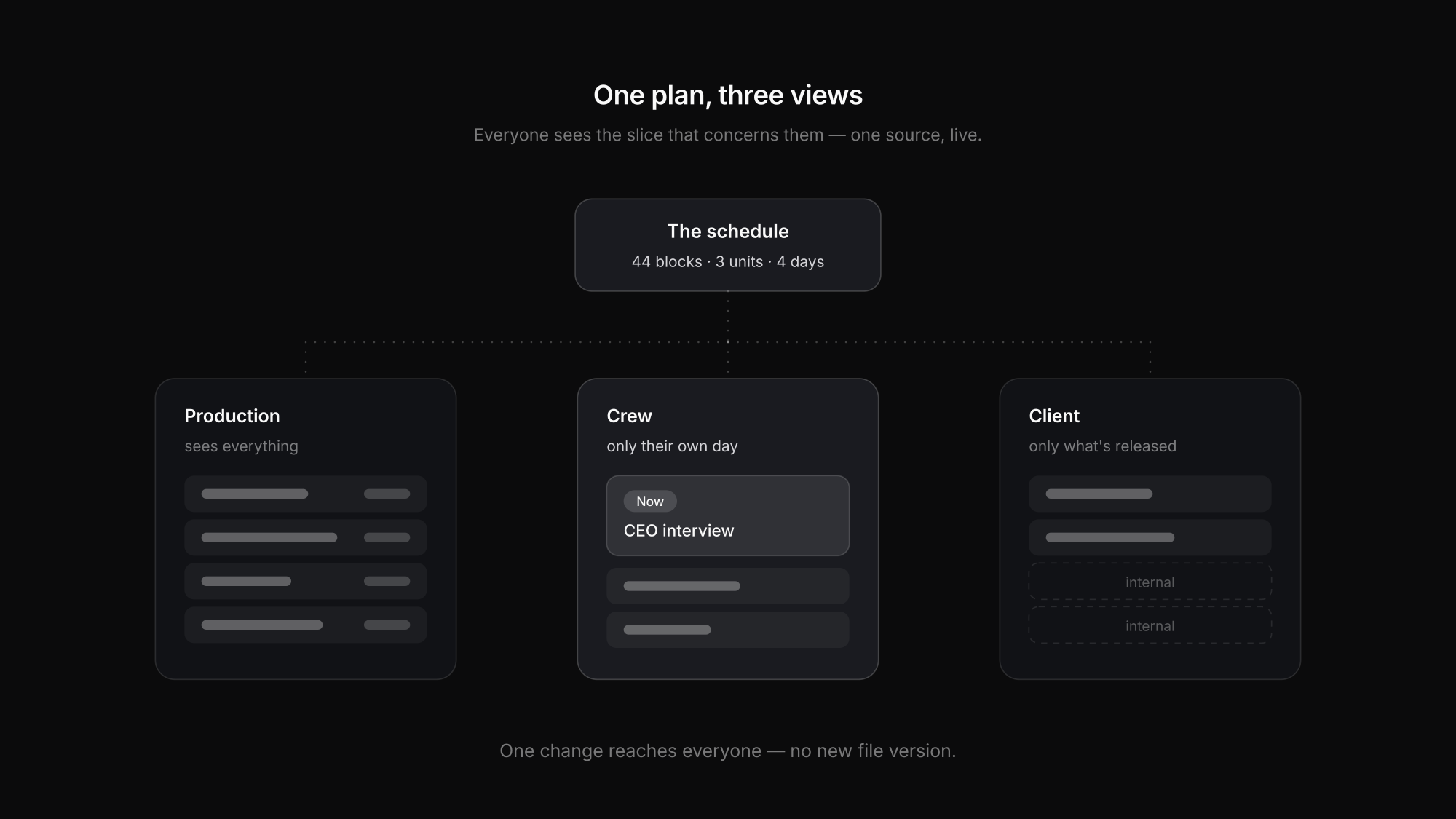
On the day itself the app takes over. It shows the block running now and the one after it, for exactly the person looking at it, without scrolling past other units. There is a checklist for on-site, and the day stays readable offline — which in underground car parks and rural venues is the difference that matters.
The scale is open-ended: from one person alone with ten blocks from setup to wrap, up to four shoot days with three units across eight locations. You do not have to use all six areas — one day, one block, done, works just as well.
For context: production planning is currently in beta and enabled per workspace.
From the schedule to delivery
A shooting schedule does not end at wrap. The material has to be reviewed, cut, approved and handed over — and for most productions that takes longer than the shoot itself.
When the plan and the delivery sit in the same project, the handover stops being a break in the process: footage lands where the block was planned, video feedback hangs off the same project, and the client watches progress on a status page instead of asking. For collecting frame-accurate feedback rather than emailed timecodes, the comparison of video review tools goes deeper.
FAQ: Shooting schedules
What goes into a shooting schedule?
Per block: what is being shot, how long it takes, which team is on it, the location, and the gear that block needs. Plus turnaround and travel as blocks of their own, and the fixed points nothing can move — people's availability, room bookings, the position of the sun.
What is the difference between a shooting schedule and a call sheet?
The shooting schedule covers the whole production across all shoot days. The call sheet is the daily disposition for one day, with call times, addresses, running order and contacts. The call sheet comes out of the schedule but does not replace it.
How much buffer should I plan?
Rather than one pooled buffer at the end of the day, put small buffers behind each critical block. Turnaround, relighting and travel belong in the schedule as blocks, not in the buffer calculation — they are working time, not reserve.
Is a spreadsheet enough for a shooting schedule?
For planning, yes. On the shoot day a spreadsheet hits three limits: competing versions, poor legibility on a phone, and too much information per person. From two parallel units onwards that becomes noticeable.
How does the crew get the plan without signing up?
In Exportlab, crew are added by invitation link, so nobody has to create an account. The client gets a separate link and sees only the content that has been released to them.
Conclusion
Building a shooting schedule that holds is less about the tool than about the unit of planning: blocks with durations instead of a list of clock times, turnaround as its own block, buffers where the delay actually occurs, and critical content early in the day.
The second half is distribution. A plan everyone sees at the same time, where each person gets only their own slice, removes exactly the questions that otherwise land between two blocks. Production planning shows what that looks like in practice — and if you want to keep the client informed after the shoot without letting them into the plan, a status page does that job.