

Photo Culling Software Compared: Which Tool Actually Sorts Your Images Faster?
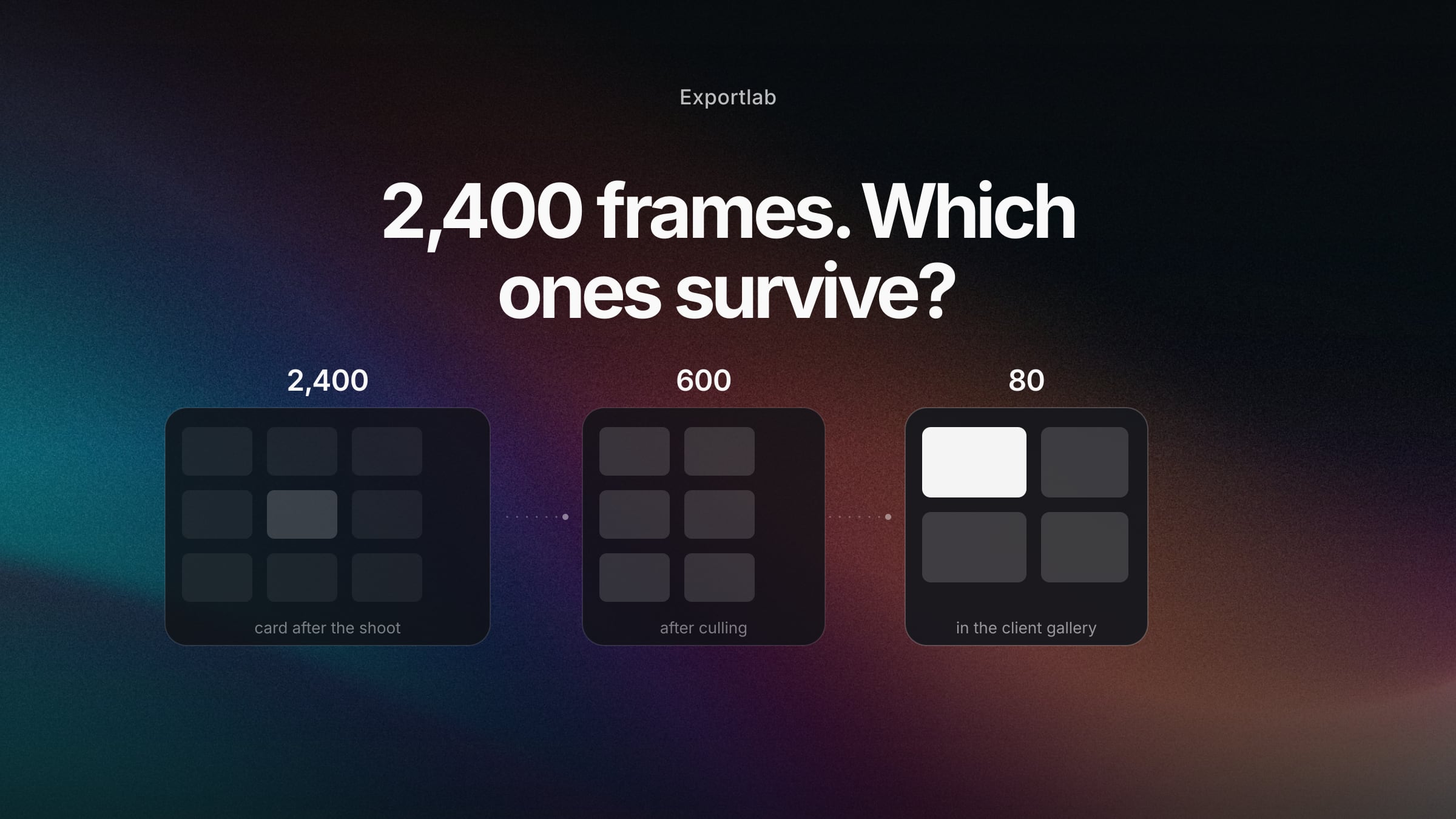
After a wedding there are 2,400 files on the card. Maybe 600 are good, 400 are genuinely good, and 80 make it into the gallery. Getting from 2,400 to 600 is the most thankless hour of the entire job: no creative work, no client contact, just reviewing, comparing, discarding.
That is what culling software is for. Every vendor makes the same promise ("AI sorts your images in minutes"), but the tools work in fundamentally different ways — and the right choice depends far less on AI quality than on how you actually work.
This comparison places the six relevant tools, limits included. And it answers the question most culling comparisons skip: what happens to the selected images afterwards?
Culling is not editing — and the difference decides your tool
The two terms get mixed up constantly, but they describe separate steps:
Culling is selection: which frames survive? You discard based on focus, closed eyes, near-duplicates and exposure errors. The result is a smaller set — the images themselves are untouched.
Editing is development: exposure, white balance, colour, retouching. That comes afterwards, applied to the already-reduced selection.
Some tools do both (Aftershoot, Imagen), some only cull (Narrative, Photo Mechanic), and others are catalogue software with culling features bolted on (Lightroom, Capture One, Excire). Pick from the wrong category and you pay for capability you never touch.
The tools at a glance
| Tool | Approach | Strength | Limit | Pricing |
|---|---|---|---|---|
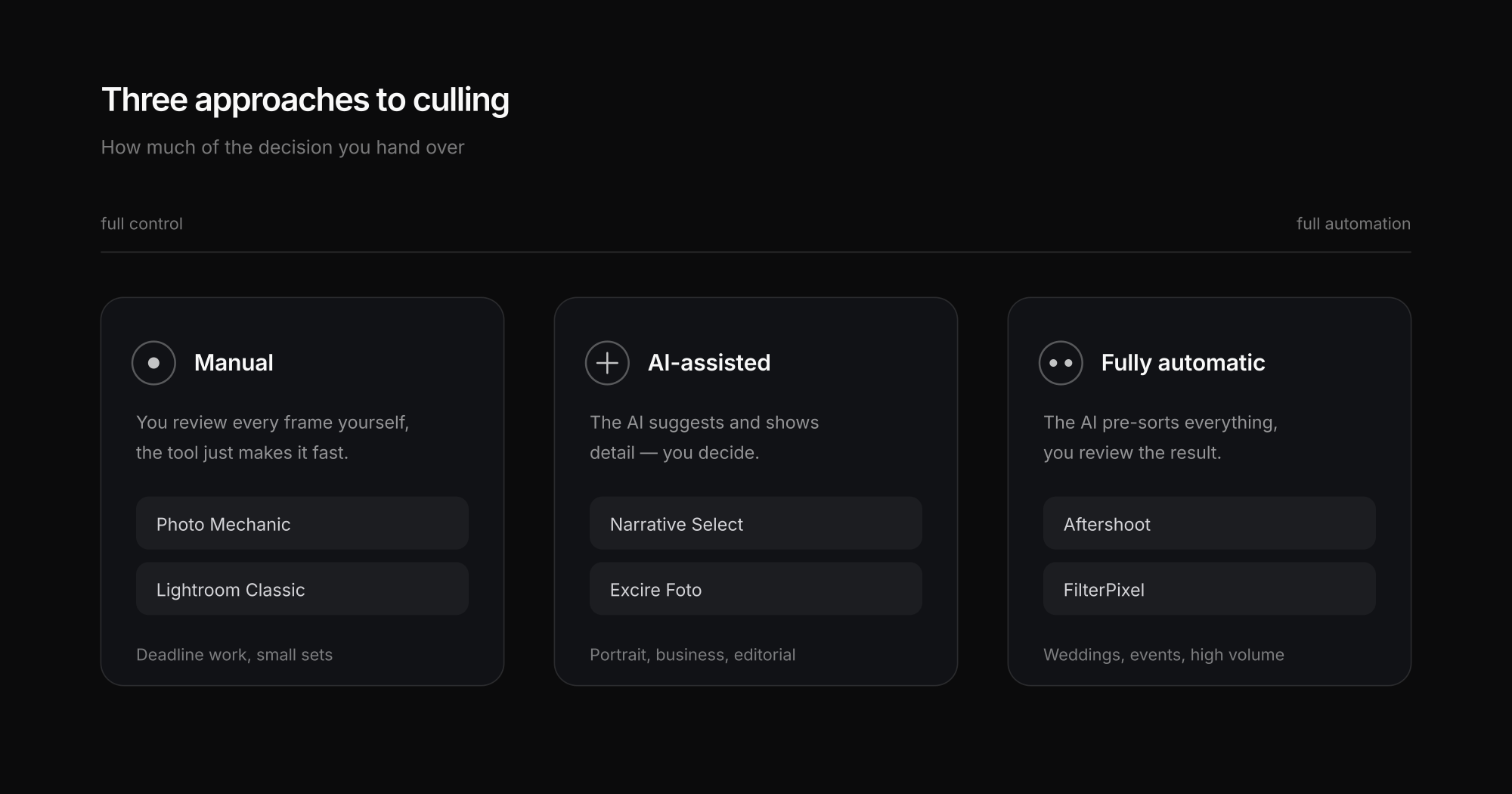
| Aftershoot | AI, fully automatic | Learns your style, can also edit; strong on high-volume events | Little fine-grained control; results need reviewing | approx. $15–20/month |
| Narrative Select | AI-assisted, you decide | Excellent face/eye inspection, fast review; you stay in charge | Slower than fully automatic tools | approx. $20/month |
| Photo Mechanic | Manual, extremely fast | The gold standard for ingest: instant previews, metadata, keyboard workflow | No AI selection; you sort it yourself | approx. $149/year or one-time |
| FilterPixel | AI, cloud | Very fast processing, no local compute load | Images go to the cloud — check before sensitive jobs | approx. $20–35/month |
| Excire Foto | AI, local, perpetual licence | Runs offline, one-time payment instead of subscription, strong search | More of a library manager with culling than a pure culling tool | one-time licence |
| Lightroom Classic | Manual + some AI | Already installed, no extra cost, one catalogue for everything | Noticeably slow when reviewing large volumes | included in the Photography plan |
Pricing changes — treat these as orientation, not a substitute for the vendor's pricing page.
Which tool suits which way of working
The most honest route to a decision runs through your own situation, not a feature list.
Wedding and event photographers
01Large volumes, real time pressure, many near-identical frames in a burst. Full automation pays off fastest here — Aftershoot or FilterPixel take away the bulk of the work. Still review the result, especially around emotional key moments.
Portrait and business photographers
02Smaller sets, but every single frame counts. Narrative Select fits better because you use the eye and focus inspection while making the call yourself. Full automation rarely justifies itself at 200 images.
Sports and press photographers
03Deadline beats perfection. Photo Mechanic remains unbeaten: instant previews without a catalogue import, plus metadata and captions written while you review.
Photographers under data protection obligations
04For corporate, clinical or public-sector work the cloud question is not a detail. Local tools like Excire or Photo Mechanic avoid the upload entirely, which saves the conversation with legal.
Beginners and occasional shoots
05Two shoots a month does not warrant a subscription. Lightroom Classic is enough, with star ratings, colour labels and a disciplined keyboard workflow.
What actually matters when comparing
Four questions separate these tools in practice far better than any AI claim:
- Local or cloud? Cloud is faster because someone else's hardware does the work. But for NDA work, clinical subjects or public-sector clients, the upload needs justifying — and is sometimes simply not allowed.
- How do results come back? A tool only helps if the selection lands cleanly in your catalogue — as stars, colour labels or an XMP sidecar that Lightroom and Capture One can read.
- Subscription or one-time purchase? At two shoots a month a $20 subscription rarely pays for itself. At twenty it is covered by the first wedding.
- How much control are you giving up? AI reliably spots technical faults — softness, closed eyes, duplicates. It does not spot that the slightly soft frame is the one carrying the moment the bride laughs.
What happens after culling — the part comparisons leave out
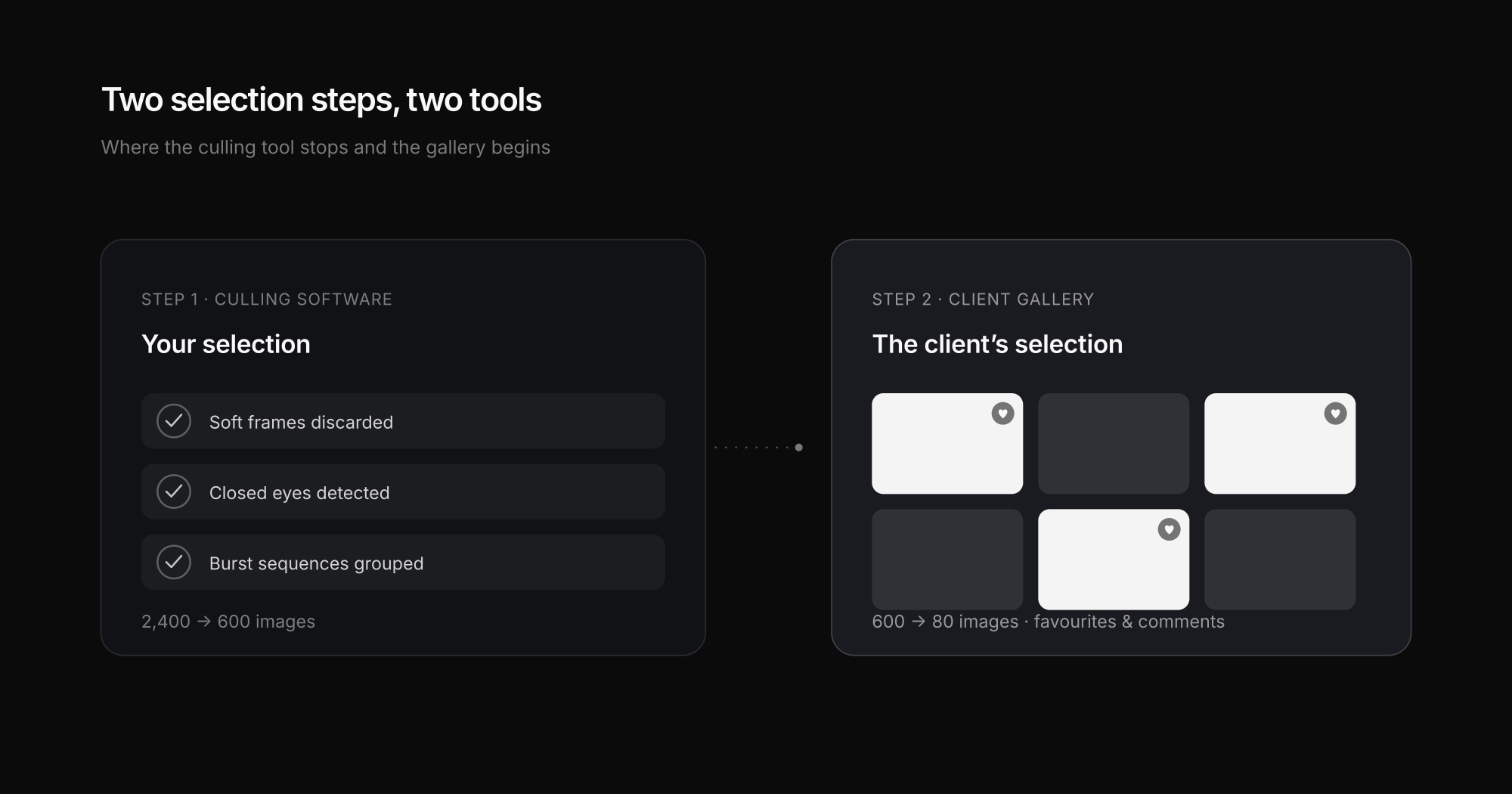
Culling software solves exactly one problem: it reduces 2,400 images to 600. Then it stops. The images sit edited on your drive, and the part that actually involves the client has not started yet.
Because after your selection comes almost always a second selection — the client's. Your 600 become 80, because the couple, the marketing lead or the estate agent decides what gets used. And in many studios that step is far messier than the culling itself: image numbers in WhatsApp, screenshots in email, questions about filenames nobody can match to anything.
That is where Exportlab comes in — and to stay honest: Exportlab is not a culling tool. It does not discard soft frames, does not detect closed eyes, and replaces none of the six tools above. It handles the step after:
- The selected images land in an online gallery the client opens without an account — the delivery options are compared in delivering photos to clients.
- The client marks favourites and comments on individual frames — instead of "the third one from the left in row two".
- You see the selection as a list and deliver the finals, PIN-protected and hosted in the EU.
How that selection step works in practice is covered in letting clients choose their photos. If you work out of Lightroom, the finished selection can go up through the Lightroom plugin — culling tool, Lightroom, gallery, with no intermediate export.
Common culling mistakes
Cutting too hard too early
On the first pass, remove only what is technically unusable. Trying to reach the final selection immediately loses frames that work in the context of a sequence.
Trusting the AI blindly
Automatic suggestions are a proposal, not a result. A quick scan through the rejects costs minutes and regularly rescues a key frame.
Mixing culling with editing
Reaching for the sliders while reviewing kills your pace. Reduce the volume first, develop second — in that order the total effort is markedly smaller.
Forgetting the client's selection
The best culling achieves little if 600 unfiltered images then land with the client. A curated gallery produces faster decisions than a complete dump.
FAQ: Photo culling software
What does culling mean in photography?
Culling is the process of selecting the usable frames from a shoot — discarding soft, duplicate and badly exposed images before editing begins. The images that survive move on to development; everything else is set aside.
Which culling software is the best?
There is no universal best. For high volume under time pressure Aftershoot is the most efficient, for controlled selection on smaller sets Narrative Select, for deadline work Photo Mechanic, and for data protection requirements a local tool such as Excire. What decides it is volume, how much control you want, and whether cloud processing is permitted for your work.
Is AI culling reliable?
For technical criteria, yes — softness, closed eyes and near-duplicates are detected dependably. For editorial judgement, no: whether a frame carries the decisive moment stays a human decision. Treat AI selection as a pre-sort, not a final result.
Do I need culling software for small shoots?
Usually not. Below roughly 300 images per job, the time saved is smaller than the overhead of importing, analysing and reviewing. Lightroom with star ratings and a practised keyboard workflow is entirely sufficient.
Can Exportlab cull images?
No. Exportlab is not culling software and does not assess image quality. It picks up after the selection: the finished images are delivered as a gallery where clients mark favourites and leave comments. The technical pre-selection remains the job of the tools in this comparison.
What is the difference between culling and editing?
Culling reduces the quantity, editing changes the images. Culling decides which frames get processed at all; editing adjusts exposure, colour and retouching. Some tools such as Aftershoot or Imagen cover both steps, but most specialise in one.
Conclusion
Choosing culling software is less a question of the best AI than of your own working pattern. If you handle four-figure image counts week after week, Aftershoot or FilterPixel give you real hours back. If you work on smaller, high-value sets, Narrative Select or Photo Mechanic serve you better — and if you shoot twice a month, you do not need another subscription.
What matters is thinking one step further. The fastest pre-selection achieves little if client approval then runs through email attachments and image numbers again. Only the full chain — quick selection, clean editing, and a gallery where the client marks their own choices — turns saved minutes into a genuinely shorter job.