

StudioBinder Alternatives: What Fits a Small Crew Instead
StudioBinder is the reference point in film production management, and for good reason: script breakdown, shot lists, storyboards, schedules and call sheets in one place, built around how a film production actually works.
Which is also why people look for alternatives. If your work is a two-day corporate shoot or a content day with two teams, you are buying a system designed for scripted productions — and using maybe a third of it. This article covers what StudioBinder genuinely does well, where it exceeds what a small crew needs, and which tool fits which kind of job.
What StudioBinder does well
Worth saying plainly, because most "alternative" articles skip it:
- Script breakdown — tag a script and get element lists (cast, props, wardrobe, locations) out of it. Nothing on this list replaces that.
- Storyboards connected to the shot list, so the two stay consistent without duplicate work
- Call sheets built for the role that sends them, with cast and crew call times, contacts, parking and the day's schedule
- A free tier that does not expire, limited to two projects
- Screenwriting included, which matters if you write what you shoot
If script breakdown and storyboarding are part of your process, StudioBinder is likely the right answer and the rest of this article is not for you.
Where it is more than a small crew needs
The friction is rarely a missing feature. It is that the model assumes a scripted production with defined roles — 1st AD, production coordinator, script supervisor — and a solo videographer is all of those at once.
Concretely:
- The script is the entry point. If your "script" is three interview questions and a shot list, breakdown adds ceremony rather than clarity.
- Pricing scales past small work. The paid tiers sit around $29/month (Indie) and $49/month (Professional). Defensible for a production company; steep when planning is one of ten things your tool needs to do.
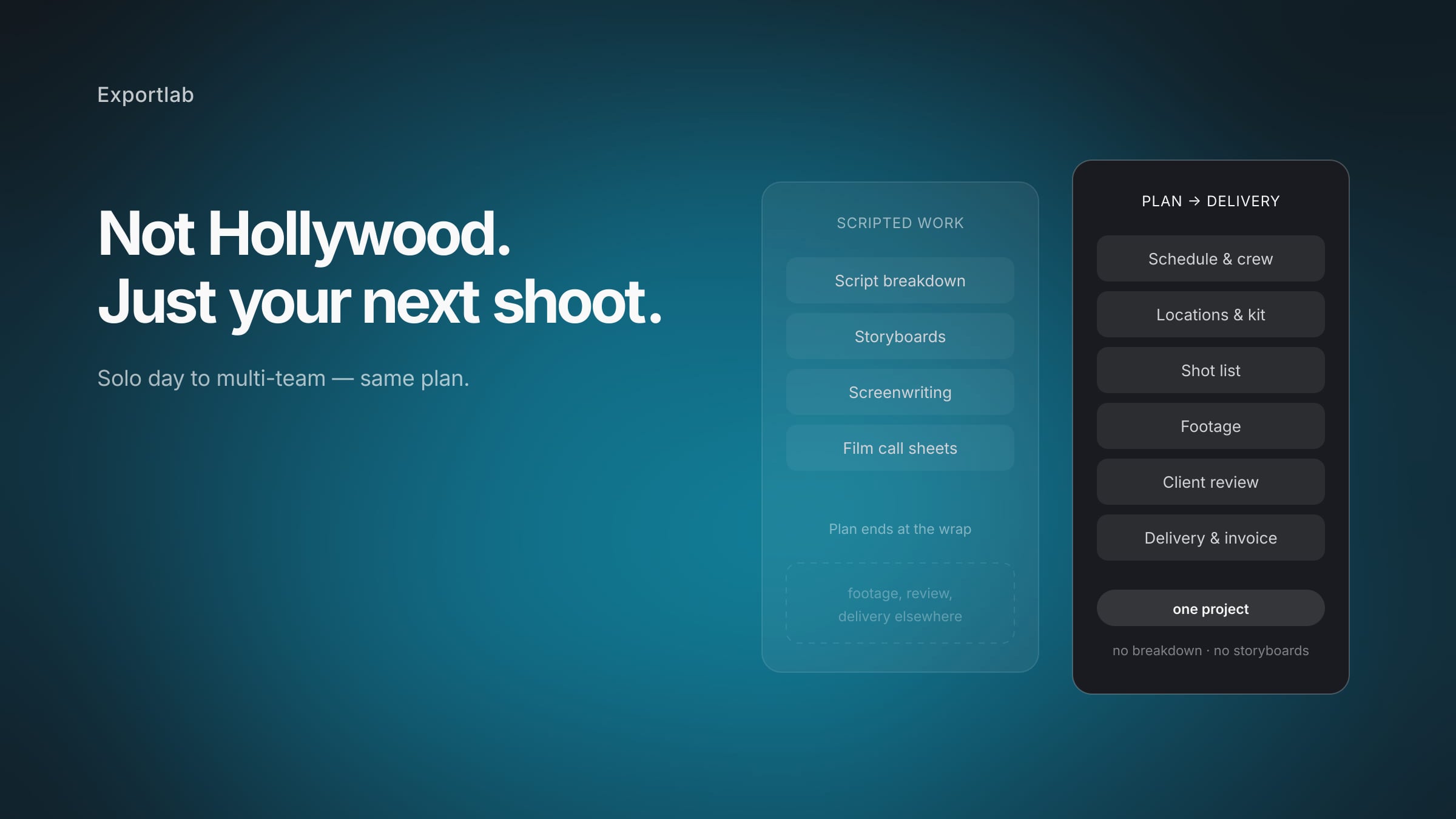
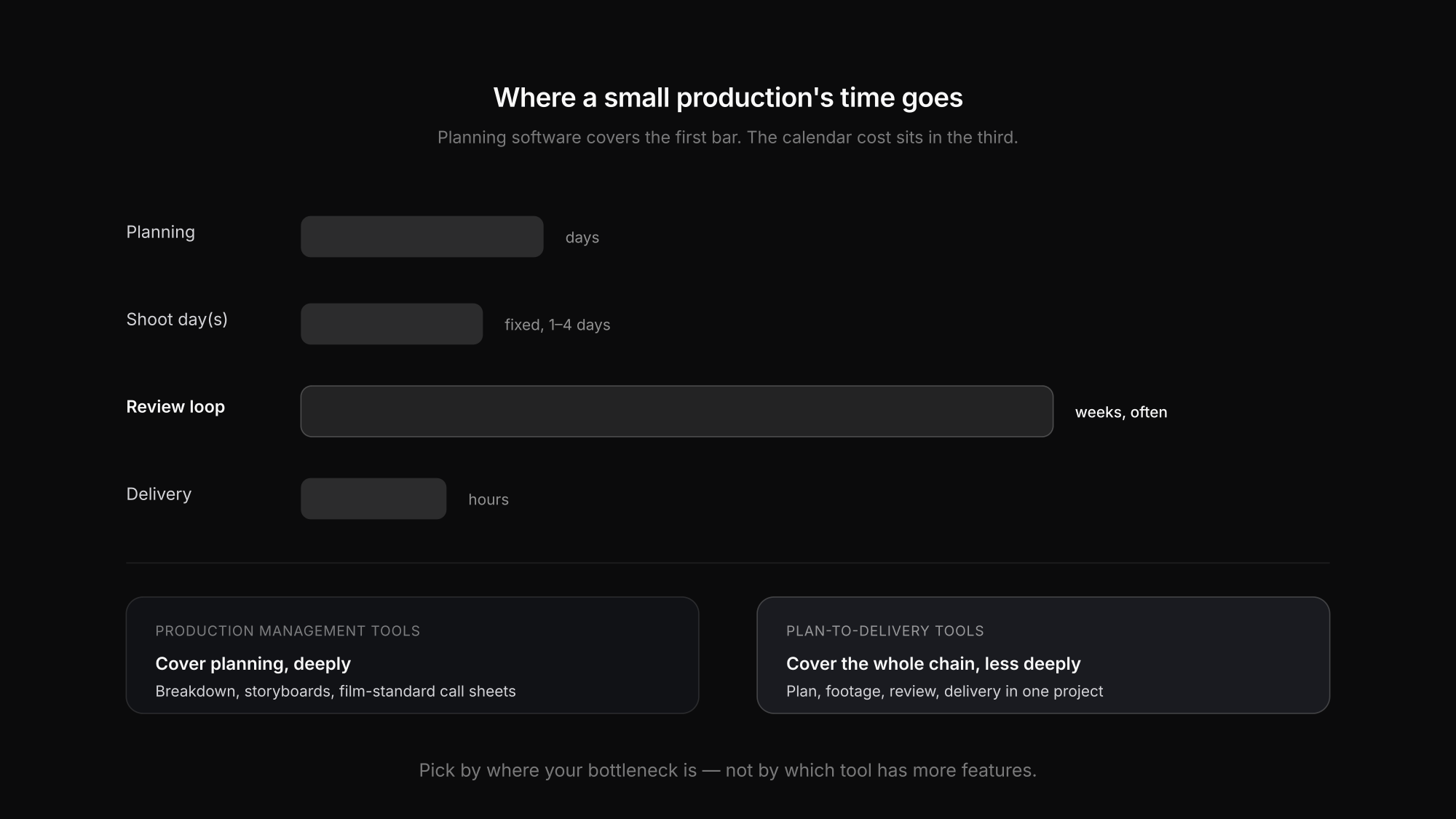
- Planning ends at the wrap. StudioBinder plans the shoot. The footage, the client review, the revisions and the delivery live somewhere else entirely — which is where most of the calendar time of a small production actually goes.
That last point is the one worth thinking about, because it decides what you are really comparing.
The alternatives, by what they are actually for
There is no single replacement, because "StudioBinder alternative" covers three different needs.
| Tool | Best for | Watch out for |
|---|---|---|
| StudioBinder | Scripted work: breakdown, storyboards, film-standard call sheets | More process than a small content shoot needs |
| Yamdu | Larger productions, series, full production management | Priced and scoped for production companies |
| Celtx | Writing-led projects; scripting plus light scheduling | Planning depth trails StudioBinder |
| Notion / Airtable | Teams who want to build their own structure | You build and maintain it; nothing is set-specific |
| Spreadsheet | One shoot day, one team | Versions, phone legibility, no per-person view |
| Exportlab | Shoots where planning, footage and client delivery are one job | Beta; no script breakdown, no storyboards |
The honest summary: if the bottleneck is pre-production craft, StudioBinder or Yamdu. If it is the whole chain from plan to delivered file, that is a different category.
What we built instead, and why
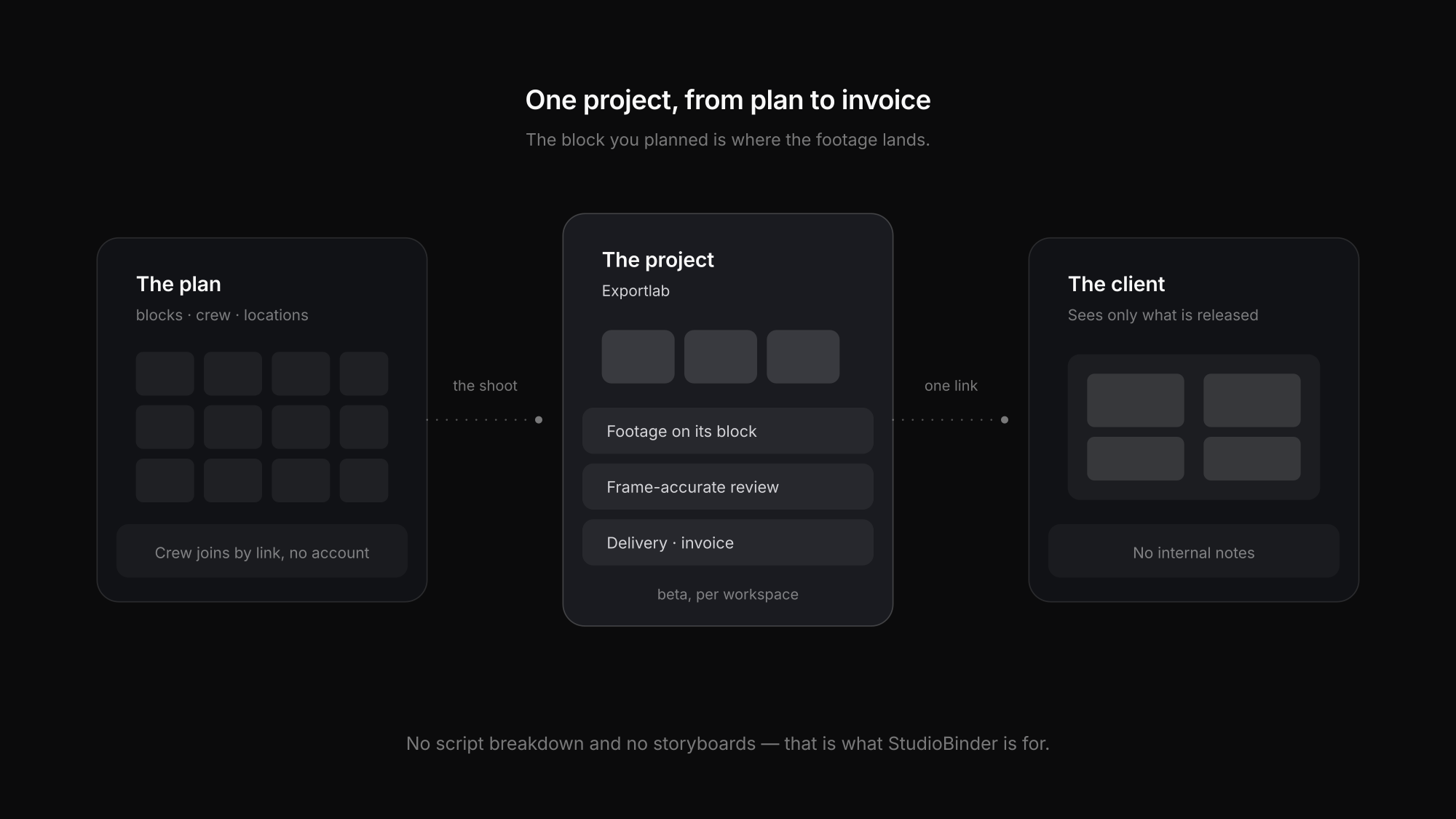
Exportlab's production planning came out of a different starting point. Not "how do we manage a film production", but "the plan, the footage and the client all belong to the same job — why are they in three tools?"
So the planning side covers six areas: schedule and timetable, teams and crew, content and scripts, locations on a map, equipment and checklists, and the client view. Blocks carry durations rather than fixed clock times, so moving one moves everything after it. Crew join by invitation link without an account. The client gets a separate link and sees only what has been released.
And then it keeps going past the wrap: the footage lands on the project the block belonged to, the client leaves frame-accurate feedback on the cut, and the invoice hangs off the same client record.
What it does not do, clearly: no script breakdown, no storyboarding, no screenwriting. If those are central to your work, this is the wrong tool and StudioBinder is the better one.
Scale-wise it runs from one person with ten blocks from setup to wrap, up to four shoot days with three units across eight locations. Production planning is currently in beta and enabled per workspace; the platform starts at $7.99/month.
How to choose
Do you break down scripts?
If yes, StudioBinder or Celtx. Nothing else on this list does breakdown properly, and pretending otherwise wastes your time.
Do you storyboard?
Also StudioBinder. A shot list with reference images is not the same thing, and it is fine to need the real one.
Is your bottleneck after the shoot?
If review rounds and delivery eat your calendar, planning software alone will not help. Look at the whole chain.
How many people see the plan?
One or two: a spreadsheet is fine. Two parallel units upwards: you need per-person views and live updates.
Who is the client in this?
If clients need visibility without seeing internal notes, check whether the tool separates those views at all.
What is planning worth per month?
Be concrete. $49/month is reasonable for a production company and hard to justify for six shoots a year.
Before you switch anything
Two things worth doing first, because they are free:
Write down where the time actually went on your last three projects. Most small producers find the shoot day was fine and the review loop was the problem — in which case a planning tool is solving the wrong end. The post on the video production workflow covers the four handovers where time disappears.
Try the spreadsheet version. If you have never run a structured plan at all, start with a shooting schedule template and see which parts you actually use. You will know after two shoots whether you need software, and which parts of it.
FAQ: StudioBinder alternatives
Is StudioBinder free?
There is a free tier that does not expire, limited to two projects, covering call sheets, shot lists and storyboards. Paid plans add unlimited projects, advanced scheduling and script breakdown, at roughly $29/month (Indie) and $49/month (Professional).
What is the best StudioBinder alternative for a solo videographer?
It depends on the bottleneck. For script-led work, Celtx. For planning plus everything after the shoot in one place, Exportlab. For a single shoot day with one team, an honest answer is a spreadsheet — the overhead of any tool is not worth it at that size.
Does any alternative do script breakdown?
Celtx does, with a writing-first approach. Most other tools in this category do not, including Exportlab. If breakdown is central to your process, that narrows the field considerably.
Is StudioBinder good for photography shoots?
It works, but it is built around film production vocabulary — scenes, script days, call sheets for cast and crew. For photo shoots, tools built around shoots and looks rather than scenes tend to fit the way you already think.
What should I look for in a call sheet feature?
That each person sees their own day rather than the master plan, that the current version is unambiguous, and that it is legible on a phone at 6:45am. The call sheet post covers what belongs on one.
Conclusion
StudioBinder is strong at what it was built for: scripted productions where breakdown, storyboards and film-standard call sheets are the job. If that describes your work, the alternatives below it are mostly worse.
If it does not — if you shoot corporate, content and commercial work with small crews, and the real cost sits in the review loop after the shoot — then you are comparing the wrong category. What helps there is a plan the crew can read on set and a chain that does not break at the wrap. That is what production planning in Exportlab is built around, with the limits named above.