

Video Production Workflow: The Handovers Where Projects Actually Stall
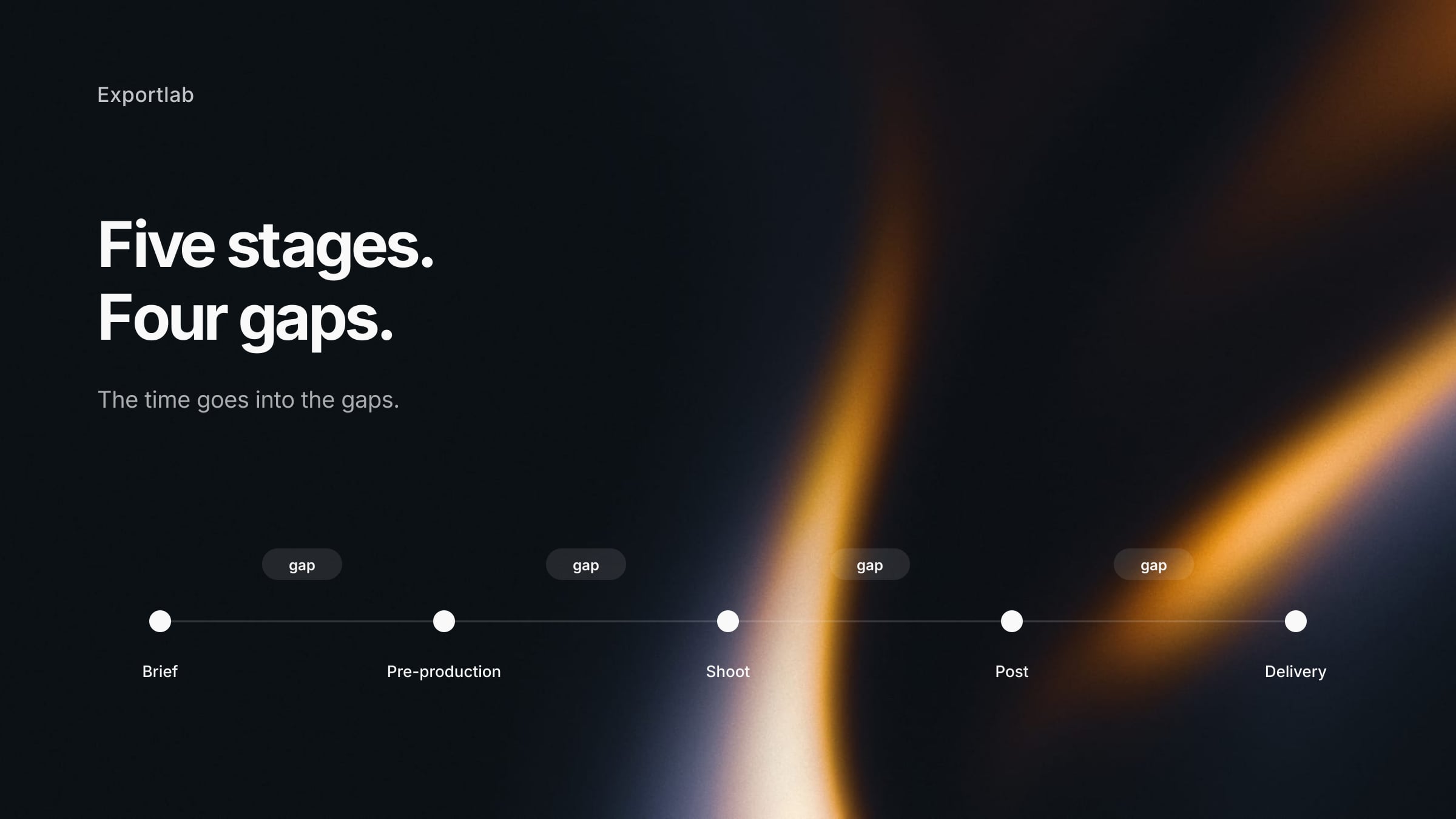
Every description of a video production workflow lists the same five stages: brief, pre-production, production, post-production, delivery. That part is not controversial, and knowing it does not help much — almost nobody loses time inside a stage. They lose it in the gaps between them.
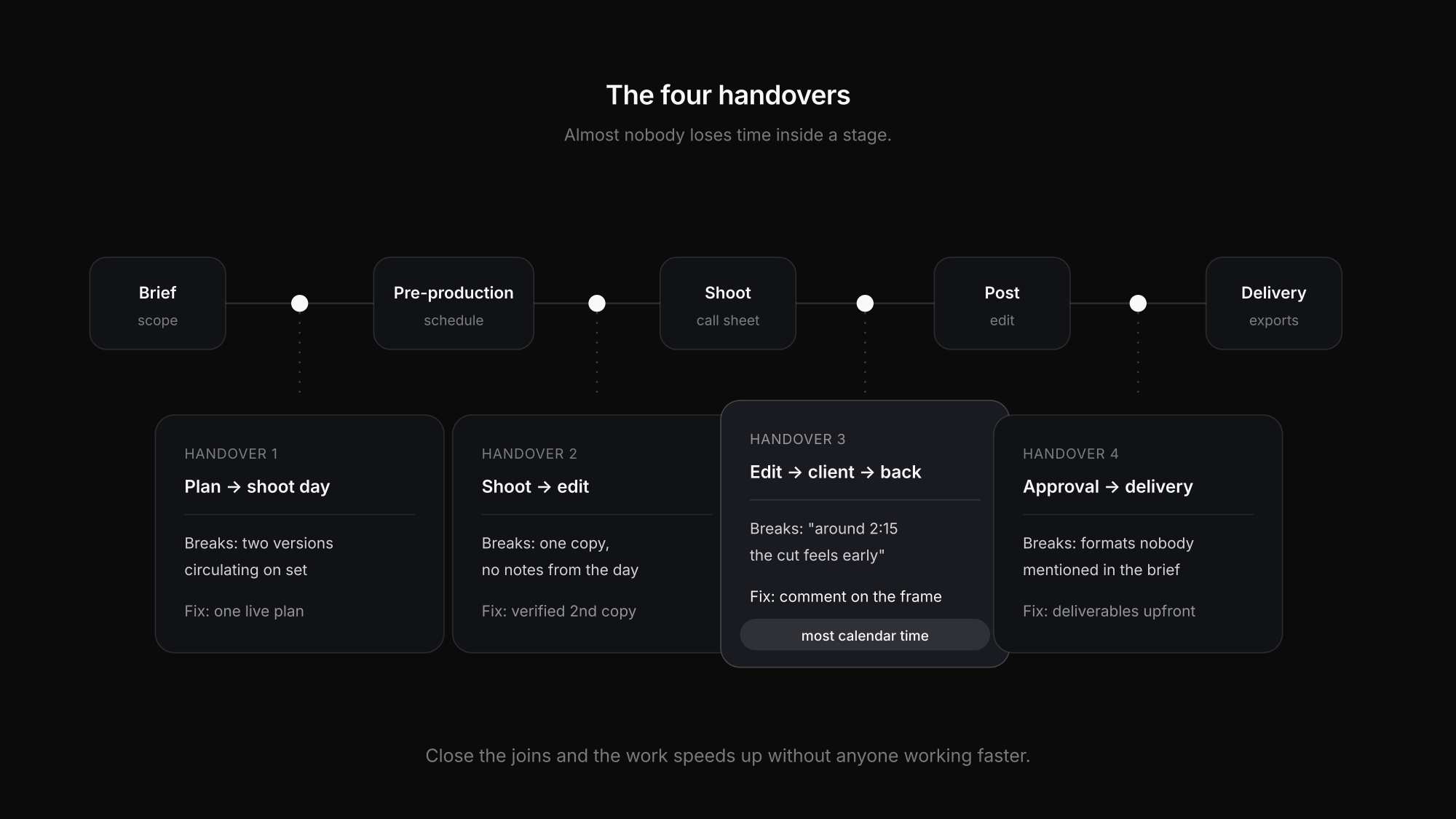
The handover from pre-production to the shoot day. From the shoot to the edit. From the edit to the client and back. From approval to delivery. This article walks the stages briefly and then spends the time where it belongs: on the four joins.
The five stages, briefly
- Brief and scope — what the video is for, who it is aimed at, how long, where it runs, and what "done" means
- Pre-production — treatment, script, shot list, casting, locations, permits, crew, kit, shooting schedule
- Production — the shoot days themselves, run off the call sheet
- Post-production — ingest, backup, assembly, edit, colour, sound, graphics, revisions
- Delivery — final exports in the right formats, the handover, and the archive
For a solo videographer these collapse; on a four-day shoot with three units they are distinct phases with different people. The handovers below apply either way.
Handover 1: Pre-production to the shoot day
Everything planned exists in documents. On the day, the crew needs a fraction of it — the right fraction, on a phone.
Where it breaks: the plan is a spreadsheet with fifteen tabs, sent as a file. Something changes after it goes out. Now there are two versions circulating and the morning starts with "is this current?"
What closes it:
- Blocks with durations, not fixed clock times, so one delay moves everything after it automatically instead of invalidating every row
- Turnaround and travel as their own blocks — they happen regardless, and unplanned they come out of the next setup
- One live plan rather than an attachment, so a change reaches everyone at once
- Each person sees their own day, not the master plan for three units
Handover 2: The shoot to the edit
The card comes out of the camera and the project pauses, sometimes for days. This is the least glamorous handover and the one that most often loses actual footage.
Where it breaks: offload happens at midnight after a twelve-hour day, onto one drive, with no verified copy. Or the footage is fine but nobody wrote down which take was the good one, so the edit starts by watching everything.
What closes it:
- A second copy before the card is formatted — no exceptions, however late it is. One copy is not a copy.
- Verified transfer, not drag and drop. Checksum-based offload tools exist precisely because silent corruption does.
- Notes from the day that survive to the edit — circled takes, the interview answer worth building around, the shot you know is missing
- A consistent structure so the editor, including future you, does not spend the first hour orienting
Handover 3: The edit to the client and back
This is the handover that consumes the most calendar time in most productions, and it is almost entirely a communication problem.
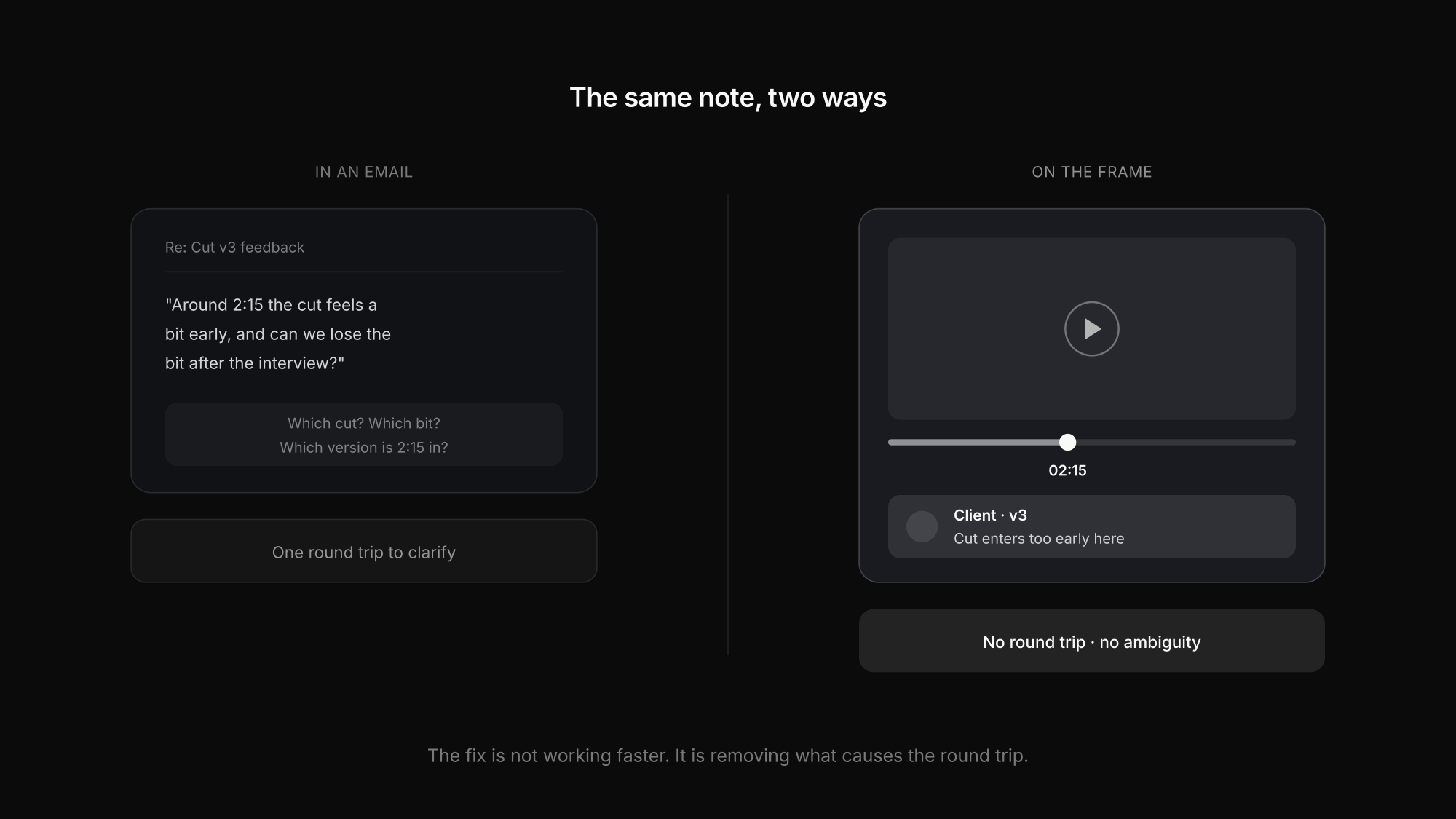
Where it breaks: the cut goes out as a link or a file, and the feedback comes back as an email. "Around 2:15 the cut feels too early, and can we lose the bit after the interview." Now the editor is guessing which cut, which bit, and whether the client means 2:15 in this version or the previous one.
What closes it:
- Comments tied to a timecode, placed on the frame rather than described in prose
- One thread per version, so feedback on v2 does not arrive against v4
- Consolidated feedback — one client-side owner collecting internal opinions before they reach you, rather than four people commenting separately
- A defined number of revision rounds, agreed in the quote rather than discovered at round five
The economics here are stark. A round trip that takes two days of calendar time to resolve a ten-minute change is normal in email, and the fix is not working faster — it is removing the ambiguity that causes the round trip.
Handover 4: Approval to delivery
The edit is signed off. What ships is rarely one file.
Where it breaks: the client needs 16:9 for the website, 9:16 for social, a captioned version, and a broadcast-safe master — and that list appears after approval rather than in the brief.
What closes it:
- The deliverables list in the brief, including aspect ratios, captions, and any platform specs
- Export settings decided once, not re-derived per job — the post on video export settings covers what to use where
- A delivery the client can actually use: streaming for review, downloads where they are entitled to them
- An archive step that happens, rather than a project folder living on the edit drive until it is full
Where the time actually goes
Waiting on feedback
Usually the largest block of calendar time in the whole project, and the one least visible in a schedule.
Re-cutting from ambiguous notes
"The bit after the interview" costs a round trip to clarify. A timecoded comment costs nothing.
Hunting for the right version
Three files named final, finalv2 and finalUSE_THIS. The version question is a workflow smell.
Re-exporting for a format nobody mentioned
Vertical, captioned, broadcast-safe. Cheap to ask in the brief, expensive to discover after approval.
Recreating notes from the shoot
Which take was good, what is missing. Written on the day it costs a minute; reconstructed later it costs hours.
Chasing the client for a decision
Not because they are slow, but because "have a look and let me know" is not a request with a deadline attached.
Keeping the stages connected
Most of these failures are the same failure: the stages live in different tools, so context does not survive the join. The schedule is in a spreadsheet, the footage is on a drive, the review is in email, the invoice is in accounting software, and the client is copied on some of it.
That is the problem Exportlab is built around — one project holding the production plan, the footage, the frame-accurate feedback, the delivery and the paperwork, so each handover happens inside the same record rather than across three tools.
Concretely, across the four joins: the crew sees the day's blocks on their phone with the client seeing only what has been released; uploads land on the project they belong to; feedback attaches to a timecode on a specific version instead of arriving as prose; and the client watches progress on a status page rather than emailing to ask. Production planning is currently in beta and enabled per workspace.
FAQ: Video production workflow
What are the stages of a video production workflow?
Brief and scope, pre-production, production, post-production, and delivery. The stages themselves are standard — the time is usually lost in the handovers between them rather than inside any one stage.
Where do video projects lose the most time?
In the review loop between the edit and the client. Feedback described in prose rather than anchored to a timecode generates round trips, and each one costs calendar days for changes that take minutes to make.
How many revision rounds should I include?
Whatever you decide, name the number in the quote rather than leaving it open. Two rounds is a common default for commercial work. The problem is rarely the number itself; it is discovering there was no agreed number at round five.
What should happen to footage on the shoot day?
A second copy before any card is formatted, ideally with verified rather than drag-and-drop transfer. One copy is not a copy, and the moment of highest risk is the end of a long day when everyone wants to go home.
Do I need project management software for video?
Not necessarily, but you need the stages connected. The cost comes from context lost at the handovers — a plan the crew cannot read on set, feedback that does not say which frame, a deliverables list that appears after approval.
Conclusion
A video production workflow is not really five stages. It is four handovers, and the stages are what happens in between them.
Close the joins and the work speeds up without anyone working faster: a live plan the crew reads on their phone, a verified second copy before the card is wiped, feedback anchored to a frame instead of described in an email, and a deliverables list agreed in the brief. For the two ends of that chain, start with the shooting schedule and the comparison of video review tools.